

The Incident tab is where you record the basics of the call — who responded, when each thing happened, where the call was, what dispatch told you, and who was on the truck. It is the first tab in the PCR and the right place to start.
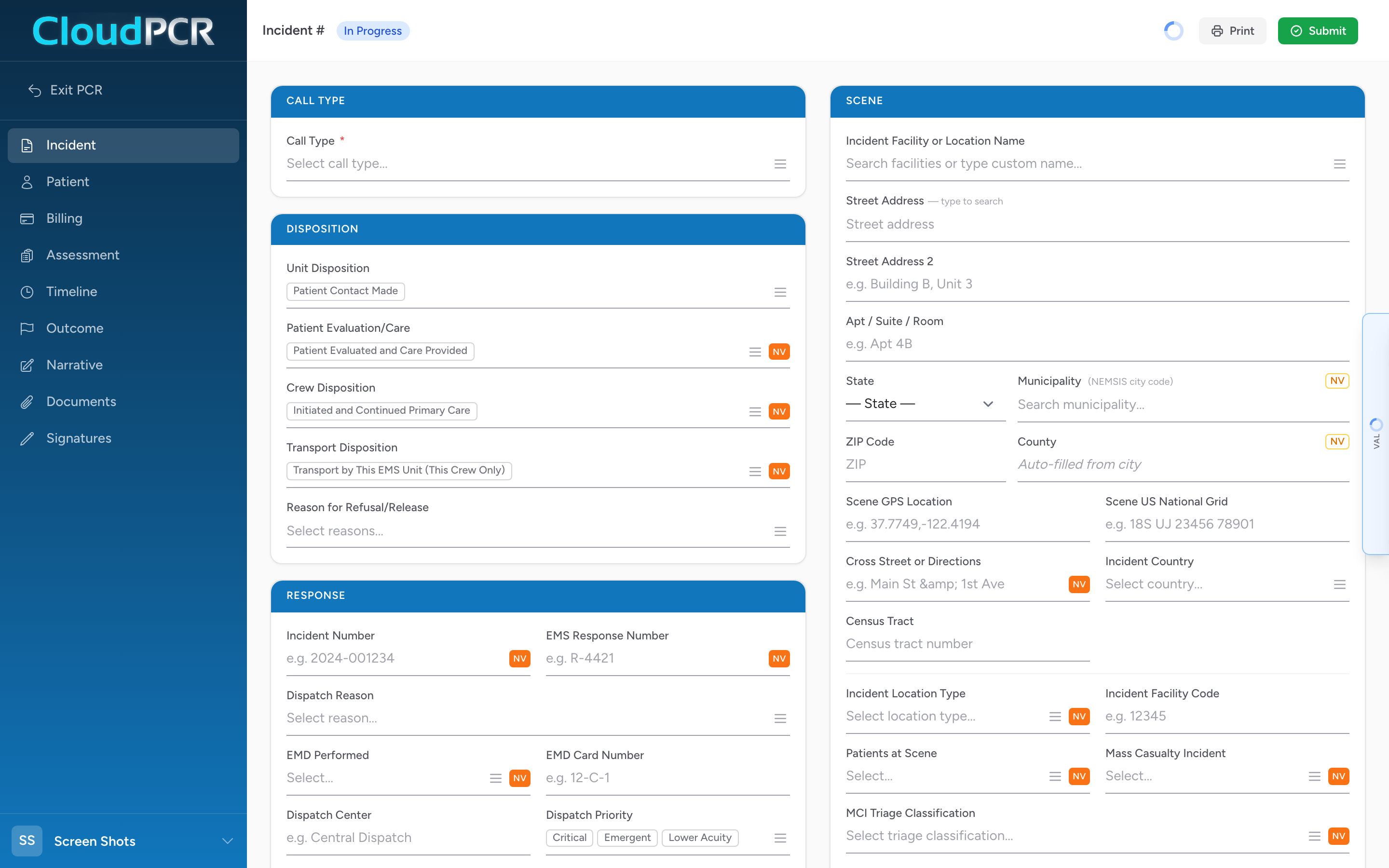
The sections on this tab
- Call Type — picks the kind of call (911, interfacility transfer, mutual aid, etc.). The call type can change which sections of the PCR are required.
- Disposition — how the call ended overall: unit disposition, patient evaluation/care, crew disposition, transport disposition, and reason for refusal.
- Response — your unit, the level of service, and how you responded (emergent, non-emergent).
- Other Responders — other agencies on scene with you (fire, law enforcement, mutual aid).
- Scene — the address and details of where the call happened.
- Crew — the people on the truck with you and their roles.
- Times — every timestamp from dispatch through back in service.
- Mileage — odometer readings at start and end of transport.
- Delays — any delays that happened during the call.