
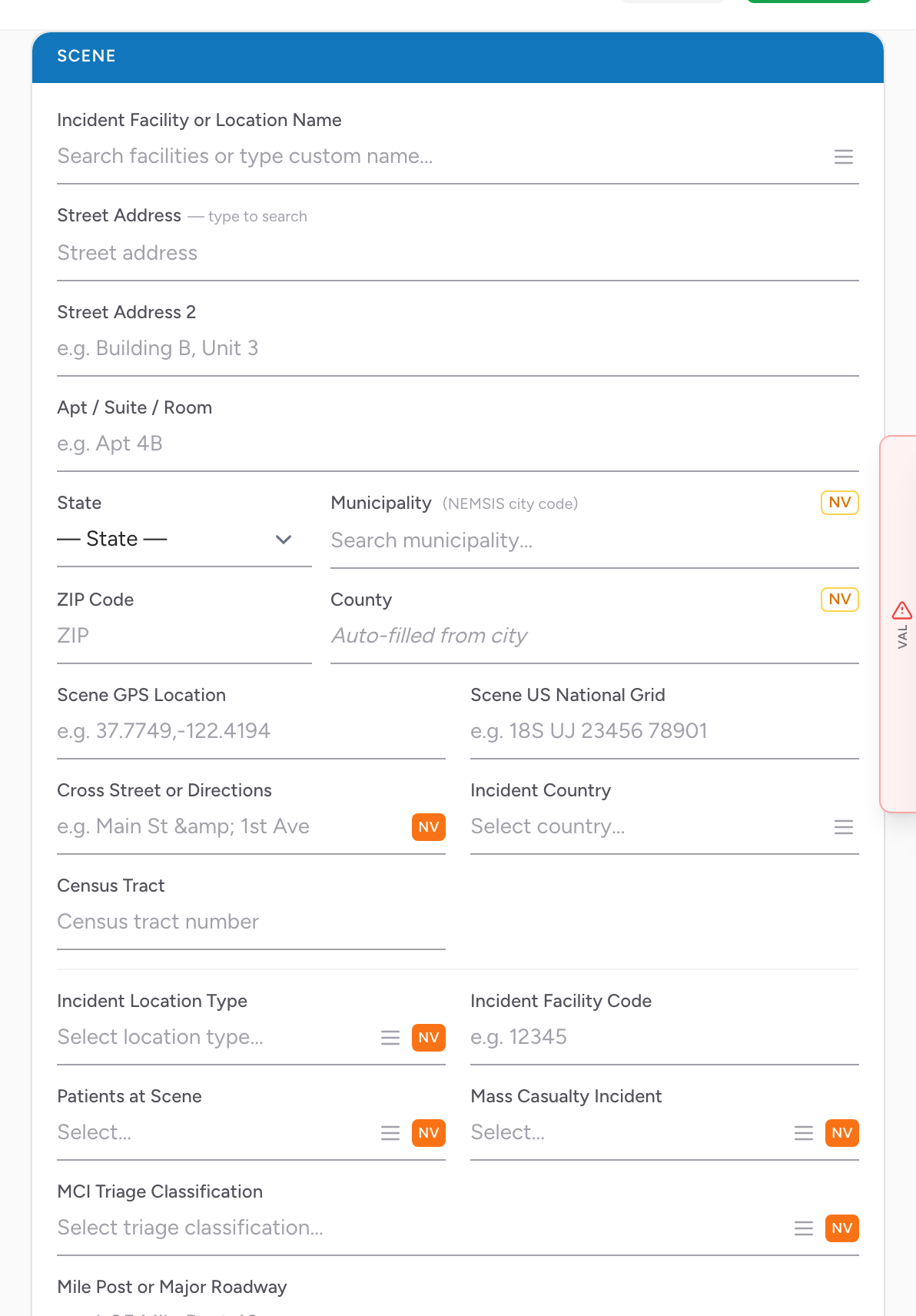
The Scene section on the Incident tab captures where the call happened. The fields cover the address, the GPS coordinates, the type of place, how many patients were there, and whether it was a mass casualty incident.
Facility and address
- Incident Facility or Location Name — if the call was at a named facility (a hospital, nursing home, school), pick it from the list. Picking a stored facility fills in the address, GPS, and USNG automatically.
- Street Address, Street Address 2, Apt / Suite / Room, City, State, ZIP Code, County — the scene address.
The address fields use a shared address component. Type the street address and CloudPCR autocompletes. The city field stores a NEMSIS GNIS code, and the county stores a 5-digit FIPS/ANSI code — both are locked to the official lists for NEMSIS compliance. See Looking up an address.
GPS, grid, and cross street
- Scene GPS Location — latitude and longitude. Picks up from the facility if you picked one.
- Scene US National Grid — USNG coordinates for the scene.
- Cross Street or Directions — free text. Useful for rural scenes or tricky apartment complexes where the street address alone is not enough.
- Incident Country — usually the US by default.
- Census Tract — the Census tract the scene was in. Used for health equity and response time research.
Scene incident details
- Incident Location Type — the kind of place the call happened. Pick from the list; if you cannot find the right place, you can search the ICD-10 location codes.
- Incident Facility Code — optional code for the specific facility.
- Patients at Scene — how many patients were there. Pick from the list.
- Mass Casualty Incident — whether this was a mass casualty incident. Pick from the list.
- MCI Triage Classification — the triage category you assigned this patient if it was an MCI. Pick from the list.
- Mile Post or Major Roadway — mile marker or highway name for rural / highway scenes.
An example
You respond to a fall at Sunrise Nursing Home. Pick Sunrise Nursing Home in the Incident Facility field — the street, city, state, ZIP, county, GPS, and USNG all fill in. Pick Healthcare Facility for Incident Location Type. Enter 1 for Patients at Scene. Pick No for Mass Casualty Incident. Done.
Tip: For scenes where the patient was found at a different address than the scene itself (a patient who walked out of a hospital and collapsed across the street), use the scene field for where you found the patient and document the rest in the narrative.
Required fields: Which Scene fields are required depends on your state and your agency's form setup, and required fields are marked on screen. If a field is genuinely unknown or does not apply, use the NV button rather than leaving it blank.