
The Other Responders section on the Incident tab captures which EMS unit got there first and any other agencies (fire, law enforcement, another EMS service, search and rescue) that responded with you.
The top fields
- First EMS Unit on Scene — whether your unit was the first EMS unit, a later unit, or unknown.
- Initial Responder Arrived — the date and time the first responder (any agency) got on scene.
Adding a responder
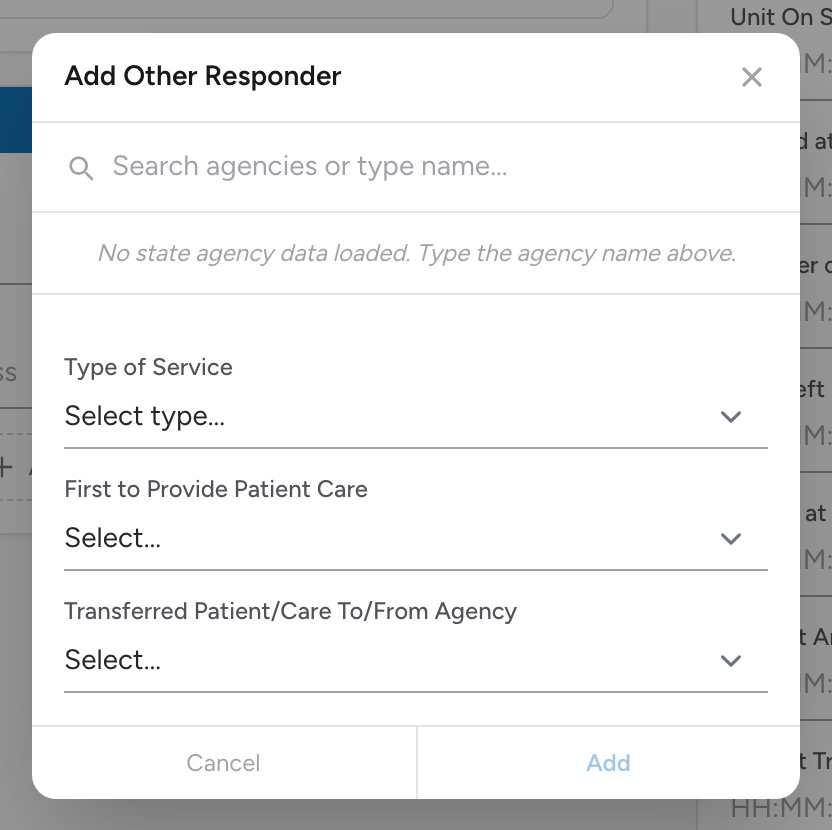
- Click Add Responder. The Add Other Responder modal opens.
- Pick the agency from the list — your state's agency roster autocompletes as you type. If the agency is not in the list, type the name and fill in Agency ID Number if you know it.
- Pick the Type of Service from the list.
- If the other agency was first on scene with the patient, pick First to Provide Patient Care.
- If your state uses it, a Transferred Patient/Care To/From Agency field appears. Set it if you transferred the patient to or from another agency mid-call.
- Click Add. The responder appears in the list on the section.
Editing or removing a responder
Click a responder in the list to reopen the modal. Click Update to save changes or Remove responder to delete it.
Why this matters
Your state's NEMSIS submission uses this data to track interagency response. It also matters for your agency's after-action review — if fire was on scene cutting a patient out of a vehicle, the time fire arrived ties to your scene time.
An example
You respond to a single-car crash. The local fire department is already on scene extricating the patient. State troopers are doing traffic control. Add two responders: Type of Service Fire Agency for the fire department, Type of Service Law Enforcement Agency for state patrol. Mark the fire department as First to Provide Patient Care if they were working with the patient before you arrived.