
The Crew section on the Incident tab lists everyone on the truck with you. For each person, you record who they are, their credential level, and what role they played on this call.
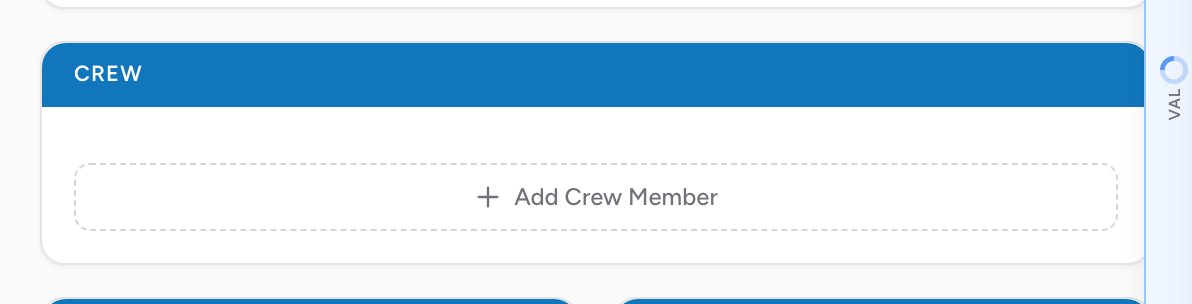
Adding a crew member
- In the Crew section, click Add Crew Member. A personnel search modal opens.
- Search by last name. CloudPCR shows matches from your agency's personnel list.
- Click the right person. A card is added to the Crew section and the search modal stays open so you can add more people.
- When you have added everyone on the truck, click Done.
What each field is for
- Level — the crew member's credential level. This fills in from their personnel record; change it for this call if you need to.
- Role — multi-select. Pick every role the person filled on this call. On complex calls a person can have more than one role.
The crew member's agency ID fills in automatically from their personnel record; there is no separate ID field for you to type.
The ATT and UNLINKED badges in the crew list
When you search for a crew member, some names show a small badge:
- An amber ATT badge marks a non-clinical attendant. You can still add them to the crew, but they are left out of your NEMSIS state submission. See Managing personnel.
- A grey UNLINKED badge marks a person whose personnel record is not connected to a sign-in account. You can still add them, but they will not see this PCR in their own My PCRs list.
The primary provider
Exactly one person on every PCR is the primary patient care provider — the clinically responsible person on the call. They are the one who signs the PCR before submission. Set their Role to show they were the primary patient care provider.
Replacing or removing a crew member
Click the member's name on their card to reopen the search modal and replace them. In edit mode, click Remove crew member to take them off the PCR.
An example
You and your partner respond on Medic 3. You are the paramedic, your partner is an EMT. A new EMT is riding for a third-rider shift. Add three crew members. Set your own Role to show you were the primary patient care provider (and the driver, if you drove). Set your partner's Role to secondary patient care provider. Set the third rider's Role to match what they did. When you submit, you are the one who signs.
Tip: If your agency uses shift assignments, the crew might fill in automatically when you start a new PCR. Check that everyone listed is actually on the call and add or remove as needed.