

Use this article to add and edit the people at your agency on the Personnel page, mark non-clinical attendants so they stay off your state submissions, and connect a person to their sign-in account. Every name that appears in the crew picker on a PCR comes from this Personnel list. Most agencies have one or two administrators who own this list; regular providers rarely need to touch it.
Before you start: This article covers the clinical and agency details on a personnel record. It does not cover creating a person's sign-in account. Sign-in accounts are created in the Unified Solutions hub, not in CloudPCR.
Some people are added for you automatically
You may open the Personnel page and find people already listed even though nobody added them by hand. When a person signs in to CloudPCR at your agency for the first time, CloudPCR creates a basic personnel record for them so they show up in the crew picker right away. You can open that record and fill in the rest of their details. So before you add a new person, search the list first to avoid creating a duplicate.
Add a person
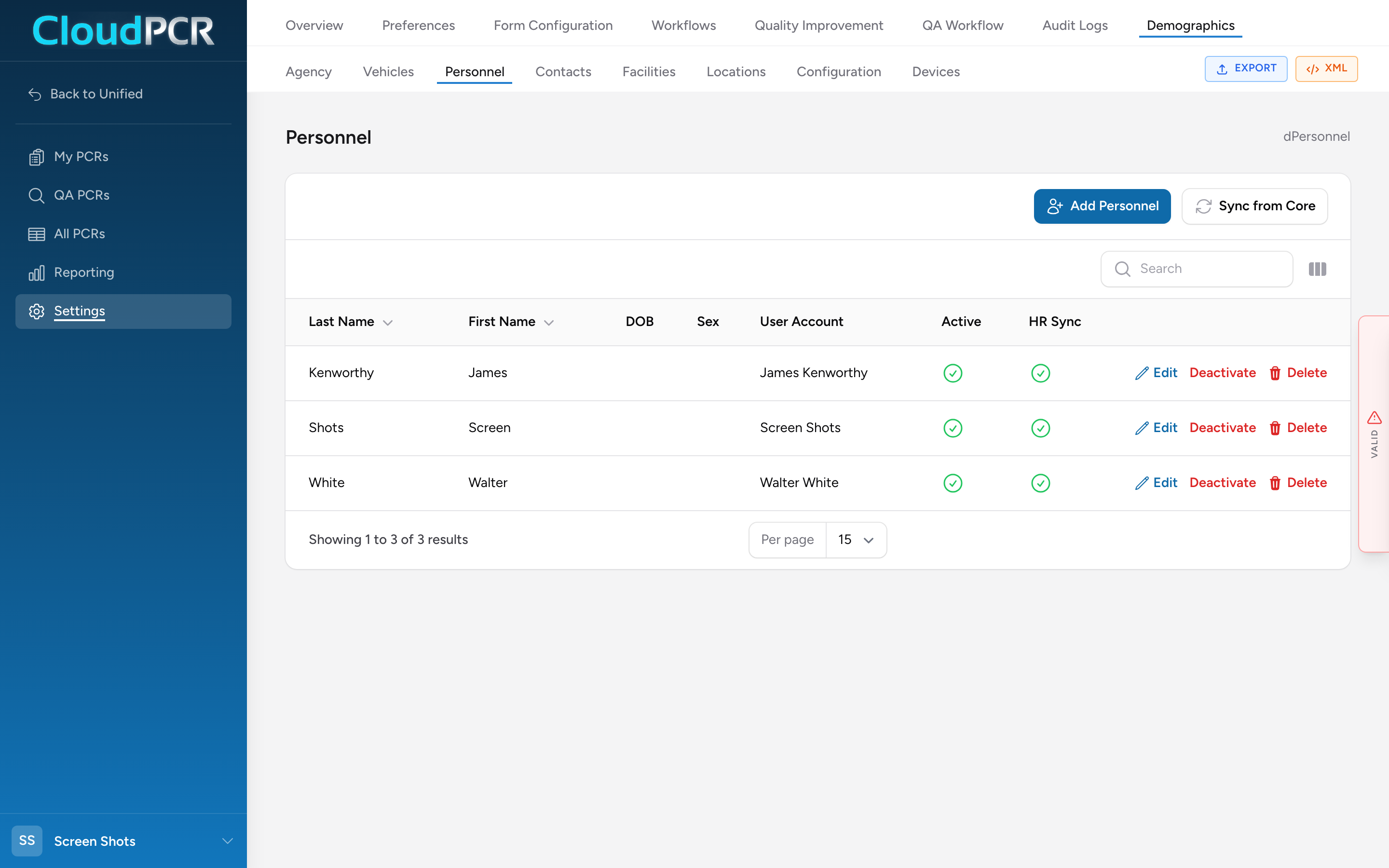
- From the menu, click Settings, then Demographics, then Personnel.
- Click Add Personnel. The Add Personnel Record window opens.
- Enter the first and last name, then fill in the demographic details you have.
- Leave EMS Personnel checked for clinical providers. Uncheck it only for non-clinical attendants (see below).
- If the person already has a sign-in account at your agency, pick them from the Linked User Account list. See below.
- Leave Active checked.
- Click Add Personnel at the bottom of the window. The person now appears in the Personnel list and in the crew picker on PCRs.
EMS personnel versus attendants
Every record has an EMS Personnel checkbox. On screen it reads: "Uncheck for non-clinical attendants (volunteer crew, dispatch). They stay selectable on PCRs but are excluded from NEMSIS exports." In plain terms:
- EMS Personnel checked — a clinical provider (paramedic, EMT, and so on). They appear in the crew picker and are included in your state submissions.
- EMS Personnel unchecked — a non-clinical attendant, such as a volunteer fire crew member, a dispatcher, or a driver. They still appear in the crew picker so you can record who was on the call, but they are left out of your NEMSIS state submissions.
In the crew picker on a PCR, an attendant is shown with an amber ATT badge so the crew member picking names can tell the two apart. In the Personnel list, the Role column shows EMS or Attendant, and the Role filter lets you narrow the list to EMS personnel or Attendants only.
Important: If a real clinical provider is missing from your state submission, the usual cause is that their EMS Personnel box is unchecked. Open their record and check it.
Linking to a sign-in account
The Linked User Account list connects this personnel record to the person's sign-in account. Pick the person from the list (each entry shows their name and email). Once linked, their name pre-fills on PCRs they create, and they show without an UNLINKED badge in the crew picker. A record with no linked account still works on PCRs; it just carries a grey UNLINKED badge in the crew picker.
Importing EMS personnel from a linked system
If your agency has a linked core system, the Personnel page shows a Sync from Core button that pulls your EMS personnel in rather than adding them one by one. If you do not have a linked core system, this button is turned off. Most agencies add people by hand or let them be added automatically at first sign-in.
Editing, deactivating, and certifications
- To change a record, click Edit on the row, make your changes, and click Save Changes.
- To take someone off the active crew list without losing their history, open their record and uncheck Active, or use the Deactivate action on the row. Inactive people drop out of the crew picker but stay attached to the PCRs they already worked.
- To record a person's state license and agency certifications, open their record and use the certification sections inside it. See Personnel certifications.
If your agency also uses the Unified Solutions HR app, the Personnel list shows an HR Sync status, and saving a record queues an update to HR. You do not have to do anything extra for that to happen.
A worked example
A new EMT starts at your service. You open Settings → Demographics → Personnel and search for their name. They are already in the list because they signed in this morning, so instead of clicking Add Personnel you click Edit on their row. You fill in their date of birth and sex, confirm EMS Personnel is checked, add their state EMT license in the certification section, and click Save Changes. Later, a volunteer firefighter who sometimes rides along needs to show up on crew lists but should not go on state submissions, so you click Add Personnel, enter their name, uncheck EMS Personnel, and save. They now appear in the crew picker with an amber ATT badge.