

For each person on your personnel list, you can track their state licensure and agency certifications, and when they expire.
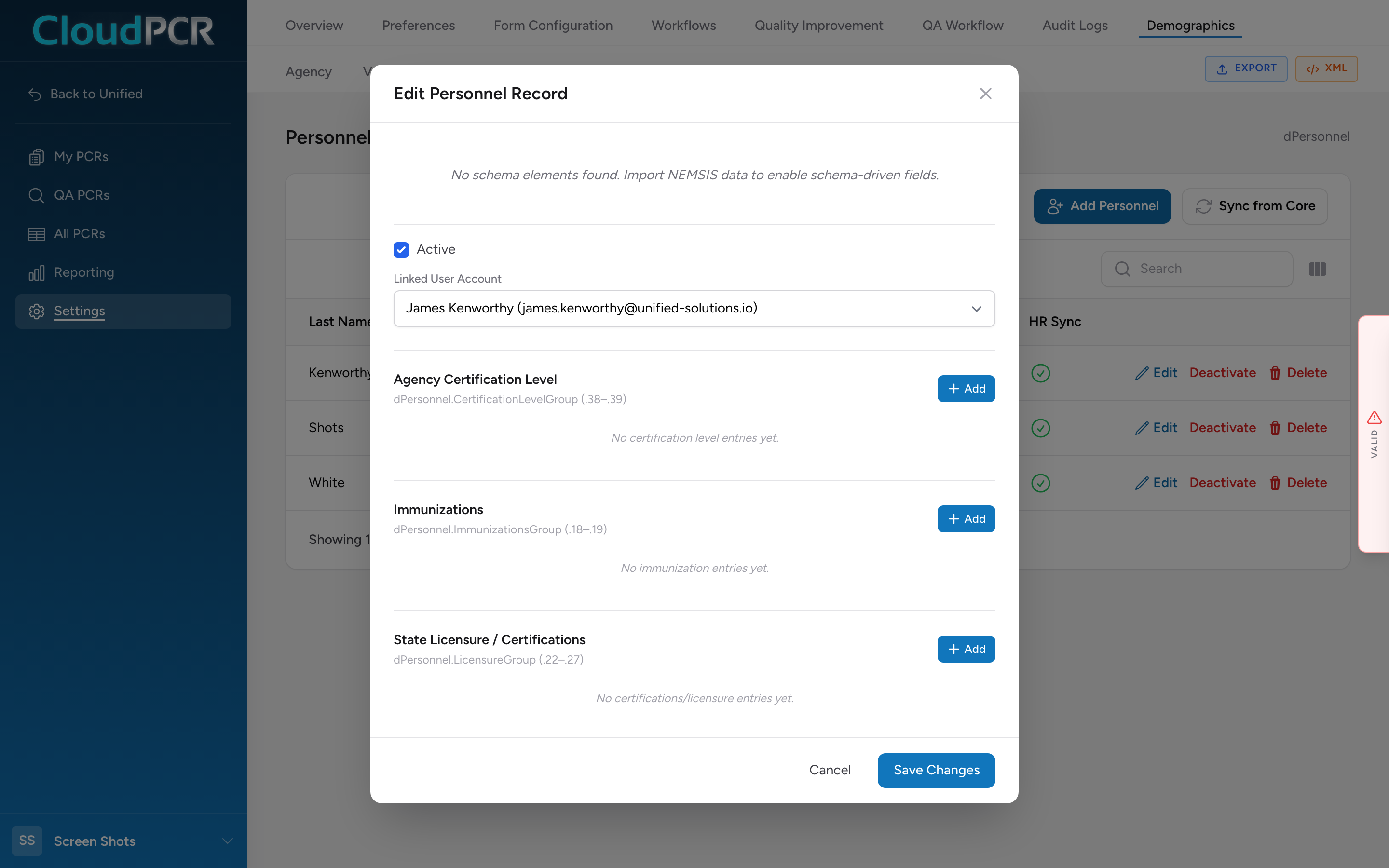
Open a person's record
- From the menu, click Settings, then Demographics, then Personnel.
- Find the person in the table.
- Click Edit on their row. The personnel record modal opens.
Add a state license or certification
- In the open personnel record, scroll to the State Licensure / Certifications section.
- Click the Add button. An Add Licensure Entry form appears.
- Pick the state, the certification level, and the expiration date. Fill in any other fields your state requires.
- Click Add to save the entry. It appears in the table below.
- Repeat for each license or certification this person holds.
Add an agency certification level
Agency-issued certification levels (what level you have cleared this person to practice at) live in a separate section called Agency Certification Level, higher up in the modal. Click Add there to record an agency certification, pick the level, and click Add again to save it.
Save the record
When you are done adding certifications, click Save Changes at the bottom of the personnel modal. The record and all of its certifications save together.
Why this matters
Tracking certifications in CloudPCR helps you make sure your crew is current. Reports based on this data show you who is up to date and who has something coming up for renewal.
An example
You are the office manager. The first day of every month, you pull a report of certifications expiring in the next 60 days. This month it shows three people: Smith's state license expires next month, Jones' ACLS expires in 6 weeks, and Brown's NREMT expires in 8 weeks. You email each of them with a reminder to renew. Two months later, when their renewals come back, you open each person's record, add a new licensure entry with the updated expiration, and save.