
The Response section on the Incident tab captures everything about how the call reached you and what you responded with. It has three sub-sections.
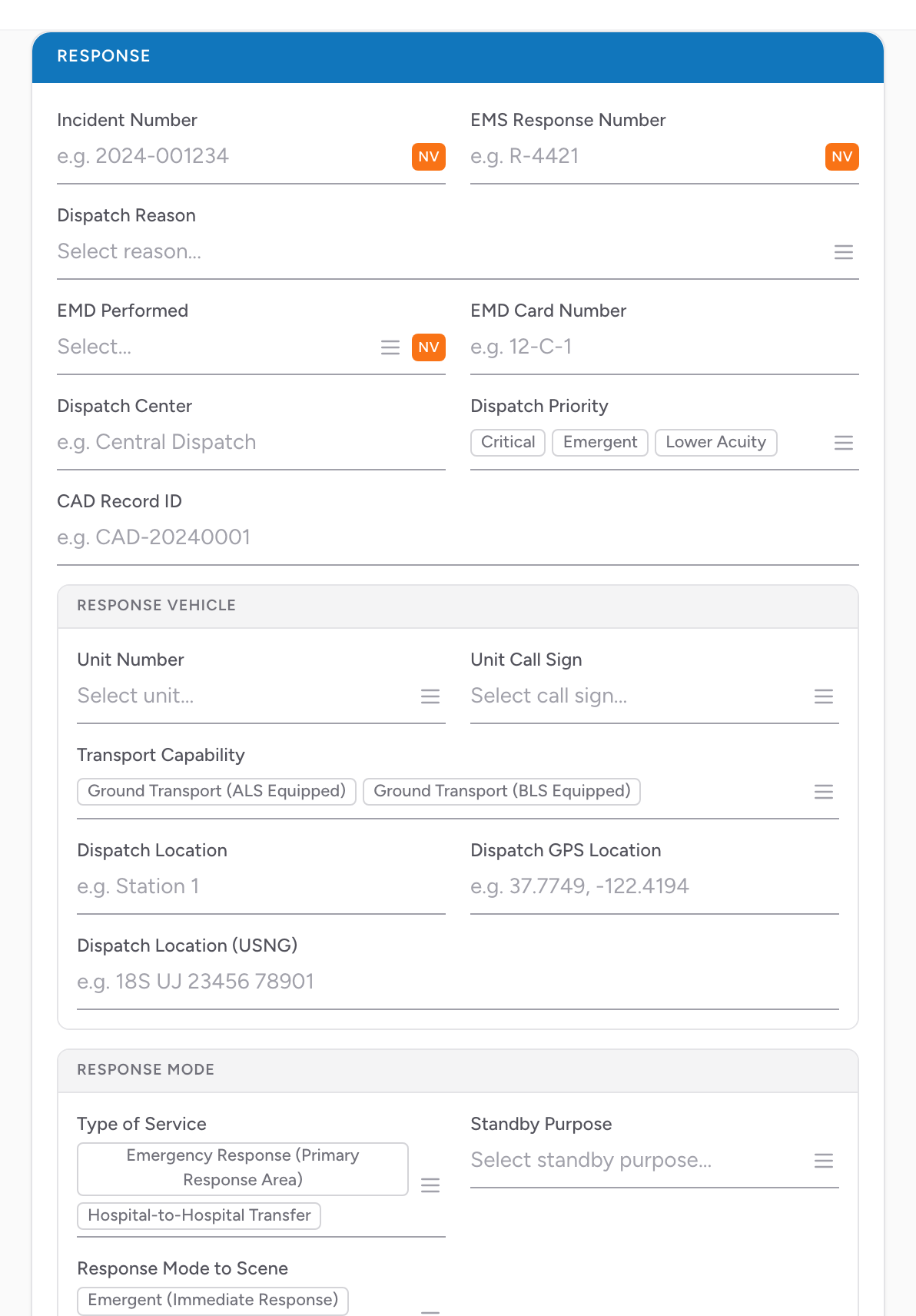
Response
- Incident Number — your agency's number for the call. If the number came from CAD, this field is locked (CAD owns the number). If your agency uses automatic incident numbers, a button appears next to this field to generate the next number for you.
- EMS Response Number — the per-unit response number.
- Dispatch Reason — what the call was dispatched as (chest pain, fall, motor vehicle crash, etc.).
- EMD Performed — whether dispatch used Emergency Medical Dispatch protocols.
- EMD Card Number — the card the dispatcher used.
- Dispatch Center — which PSAP / comm center took the call.
- Dispatch Priority — the priority the dispatcher assigned.
- CAD Record ID — the CAD system's identifier for the call, if you use CAD.
Response Vehicle
- Unit Number — the unit number you responded with, from your vehicle list.
- Unit Call Sign — the radio call sign. Pick from the vehicle list too.
- Transport Capability — what this unit is capable of. Pick from the list.
- Dispatch Location — free text for where you were posted when dispatched.
- Dispatch GPS Location — GPS coordinates for the dispatch location.
- Dispatch Location (USNG) — US National Grid coordinates.
Response Mode
- Type of Service — the kind of service for this call. Pick from the list.
- Standby Purpose — fill in if the Type of Service is a standby. Pick from the list.
- Response Mode to Scene — how you responded to the scene. Pick from the list.
- Additional Response Mode Descriptors — multi-select. Pick every modifier that applies.
How units pre-fill
If your unit's default level of service is set up correctly in Demographics → Vehicles, picking Unit Number fills in Unit Call Sign and Transport Capability for you. You only need to change them if today's setup is different from the unit's default.
An example
You work Medic 3, your agency's critical care truck. A 911 call drops for chest pain. In Response, you enter the incident number (or let CAD fill it in), Dispatch Reason Chest Pain, EMD Performed Yes With Prearrival Instructions, Dispatch Priority Priority 1. In Response Vehicle, pick Medic 3 — the call sign and transport capability fill in as Critical Care. In Response Mode, pick Type of Service 911 Response, Response Mode to Scene Emergent. Done.
Required fields: Which Response fields are required depends on your state and how your agency's form is set up, and required fields are marked on screen. If a required value is genuinely unknown, use the NV button to pick Not Applicable, Not Recorded, or Not Reporting rather than leaving the field blank.