
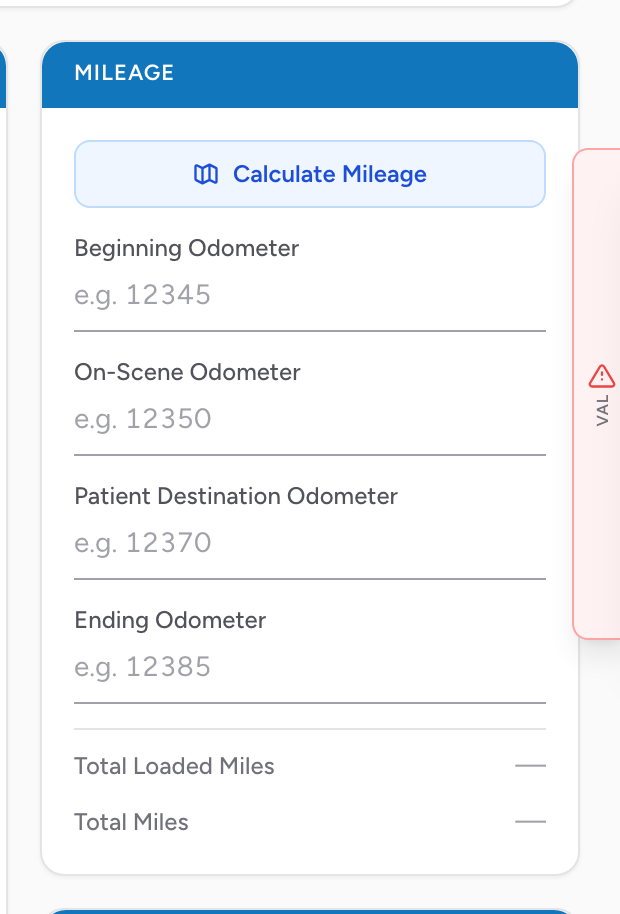
The Mileage section is where you record odometer readings during the call. Mileage matters for billing (most insurance pays a per-mile loaded mile rate) and for state reporting.
What to enter
- Beginning Odometer — when you began the call.
- On-Scene Odometer — when you arrived on scene.
- Patient Destination Odometer — when you arrived at the destination.
- Ending Odometer — when you cleared and were back in service.
CloudPCR shows Total Loaded Miles (On-Scene to Patient Destination) and Total Miles (Beginning to Ending) at the bottom of the section as you fill the fields in.
Calculate Mileage
Click Calculate Mileage at the top of the section to have CloudPCR figure the loaded distance for you using Google Maps. It reads the scene address from the Incident tab and the destination address from the Outcome tab, looks up the driving distance, and fills in On-Scene Odometer as 0 and Patient Destination Odometer as the calculated distance in miles. If either address is missing, a modal points you to the page that needs it.
An example
You start your shift and Medic 1's odometer reads 47,250. You get dispatched to a fall. The odometer at dispatch is 47,253. You arrive on scene at 47,260, leave the scene at 47,260, arrive at the hospital at 47,272, and return to quarters at 47,283. Total Loaded Miles for this call are 12 (47,272 minus 47,260). That's the number your billing team uses.