
The Times section is where you record every timestamp for the call. Times drive every operational metric in EMS — response time, on-scene time, transport time, total call time. Getting them right matters.
Set the incident date first
The Times section starts with an Incident Date field. Set it before you enter any times. CloudPCR uses the incident date to stamp each time to the right day, so if the date is blank your times will not save correctly. It normally fills in with the date you started the PCR.
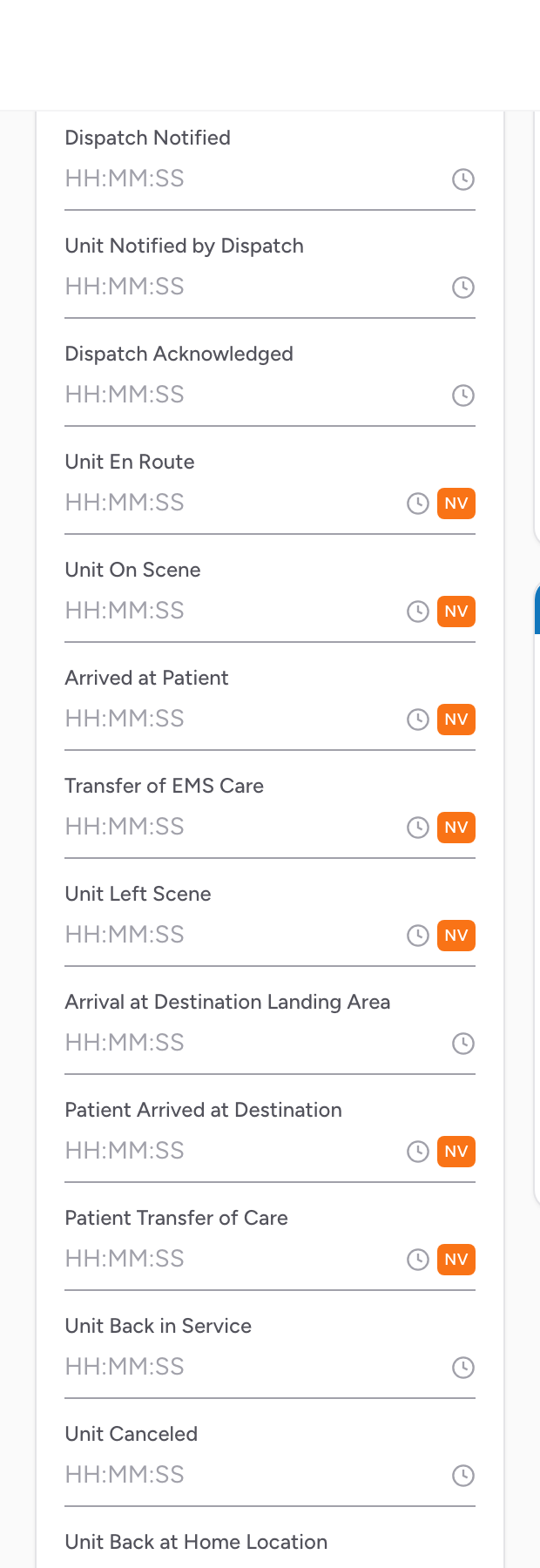
The standard times
- PSAP Call — when 911 was called.
- Dispatch Notified — when the call hit dispatch.
- Unit Notified by Dispatch — when your unit was alerted.
- Dispatch Acknowledged — when you acknowledged the call.
- Unit En Route — when you started toward the scene.
- Unit On Scene — when you arrived at the address.
- Arrived at Patient — when you actually reached the patient (different from on scene in big buildings).
- Transfer of EMS Care — when another crew took over patient care on scene (if care was transferred before transport).
- Unit Left Scene — when you started transport.
- Arrival at Destination Landing Area — rotor-wing only.
- Patient Arrived at Destination — when you arrived at the hospital or other destination.
- Patient Transfer of Care — when you handed the patient over at the destination.
- Unit Back in Service — when you cleared and were available for the next call.
- Unit Canceled — when the call was canceled (before arrival or after).
- Unit Back at Home Location — when you got back to quarters.
- EMS Call Completed — when the call was finished.
- Arrived at Staging Area — when you staged (MCI, scene safety delays).
How to enter a time
Each time field has a small clock icon next to it — click it to stamp the current time into the field the moment the event happens. Click it as the event happens, not later, for the most accurate time.
If you forget and need to fill one in later, you can type the HH:MM:SS directly or click the clock icon and then edit the time by hand.
If a later time reads as earlier on the clock than a time before it — for example, a call that runs past midnight — CloudPCR shows a small amber date on that field to show it rolled over to the next day. That is expected, not an error.
Why "Arrived at Patient" matters
Unit On Scene is when your truck stopped at the address. Arrived at Patient is when you actually got eyes on the patient. In a high-rise, those two times can be ten minutes apart. Your state quality reviewers look at the difference because it shows how long it took to actually reach the patient, not just the address.
An example
You get dispatched to a 12th-floor apartment for a fall. You click the clock icon next to Unit Notified by Dispatch. You jump in the truck and click the clock icon next to Unit En Route. You arrive at the building, park, and click the clock icon next to Unit On Scene. You grab the cot and the bag, ride the elevator to 12, walk to the apartment, and find the patient. You click the clock icon next to Arrived at Patient. The two times are eight minutes apart. Later, when your supervisor is reviewing response times, that eight-minute gap explains why a "five minute response" felt like fifteen.
Required fields: Which times are required depends on your state and your agency's form setup, and required times are marked on screen. Common required times include when your unit was notified, went en route, arrived on scene, and went back in service. If a time is genuinely unknown, use the NV button rather than leaving it blank.