
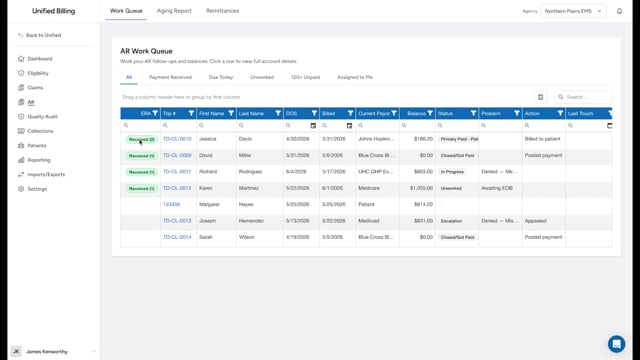
Opening the detail page
Click any row in the AR work queue to open the detail page for that claim. This page gives you the full picture of the claim's financial status and the tools to record activity and post payments.
Summary card
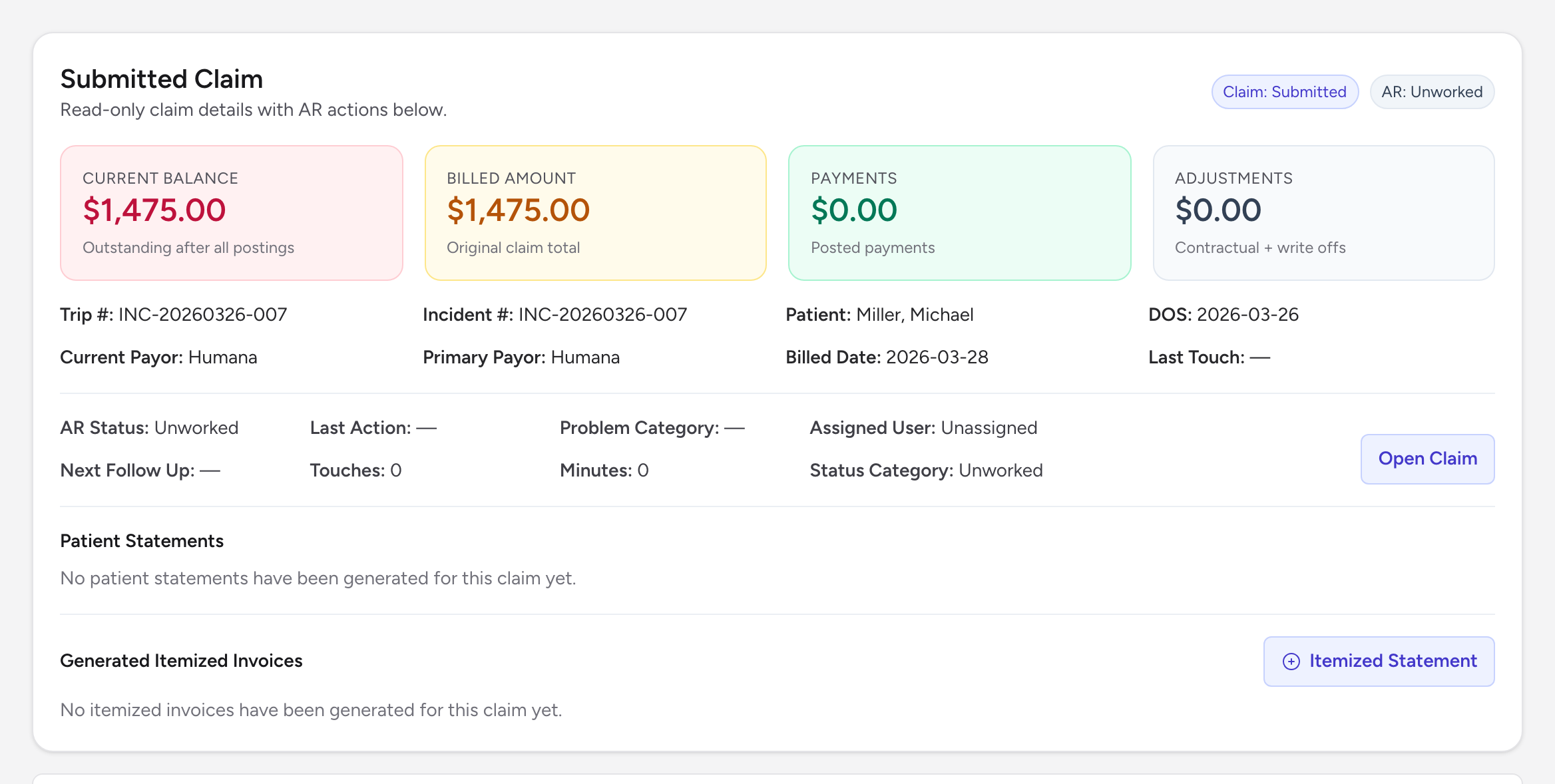
At the top of the page, a summary card shows four big numbers: Current Balance, Billed Amount, Payments, and Adjustments. Underneath are the claim's key identifiers: Trip #, Incident #, Patient, DOS, Current Payor, Primary Payor, Billed Date, and Last Touch. A second row shows AR Status, Last Action, Problem Category, Assigned User, Next Follow Up, Touches count, Minutes, and Status Category.
The summary card also has an Open Claim button that opens the full claim in a new tab, a Patient Statements list showing every statement generated for this claim with a View PDF link, and a Generated Itemized Invoices list where you can create and view itemized invoices for the claim.
Awaiting AR review
If an electronic remittance line from your clearinghouse is waiting for a decision on this claim, a yellow Awaiting AR review box appears above the Transactions table. Each proposed line shows the date, type, amount, and payer. Click Approve & Post to write it to the claim, or Dismiss if you already posted it by hand. See Reviewing clearinghouse remittances. If your remittances come back as files you post yourself, this box never appears.
Transactions
Below the summary is the Transactions table. It lists every ledger entry on the claim (payments, contractual adjustments, other adjustments, write-offs, and patient bills) plus virtual rows showing the status of each payer (Billed, Paid, Pending Primary, Pending Secondary). Header buttons on this table let you Post Entry and Post Batch, Bill to Patient, Post EOB, and Generate Secondary Claim when applicable.
Attachments
The attachments section lets you upload and view EOBs, correspondence, and any other documents you need to keep with the claim.
Notes
A Notes section sits between the attachments and the AR Log for free-form claim notes.
AR Log
The AR Log at the bottom shows every touch on the claim: who worked on it, when, how long they spent, what action they took, and any notes. Use the Log Entry button to add a new touch. See recording AR activity.
Example
You open the AR detail page for a claim with a billed amount of $1,500. The summary card shows $900 in Payments and $200 in Adjustments, leaving a Current Balance of $400. The Transactions table has a payment line from the primary payer and a contractual adjustment. The AR Log shows you called the payer last week and confirmed the $900 payment was final. Now you click Bill to Patient to bill the remaining $400 to the patient.
Tips
- Always check the touch history before you call an insurance company. Someone else on your team may have already handled it.
- Set a follow-up date after each touch so you remember to check back.