
When to bill the patient
Once insurance has finished with a claim, whatever is left over (a co-pay, a deductible, or the remaining balance) becomes the patient's responsibility. Bill to Patient records that hand-off: it puts a patient bill on the claim's ledger and creates a statement to send.
Before you start: Make sure the insurance side is settled first. Post the payer's payment and adjustments (see Posting an EOB) so the remaining balance is the true patient amount.
How to bill a balance to the patient
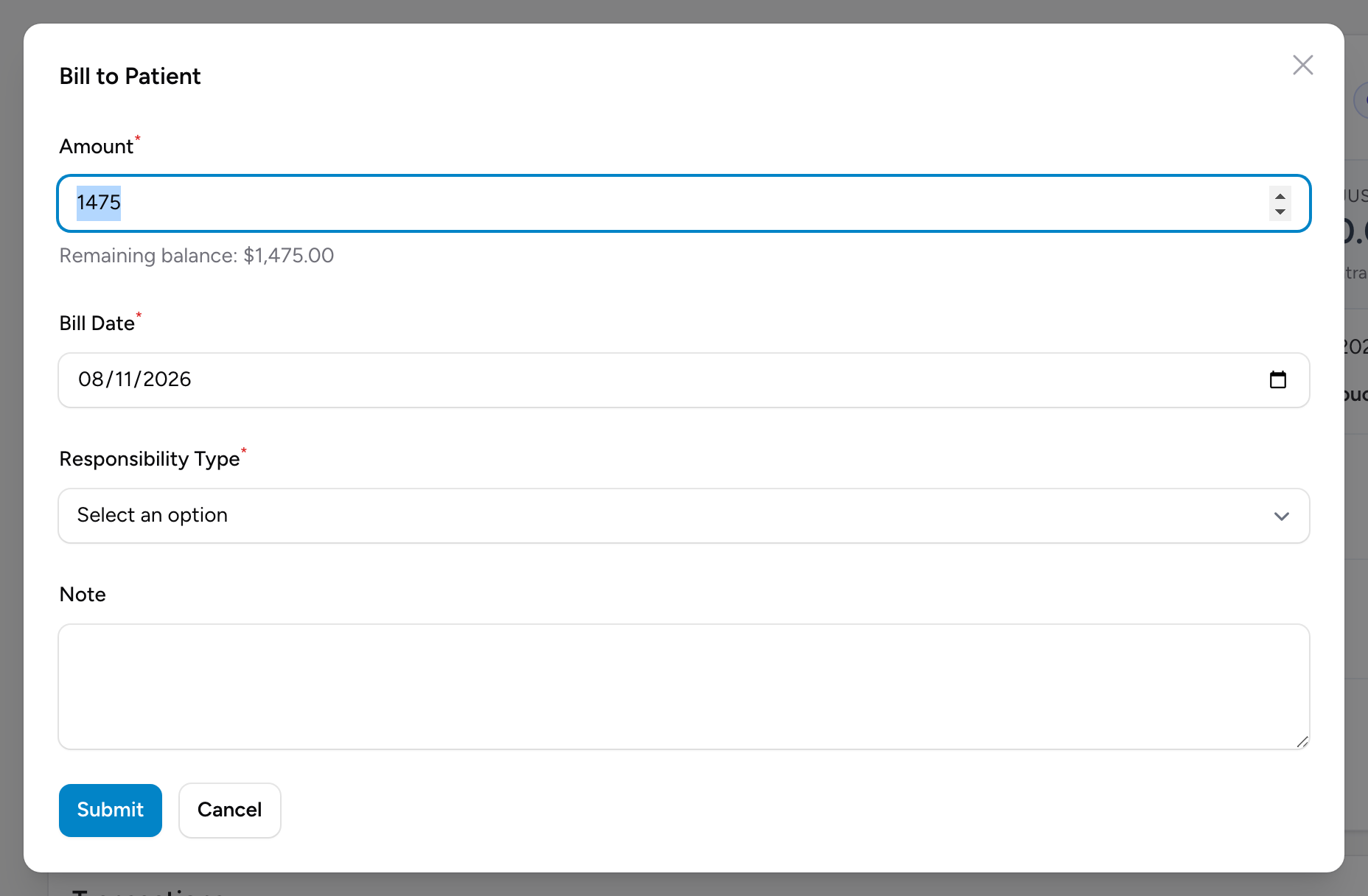
- Click AR in the menu and open the claim's AR detail page.
- In the Transactions section, click Bill to Patient.
- Check the Amount. It defaults to the claim's remaining balance, shown under the field, but you can change it to bill a partial amount.
- Set the Bill Date.
- Pick the Responsibility Type: Co-pay, Deductible, or Balance.
- Add a Note if the next biller will need context.
- Click Submit.
What happens next
A Patient Bill entry appears in the Transactions table, and a patient statement is created for the amount. If mailed statements are set up for your agency, the statement is queued for mailing right away; the confirmation message tells you when that happens. Either way, the statement shows in the Patient Statements list on the claim's summary card and on the Patient Statements page, where you can view the PDF and track its status. See Patient statements.
Example
A claim billed at $1,500 has a $900 primary payment and a $200 contractual adjustment posted, leaving $400. The EOB shows the $400 is the patient's deductible. You click Bill to Patient, keep the defaulted $400, pick Deductible, note "Per Aetna EOB 3/12", and click Submit. The ledger now shows the patient bill, and the first statement is on its way.
Tips
- Pick the responsibility type carefully. It shows on the statement and tells the patient why they owe the amount.
- If the patient later pays by check or cash, record it with Post Entry as a Payment with Payer Type Patient.