
The User Access page in Settings is where a billing admin decides which agencies each user can work in, and whether they can make changes or only look. It does not create accounts. Every user signs in through the Unified Solutions dashboard, so their account must already exist there before you can grant them anything here.
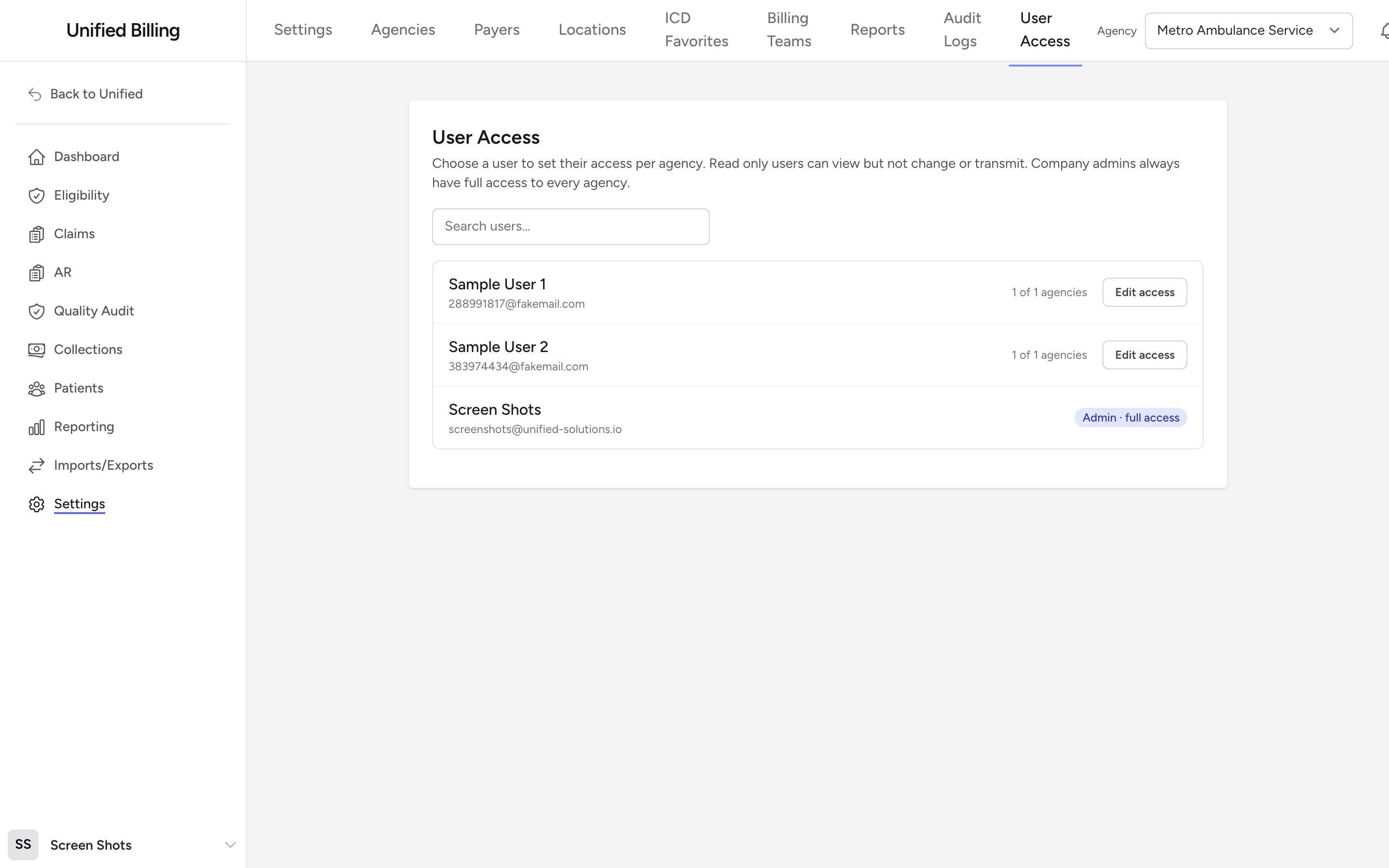
Before you start: You need billing admin access; the User Access page is only visible to admins. The person you are granting access to must already be able to sign in through the Unified Solutions dashboard.
The access levels
- No access - the user cannot work in that agency.
- Read only - the user can view but not change or transmit.
- Read & write - full working access to that agency's claims.
Admins are the exception. Company admins always have full access to every agency, so the list shows them with an Admin · full access badge instead of an Edit access button.
Granting access
- From the menu, click Settings, then User Access.
- Find the user in the list. The search box filters by name or email, and each row shows how many agencies the user can reach, like 2 of 5 agencies.
- Click Edit access next to the user.
- Pick No access, Read only, or Read & write for each agency. To change every agency in one click, use the Set all agencies to buttons at the top.
- Click Save changes. Billing returns you to the user list and shows Access updated.
Example
You hire a new biller, Dana, to work claims for your EMS division. She should be able to look up the fire division's claims when patients call, but not touch them. Open User Access, click Edit access next to Dana, set the EMS agency to Read & write, set the fire agency to Read only, and click Save changes.
Tips
- Read only is a good fit for supervisors, auditors, and front-office staff who need to look up claims without the risk of changing them.
- When you add a new agency (see Managing agencies), come back here. Non-admin users start with no access to it.