
Your daily starting point
The Billing dashboard is the first page you see when you open the app. It gives you a bird's-eye view of your billing operation so you can spot problems and plan your day. The heading at the top is Agency Reporting.
Everything on the dashboard reflects the agency picked in the Agency dropdown at the top of the page. If your numbers look different from a coworker's, check which agency each of you has picked.
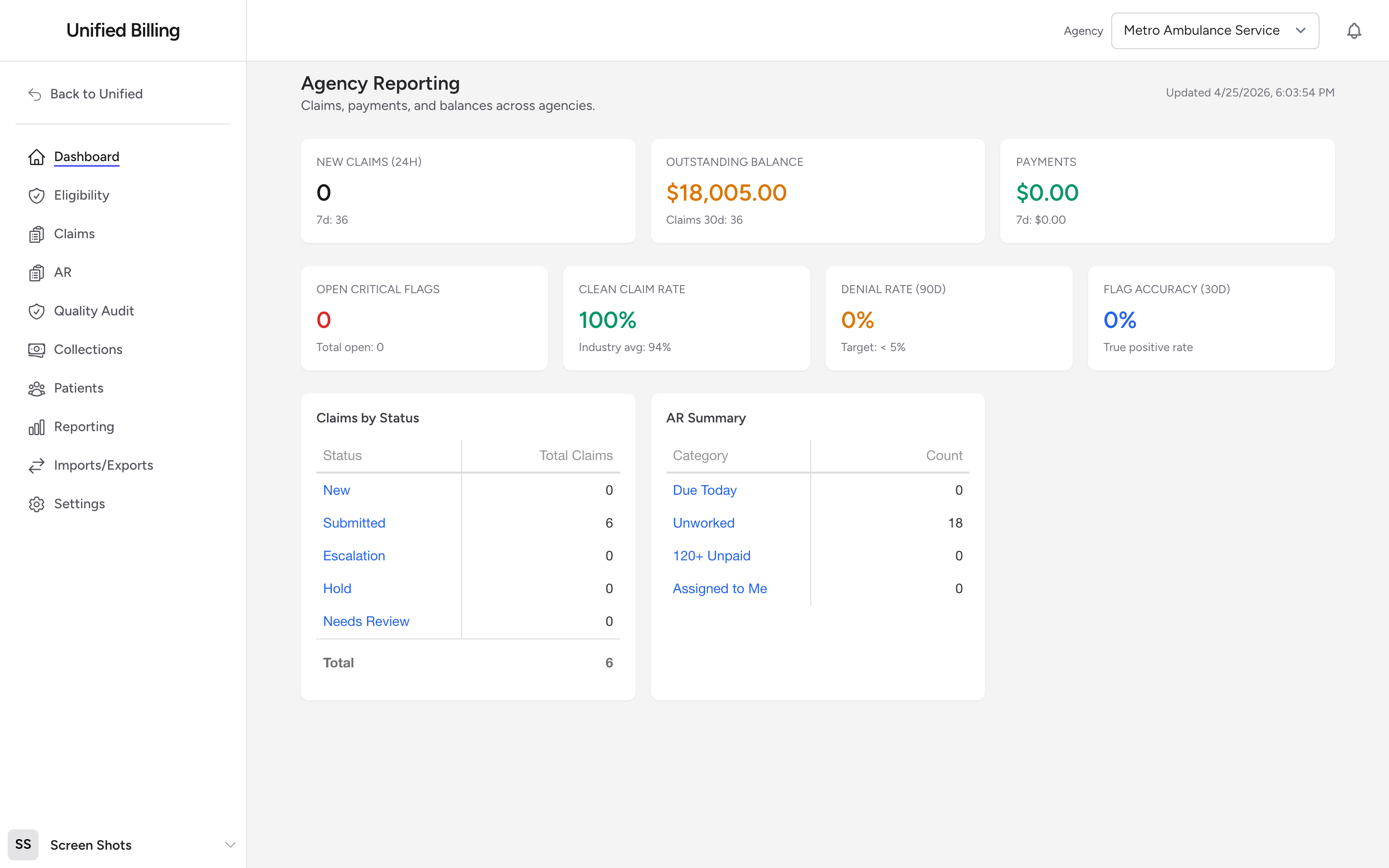
Team Audit Snapshot
The first section is the Team Audit Snapshot: a row of tiles covering your main working queues, including Trips to Bill, Rejection, Unmapped Payer, Flagged Trips, AR Unworked / Follow Up, payment posting, Unapproved Postings, and Quality (MTD). Each tile shows a count, a dollar amount where it applies, the age of the oldest item, and a color label: ON TRACK, WATCH, or BREACH. See The Team Audit snapshot for what each tile measures and what to do when one turns yellow or red.
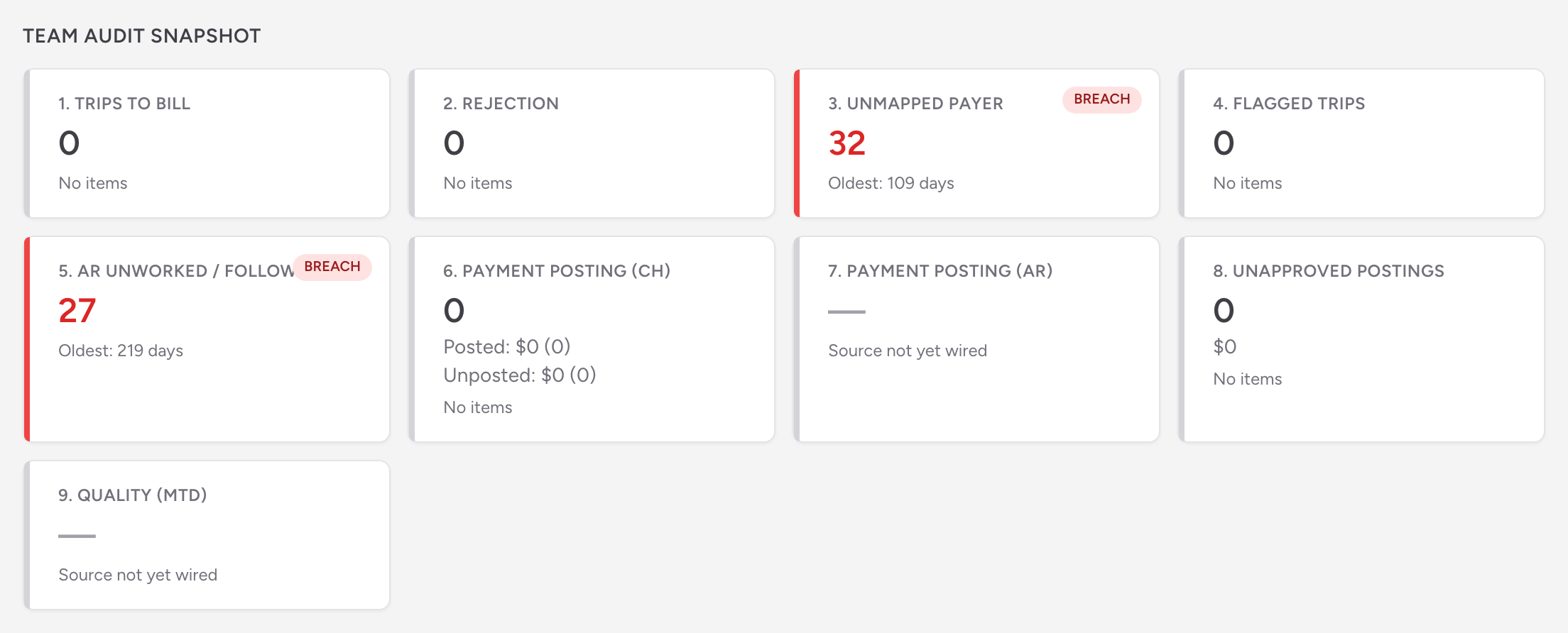
The top stat cards
Below the snapshot, three cards summarize recent activity:
- New Claims (24h) - claims created in the last day, with a smaller 7-day count underneath.
- Outstanding Balance - the total dollar amount still owed across all your claims, with a smaller 30-day claim count underneath.
- Payments - payments posted in the last 30 days, with a smaller 7-day number underneath.
QA metrics
The next row of four cards shows quality-audit metrics:
- Open Critical Flags - critical QA flags that need attention, with the total open count underneath.
- Clean Claim Rate - the percentage of recent claims with no critical QA flags. A claim with only warning-level flags still counts as clean. The card shows the industry average (94%) for reference.
- Denial Rate (90d) - the share of claims the payers have denied in the last 90 days. Target: less than 5%.
- Flag Accuracy (30d) - the true-positive rate on QA flags in the last 30 days.
Claims by Status and AR Summary
Below the stat cards, two interactive grids sit side by side:
- Claims by Status - counts of claims in each status. Click a status name to jump to the Claims list filtered to that status.
- AR Summary - counts by AR category. Click a category name to open the AR page filtered to that category.
Tips
- Check the dashboard at the start of each day. It takes 30 seconds and tells you where to focus.
- If a number looks wrong, click into the related grid for details. The dashboard is a summary. The full picture is in the work queues.