
Where saved reports live
The claims, payments, and billing history reports run in the Reporting app (see The reporting page). Custom layouts for those reports are built and saved there too. In the Reporting app, open Saved Reports to see the layouts you and your team have saved, or click + New report to build one. Saving and sharing reports walks through that flow.
One page inside Billing keeps its own saved reports: Audit Logs. The rest of this article covers that page.
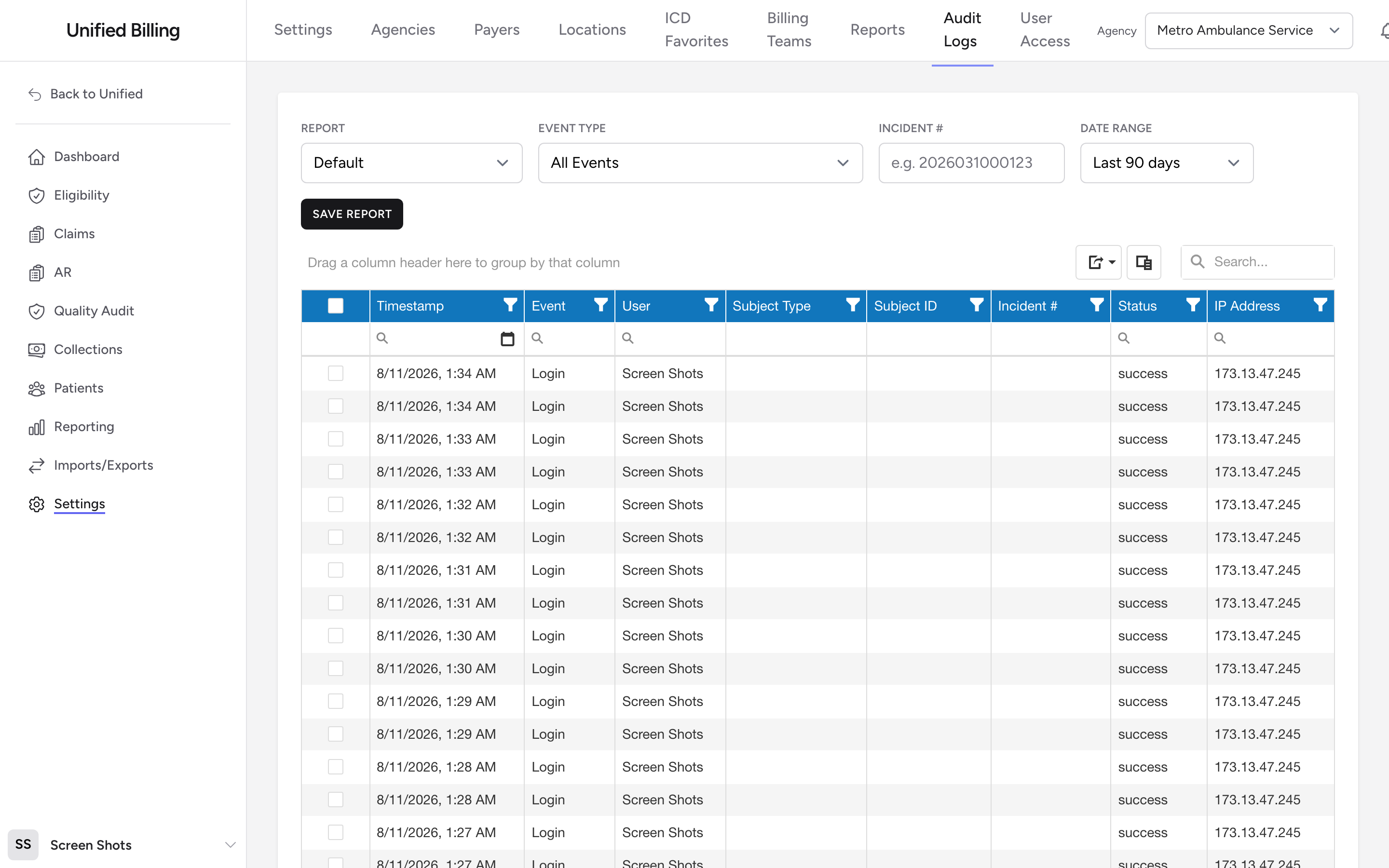
Saving a report on Audit Logs
- Click Settings in the menu, then Audit Logs.
- Set up the grid the way you want it: pick a report, a date range, and adjust the columns, filters, and sorting.
- Click Save Report.
- Enter a name like "Monthly Claim Activity."
- Tick Make this report visible to my company if you want coworkers to see it. Leave it unticked for a private report.
- Click Save.
Loading a saved report
Pick a report from the Report dropdown. It holds the built-in reports (Default, Authentication Events, Claim Activity) plus your saved reports and any shared ones from your company. The grid reconfigures as soon as you pick one.
Updating a saved report
Load the saved report, make your changes in the grid, and click Update. You can only update reports you own. The Update and Delete buttons stay hidden on built-in reports and on shared reports owned by someone else.
Deleting a saved report
Load the saved report, click Delete, and confirm. This only removes the saved layout. The audit log data is untouched.
Example
Each month you review what happened to claims in the prior month. Open Settings, then Audit Logs. Pick Claim Activity from the Report dropdown and set the date range to Last month. Click Save Report, name it "Monthly Claim Activity," leave the visibility box unticked, and click Save. Next month, pick "Monthly Claim Activity" from the dropdown and everything snaps back into place.
Tips
- Use clear, descriptive names so reports are easy to pick out in the dropdown.
- Share a report when the whole team should work from a common view, for example a shared sign-in activity report for security reviews.