
What accounts receivable is
AR (accounts receivable) tracks what insurance companies and patients still owe on your claims. After you submit a claim, it moves into the AR work queue, where you follow up until the balance is paid or resolved.
Opening the work queue
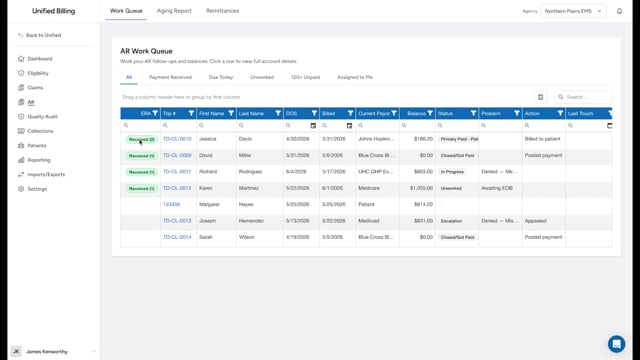
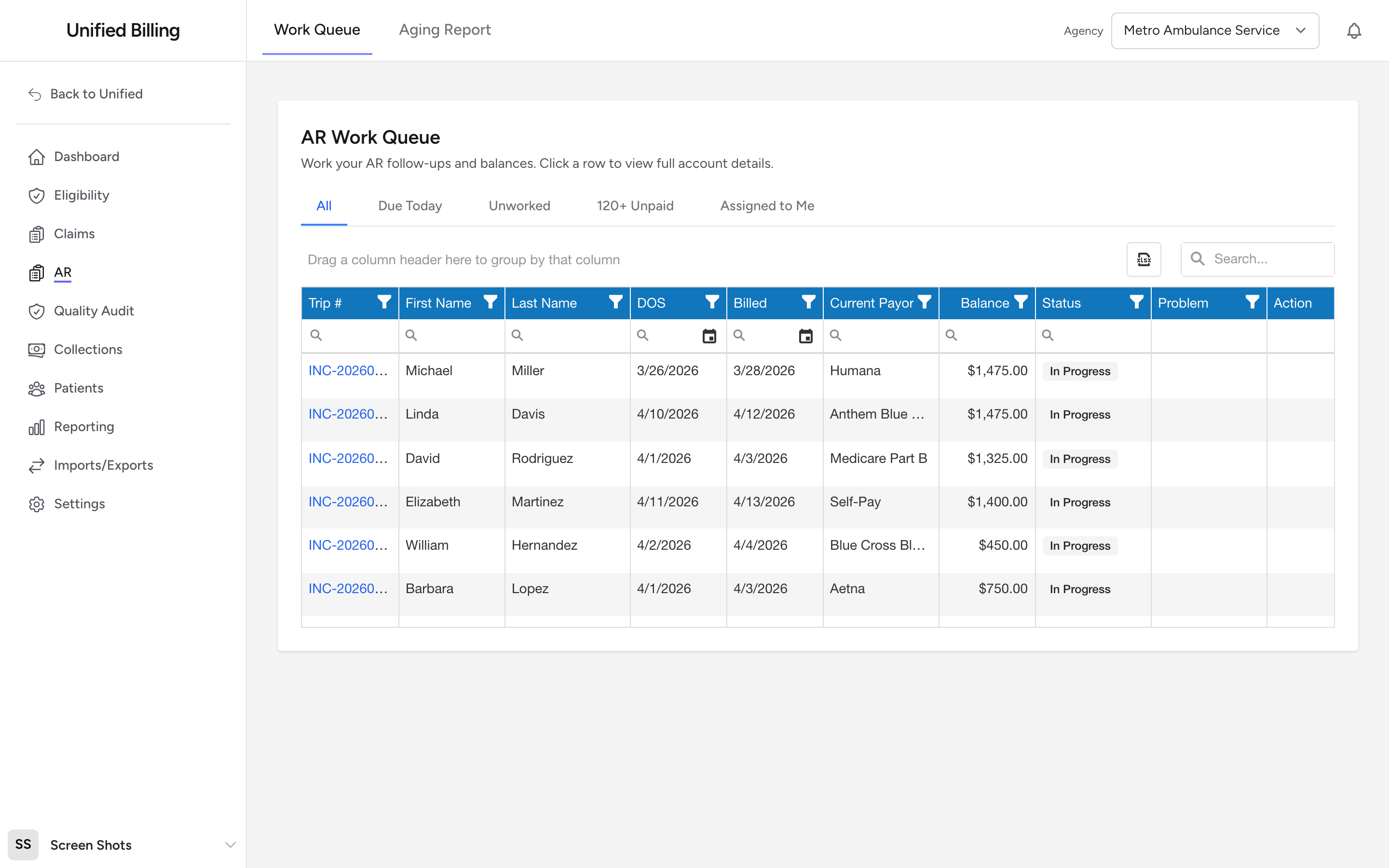
Click AR in the menu. You see a table of claims. Each row shows the trip number, patient, date of service, current payor, balance, status, problem category, last touch, and aging bucket. Click a row to open the claim's AR detail page.
When an electronic payment has arrived for a claim and is waiting for review, the row shows a green Received badge and moves to the top of the list, so you see money that came in first. If your remittances come back as files you post yourself instead of arriving automatically from your clearinghouse, you will not see these badges. That is normal.
Tabs
The top of the queue has tabs that filter the list quickly:
- Open: every claim with a balance still owed. This is the default view.
- Payment Received: claims where an electronic payment has arrived and is waiting for your review. See Reviewing clearinghouse remittances.
- Due Today: claims where the next follow-up date is today.
- Unworked: claims nobody has touched yet.
- 120+ Unpaid: claims 120 or more days old with a balance over zero.
- Assigned to Me: claims assigned to you.
- Closed: claims with nothing left to collect.
Working a claim from the queue
Every row has an Actions button. It opens a small menu with Open (go to the claim's detail page), Post Entry, Batch Post, Add Attachment, and Log Entry, so you can post a payment or log a touch without leaving the queue. Clicking anywhere else on the row also opens the detail page.
Filtering and searching
On top of the tabs, every column has a filter row and the table has a search box. Use these to narrow the list by status, payor, problem category, trip number, patient name, aging bucket, or any other column.
Pagination
The queue loads 25 rows at a time. Use the pagination controls at the bottom to move through the list or change the page size.
Example
It is Monday morning and you want to start with your highest-priority follow-ups. Click the Assigned to Me tab, then sort by the Balance column to bring the biggest balances to the top. Work through them one by one, logging your activity on each as you go.
Tips
- Work the oldest claims first. The longer a claim goes without follow-up, the harder it is to collect.
- Use the Assigned to Me tab to see just your claims so you are not distracted by other people's work.