
Before you start: Scheduling is admin-only. If you do not see it in the navigation, you have an employee role.
From the navigation, click Scheduling. The Full Schedule tab is the whole agency's calendar.
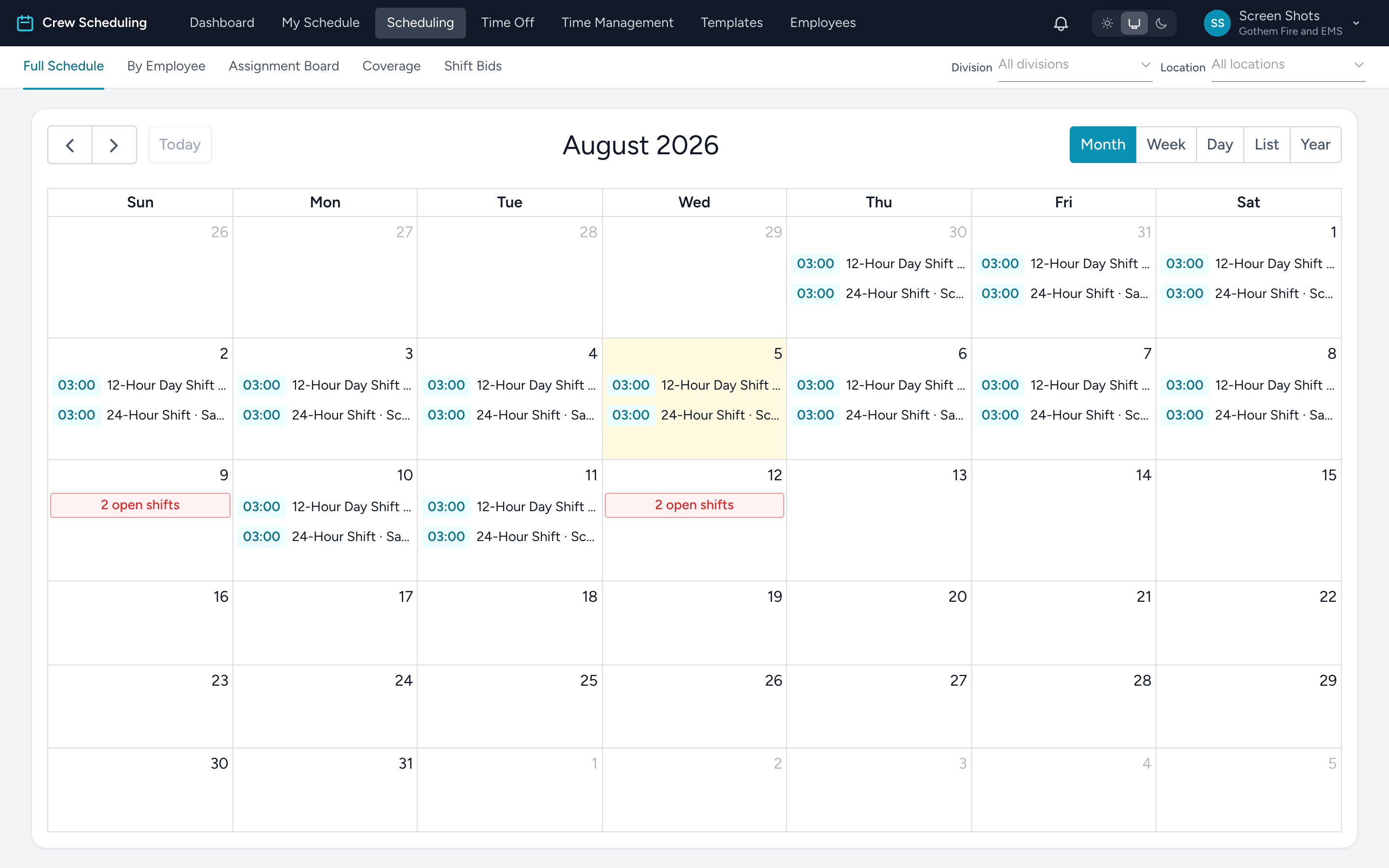
Reading it
- Assigned shifts are white cards with a time badge; open shifts are red.
- In the month view, a day's open shifts collapse into one red N open shifts entry so the cell stays readable. Click it to open the day and see them individually.
- Shifts that run past midnight (24/48 hour shifts) show on the day they start.
- The view buttons switch between month, week, day, list, and a full-year layout.
Working from the calendar
- Click a day — opens the day overview, the main place to build and fix a day's lineup.
- Click a shift — opens it for editing.
- Drag a shift to another day to reschedule it. Multi-day shifts keep their full length when dragged; to change their times, open the shift instead.
The other tabs in this section each get their own article: By Employee, Assignment Board, Coverage, and Shift Bids.