
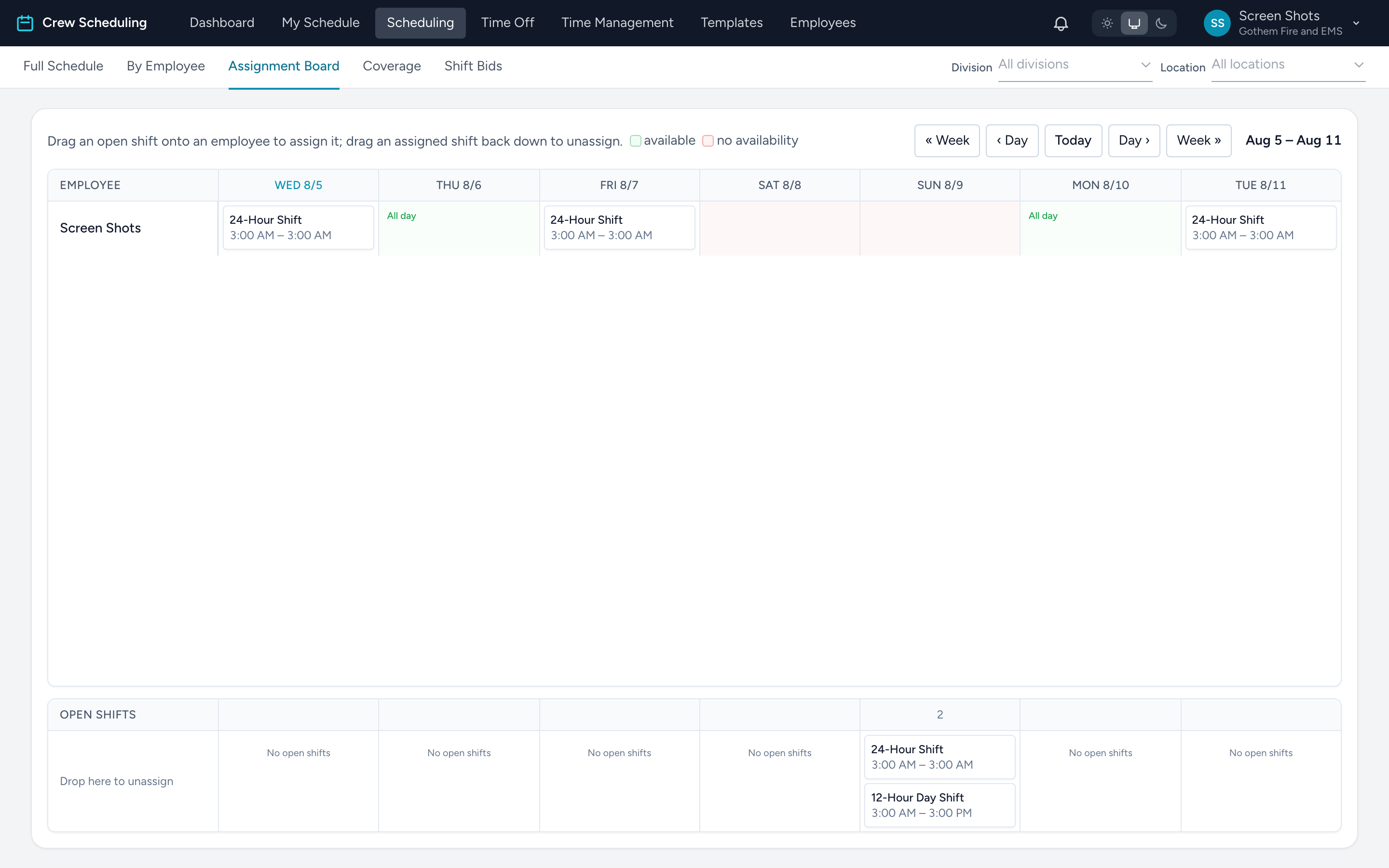
The Assignment Board tab under Scheduling shows a rolling seven-day grid: every employee as a row, open shifts per day underneath. It is the fastest way to fill several holes across the week in one sitting.
Reading the board
- Each cell is one employee's day. Shifts they hold show as chips; the label from their availability shows when they marked themselves available.
- A red cell means the employee set no availability and has no shift that day.
- Open shifts collect in the day columns at the bottom of the board.
Assigning and unassigning
- Drag an open shift onto an employee's cell to assign it. The usual checks run — blocks stop it, warnings ask first. Dropping on a red cell adds its own warning that the person never said they were available that day.
- Drag an assigned shift back down to the open area to unassign it (the shift reopens for bids and the employee is notified).