
Before you start: Templates is admin-only. Divisions and qualifications come from Settings, so set those up first.
A template describes a recurring shift once — "Medic unit, day shift, on the 24/48 rotation, needs two paramedics" — and publishing then turns it into real shifts months at a time.
Creating one
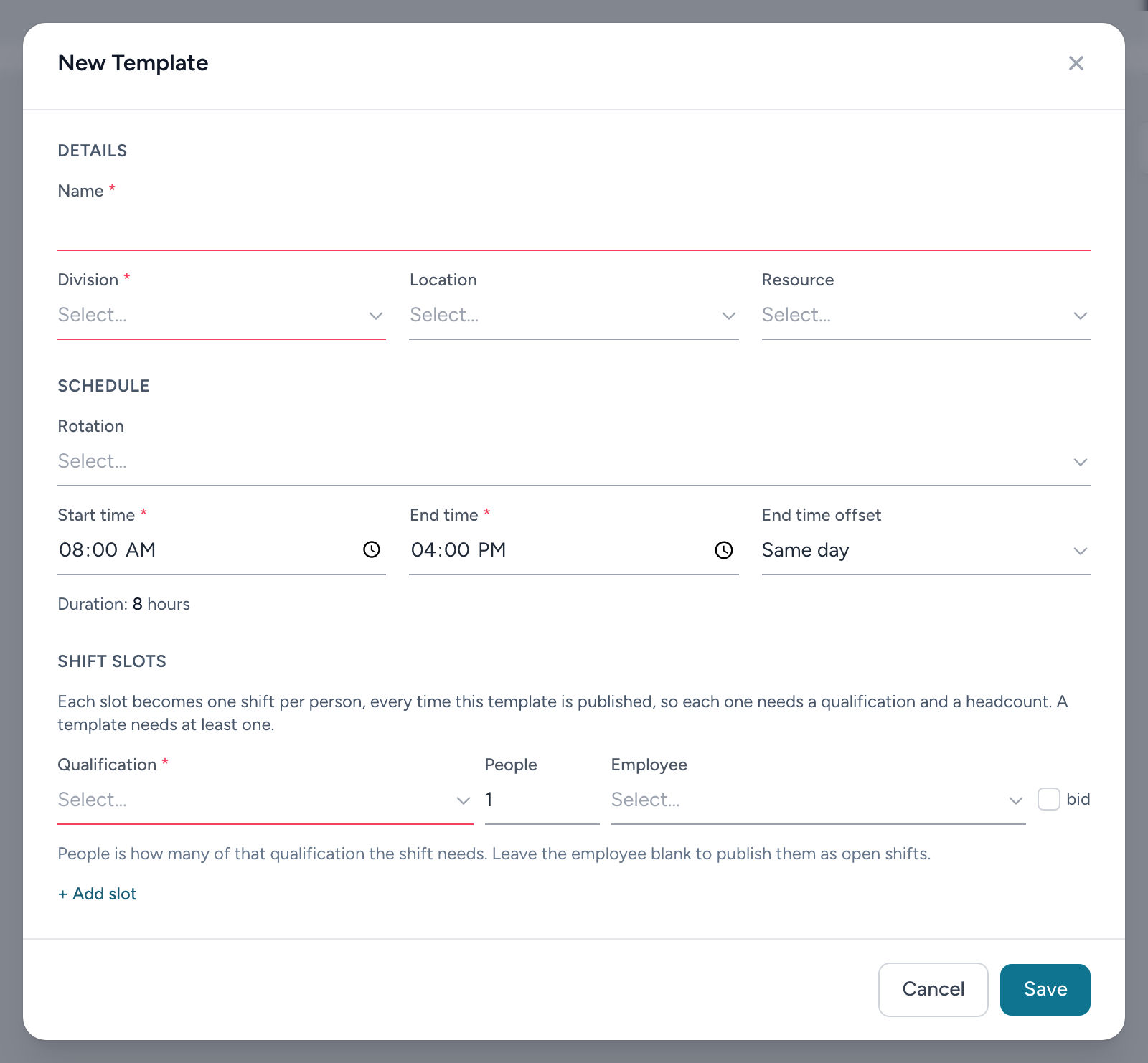
From the navigation, click Templates, then + New Template. The form has three parts:
Details
Name (what crews see on their calendars), the Division, and optionally a Location and Resource (a unit or truck). The location list narrows to the chosen division.
Schedule
- Rotation — pick a saved rotation, or New rotation (custom) to check off working days right here: pick the number of weeks, then click the days in each week's row. The rotation start date must be a Sunday — rotations run by whole weeks.
- Start time, End time, and the End time offset for shifts that end on a later day: Same day, Next day, up to Four days later. The form shows the resulting duration in hours as you type — always check that number before saving, because it is the length the shift will actually be.
- Shifts a day or longer. An end time at or before the start time rolls to the next day on its own, so start 06:00, end 06:00 is a 24-hour shift whether the offset says Same day or Next day. For anything longer, the offset is what sets the length: a 48-hour tour starting 06:00 is start 06:00, end 06:00, Two days later. If the duration reads 24 when you meant 48, the offset is the setting to change.
- Custom times per day — when some pattern days run different hours, tick this and set times on just those days; days left blank use the main times.
Shift slots
Each slot row becomes shifts every time the template publishes: the Qualification required, People (how many of them), and optionally an Employee pre-assigned to it. Leave the employee blank to publish open shifts, and tick bid to let crews bid on them. A two-medic truck is one slot: Paramedic, People 2.
Click Save. The template card lists its slots so you can confirm the headcount at a glance.