
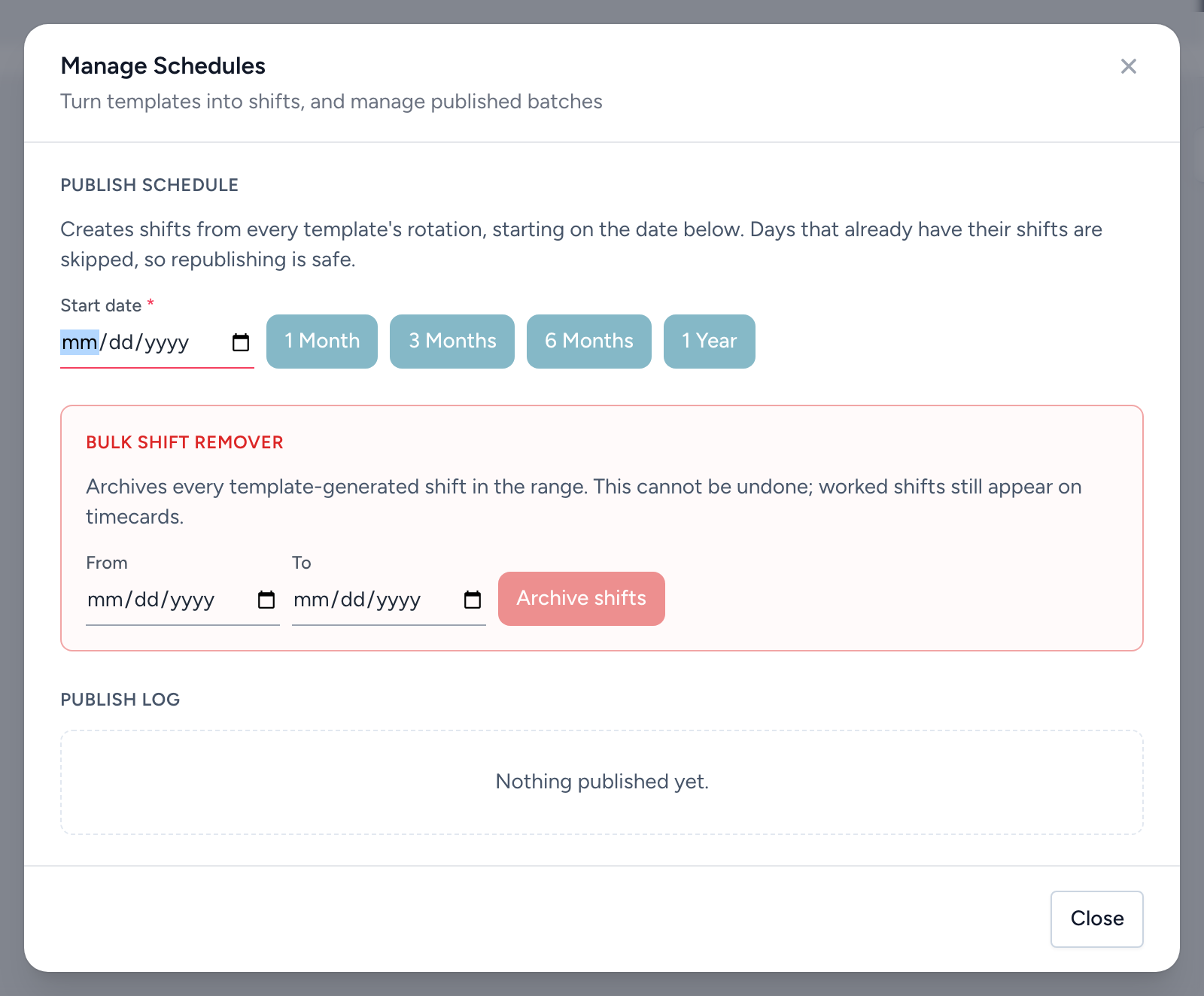
Publishing walks each template's rotation forward and creates the actual shifts. From the navigation, click Templates, then Manage Schedules.
Publish schedule
- Set the Start date.
- Click a length: 1 Month, 3 Months, 6 Months, or 1 Year.
Days that already have their template shifts are skipped, so republishing the same window is safe — it fills gaps rather than doubling shifts. Slots with a pre-assigned employee publish assigned; the rest publish as open shifts.
The publish log
Every publish is logged with its template and date range. Revert on a log entry archives the shifts that publish created — the undo button for "I published the wrong template three months out." Clear reverted logs tidies the list afterward.
Bulk shift remover
The red section archives every template-generated shift in a date range, regardless of which publish created it. It cannot be undone, though worked shifts still appear on timecards. Use the publish log's Revert when you can — it is precise; the bulk remover is the broad brush.
Tip: after publishing, check Coverage for the new months. Open slots publish as open shifts, and that heatmap is the fastest read on what still needs filling.