
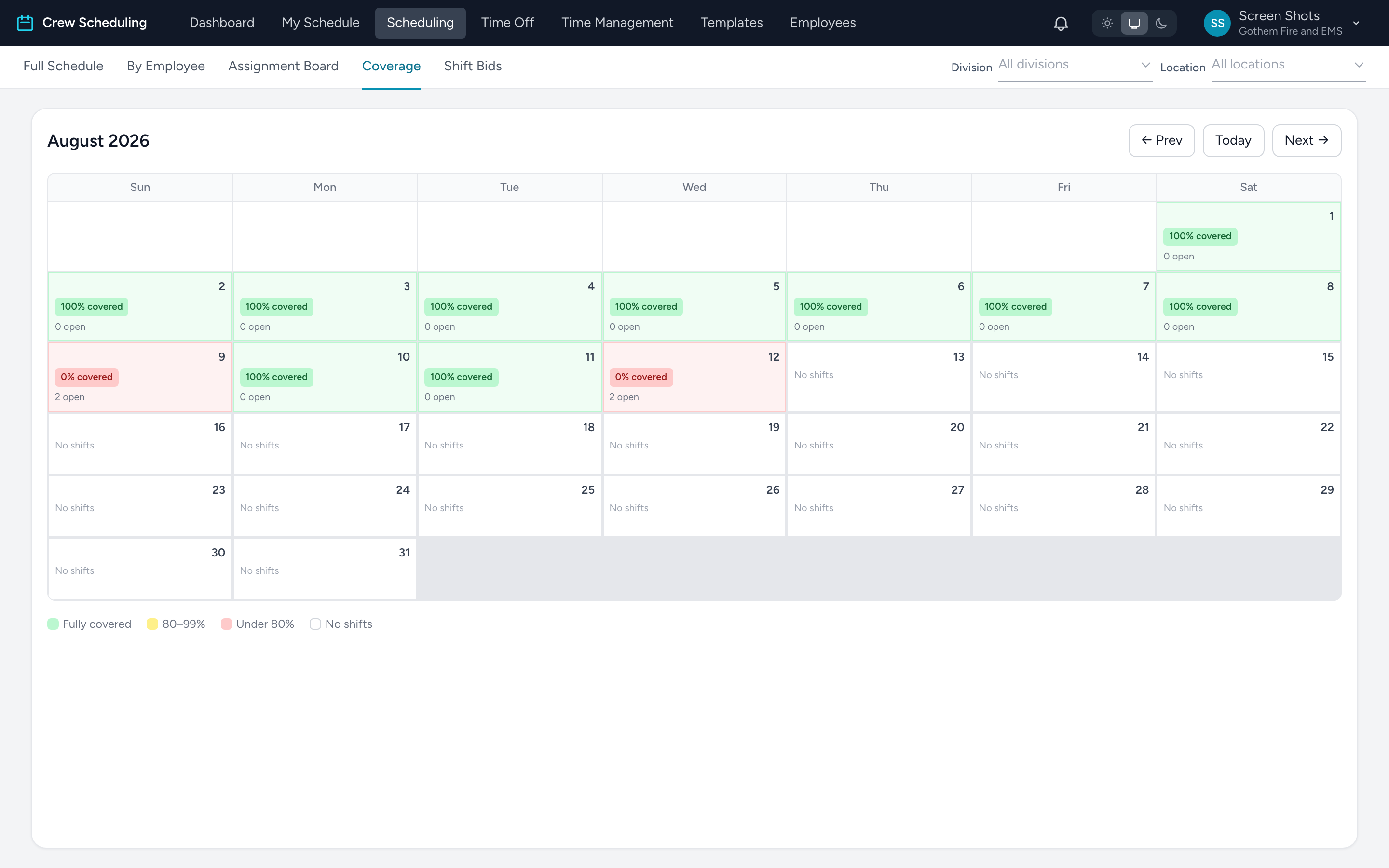
The Coverage tab under Scheduling is a monthly heatmap of staffing. Use it to spot holes weeks out, before they become tomorrow's problem.
Reading it
- Green — fully covered: every shift that day has someone assigned. The badge reads 100% covered and 0 open.
- Yellow — 80 to 99% covered.
- Red — under 80% covered. These days need attention first.
- White — no shifts scheduled that day at all.
Each cell shows the percent covered and how many shifts are still open. Move between months with Prev / Today / Next.
When you find a bad day, open it from the Full Schedule — the day overview is where you fill the holes, using availability, bids, or a text blast.