
Before you start: the Send SMS Notification card only appears for administrators.
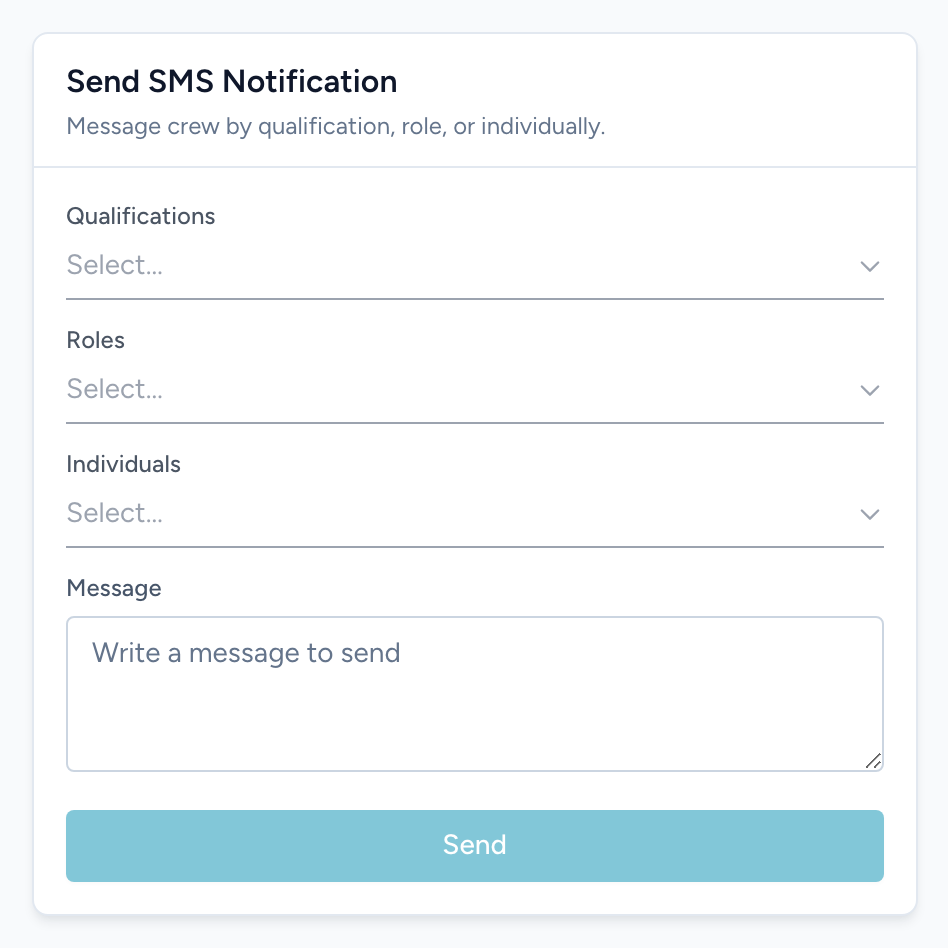
The Send SMS Notification card on the Dashboard sends a text message to crew members' phones. It is the fastest way to reach people who are not sitting at a computer.
Sending a message
- From the navigation, click Dashboard and find the Send SMS Notification card.
- Pick who gets it. You can combine three pickers: Qualifications (everyone holding one of the picked qualifications), Roles, and Individuals (specific people by name).
- Type the text in the Message box.
- Click Send. The form clears when the message goes out.
Example
A medic called out for tonight and you need a replacement fast: pick the Paramedic qualification, write Open medic shift tonight 1800-0600 at Station 2 - bid in the app if you can take it, and click Send. Everyone with that qualification gets the text at once.
Who you can reach
Anyone on your roster with a mobile number on file can be picked and can be texted. They do not need to have signed in to Crew Scheduling first. New hires, people who only work a shift a month, and anyone who has never opened the app all show up in the Individuals list and get counted when you send by qualification or role.
A mobile number is the one thing that is required. Someone with no number on file is skipped, and if nobody you picked has one, Crew Scheduling tells you: "No recipients with a phone number matched the selected criteria." After a successful send you get a count instead, along the lines of "Sent to 12 of 14 recipients", which is a quick way to spot people whose number is missing.
Phone numbers come from the person's Unified Solutions account, so that is where a wrong or missing number gets fixed.
Keep messages short — this is a text message, not an email.