
Settings is where your agency's preferences, form rules, workflows, and audit logs live. Only users with an admin role see Settings in the CloudPCR navigation — if you do not see it, your account does not have access.
How to open Settings
- From the navigation, click Settings (the cog icon).
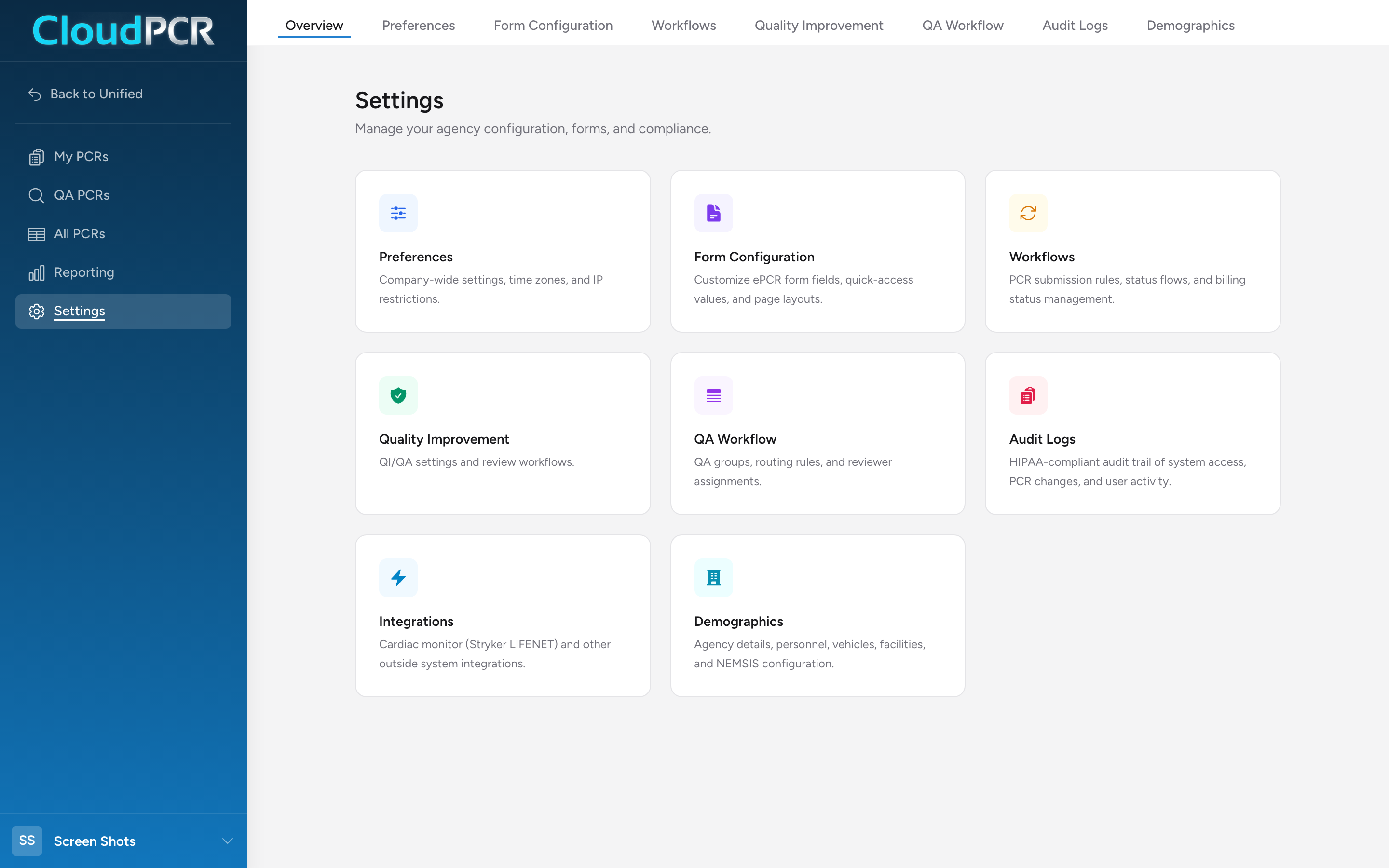
- You land on the Settings Overview. From there you can jump to any specific area.
What each card is for
- Preferences — validation strictness and automatic incident numbering.
- Form Configuration — hide fields, sections, and pages you do not use; require and default fields per call type; star the dropdown values you pick most often. Your state's NEMSIS form is already loaded — this is where you customize it for your agency.
- Custom Fields — add agency-specific fields to the ePCR that the standard NEMSIS form does not cover.
- Signature Verbiage — set the agreement statement each signature reason shows the signer before they sign.
- Narrative Templates — build fill-in-the-blank narrative templates crews generate with one click.
- Workflows — choose when a finished chart is sent to your billing software and when it is reported to your state, and see the chart status flow.
- Quality Assurance — custom validation rules, vital sign thresholds, close call rules, AI review, and reviewer routing.
- Audit Logs — a HIPAA-compliant trail of system access, PCR changes, and user activity.
- Integrations — cardiac monitor setup (Stryker LIFENET and Zoll CaseReview) and other outside-system integrations.
- Demographics — agency profile, vehicles, personnel, facilities, locations, contacts, devices, and NEMSIS configuration.