

The Audit Logs page in Settings is a HIPAA-compliant trail of system activity across the whole agency. It has two tabs: Application Activity (sign-ins, settings changes, page visits) and PCR Changes (changes to patient care reports).
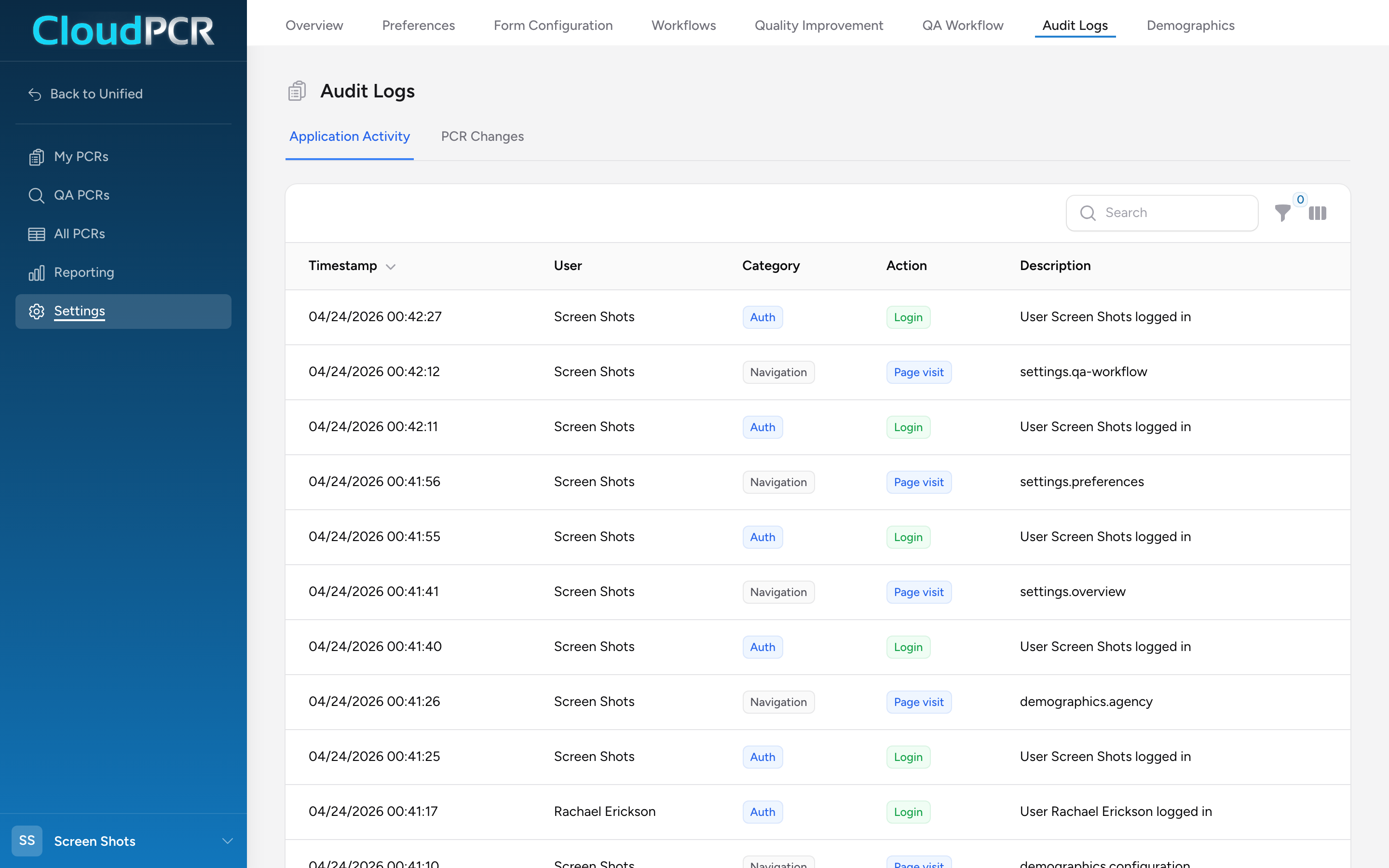
Open Audit Logs
- From Settings, click Audit Logs.
- Pick the Application Activity tab for system-level activity, or the PCR Changes tab for per-record changes.
Application Activity tab
Columns: Timestamp, User, Category, Action, Description, IP Address (hidden by default — toggle it on from the columns menu).
Categories: Authentication, Navigation, Settings, User Management.
Actions: Login, Logout, Failed Login, Page Visit, Settings Updated.
Filters let you narrow the list by Category, Action, or User. Click any column header to sort.
PCR Changes tab
Every change made to a patient care report is recorded here. Columns include Timestamp, User, Action, Incident #, Section, Field, Old Value, and New Value (old and new values are hidden by default — toggle them on from the columns menu). Actions include Viewed, Created, Updated, Deleted, Submitted, Status Changed, and PDF Generated. The per-PCR audit log on an individual PCR shows the same data scoped to that one report.
Why this matters
HIPAA requires that every access to a patient record be logged and reviewable. The audit log is also where you look when you need to know who changed a setting, a demographic record, or a PCR field. If a vehicle disappears from the dropdown one morning, Application Activity → Settings shows who marked it inactive and when.
An example
A hospital file room calls and asks who at your agency accessed a particular PCR last month. You open the PCR Changes tab, filter by the incident, and pull up the list of every user who opened or edited it. You email the list back to the hospital.