

The navigation
CAD has a small set of pages, and you can reach all of them from the navigation.

- Dashboard — your real-time command center showing the map, active units, and today's incidents.
- Incidents — the full list of every transport with search, filters, and date views.
- Units — where you build and edit unit templates.
- Map — a full-screen version of the dashboard map.
- Calendar — a visual scheduler that lays out today's incidents on a timeline by unit.
- Recurring — where you manage repeating transports like dialysis runs.
- Requests — the inbox of incoming transport requests from facilities. It shows a count badge when requests are waiting.
The user menu
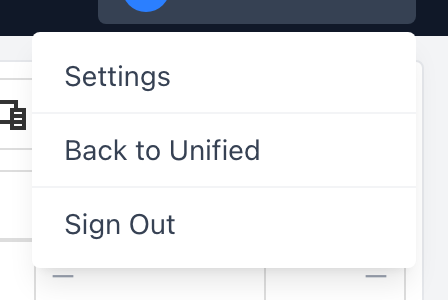
Click your name on the right side of the navigation to open the user menu. You will see:
- Settings — your agency's CAD configuration (time zone, incident field options, vehicles, locations, facilities).
- Back to Unified — takes you back to the SSO dashboard so you can switch into a different application.
- Sign Out — signs you out of every Unified Solutions app at once.
Getting around
Those seven links — Dashboard, Incidents, Units, Map, Calendar, Recurring, and Requests — are the main pages of CAD, and Settings lives in the user menu. From those you can reach everything you need to run dispatch.