
The four PCR lists share the same table, and every one of them lets you decide which columns show up, what order they sit in, and how the list is sorted. CloudPCR saves that setup for you, so the list looks the way you left it the next time you open it.
This works on My PCRs, All PCRs, QA PCRs, and Billing PCRs. My PCRs is the newest addition. It used to be the one list you could not change.
Turning columns on and off
- Open the list you want to change.
- Click the column chooser icon above the table. A panel titled Choose columns opens.
- Check a column to add it to the table. Uncheck one to take it away.
- Close the panel when you are done.
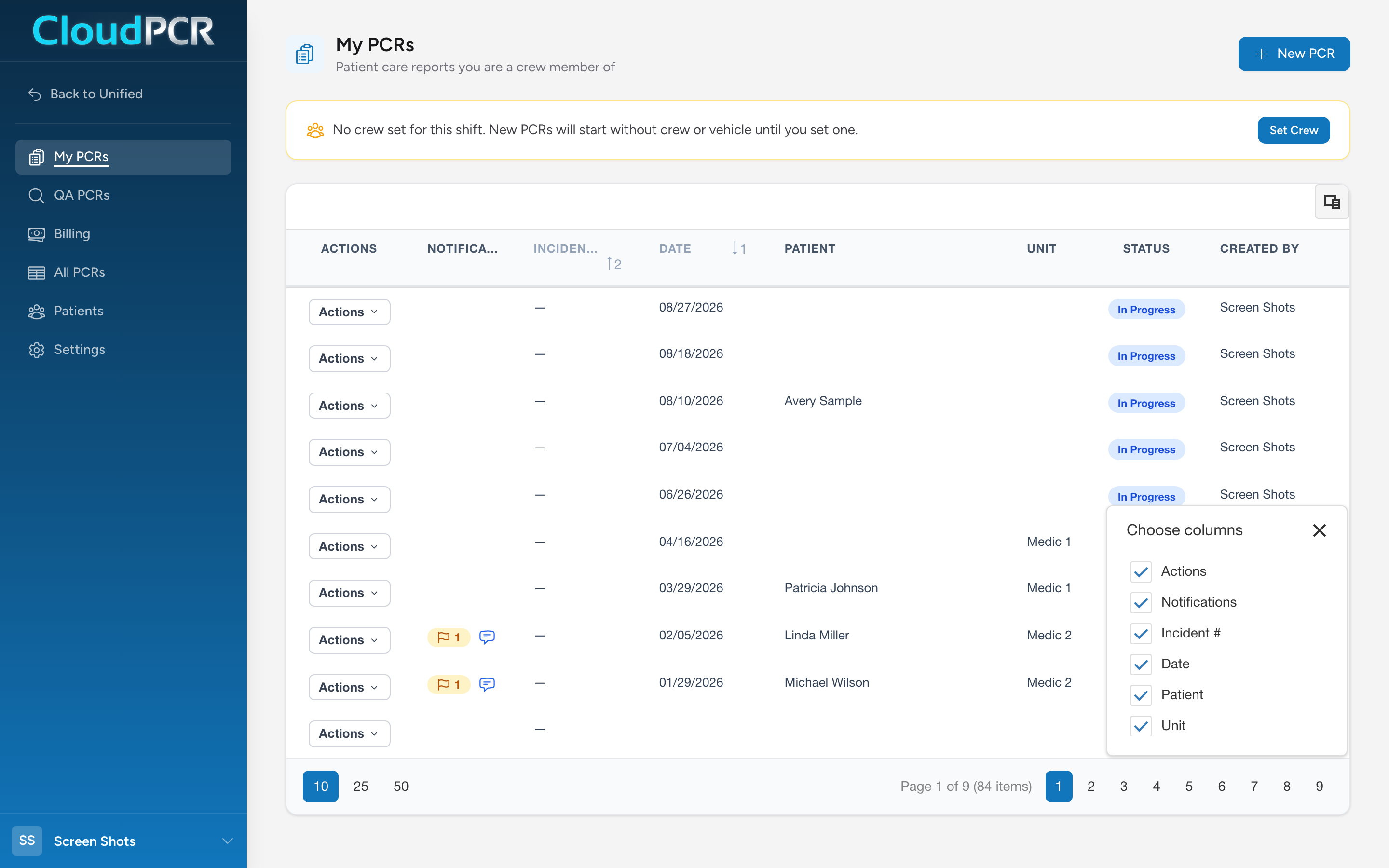
Some columns start out hidden because most crews do not need them every day. QA Status is one of those on All PCRs and Billing PCRs. If you want to see where charts sit in review without leaving the list you already work in, turn it on here.
Reordering and sorting
Drag a column heading sideways to move that column. Click a heading to sort by it, and click again to flip the direction. Both are saved with the rest of your layout.
What gets saved and what does not
Your setup is yours. Changing your columns does not change what anyone else at your agency sees, and each of the four lists keeps its own layout, so a heavy QA setup on QA PCRs does not follow you to My PCRs.
- Saved: which columns are showing, the order they are in, how the list is sorted, and how many rows are on a page.
- Not saved: your search text and any column filters. Those clear when you leave, on purpose, so you never come back to a list that looks empty because of a filter you set days ago.
There is no Save button and no message when it saves. Change a column, carry on working, and the layout is there next time.
Putting a list back the way it was
There is no reset button. If you hid something and want it back, open Choose columns and check it again.
Tip: A narrow set of columns is easier to read on a tablet in the truck. Many crews cut My PCRs down to incident number, date, patient, and status, and turn the rest off.