
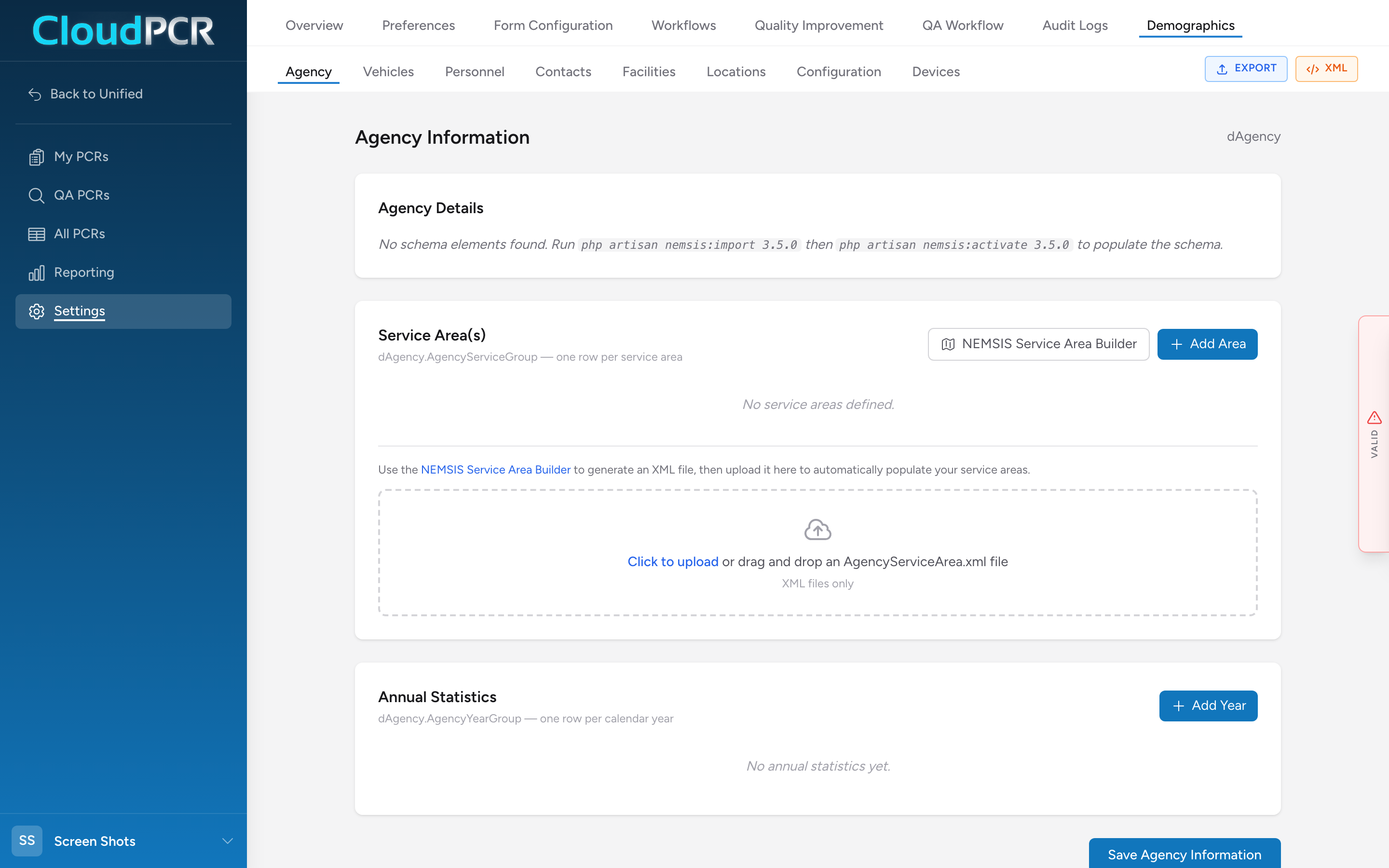
The Agency Information page (Demographics → Agency) holds the master identification for your service — what NEMSIS calls dAgency. These values appear on every PCR your agency submits to its state.
Edit agency information
- From the menu, click Settings, then Demographics, then Agency.
- Update the fields you need to change.
There is no Save button — the page saves your changes automatically. A save-status indicator at the top of the page shows when your changes are saved.
What each section is for
Agency Details
The core identifiers — Agency Name, State EMS Agency Number, National EMS ID, Agency Identifier, and a set of other standard agency fields, including the EMS Agency Time Zone (an IANA time zone like America/New_York). The core IDs are issued by your state and by NEMSIS TAC — do not guess at them.
Service Area(s)
A repeating table where each row is one service area: State (a FIPS code), Counties, Census Tracts, and ZIP codes. Click Add Area for every geographic area your agency covers. A NEMSIS Service Area Builder button links out to NEMSIS's own online tool so you can look up the correct FIPS codes without typing them by hand.
Annual Statistics
NEMSIS expects your agency to report annual operational statistics — the year being reported and a handful of volume fields. Typically updated once a year by your administrator.
Things that are NOT on this page
- Your medical director — lives in Contacts, not Agency.
- Levels of service (BLS/ALS/CCT) — captured per-vehicle in Vehicles.
- NPI and Tax ID — CloudPCR does not capture these as part of dAgency. If your agency needs them for billing, they live in your billing integration, not Demographics.
Important: Changing your State EMS Agency Number after you have submitted PCRs can break the link between your historical submissions and what your state already has on file. Talk to your Unified Solutions support contact before changing it.