
What a prior authorization is
A prior authorization (sometimes called a "prior auth") is approval from an insurance company before a service happens. Some payers require prior authorization for non-emergency ambulance transports, especially scheduled transfers between facilities. Without it, the claim may be denied.
Creating a prior authorization
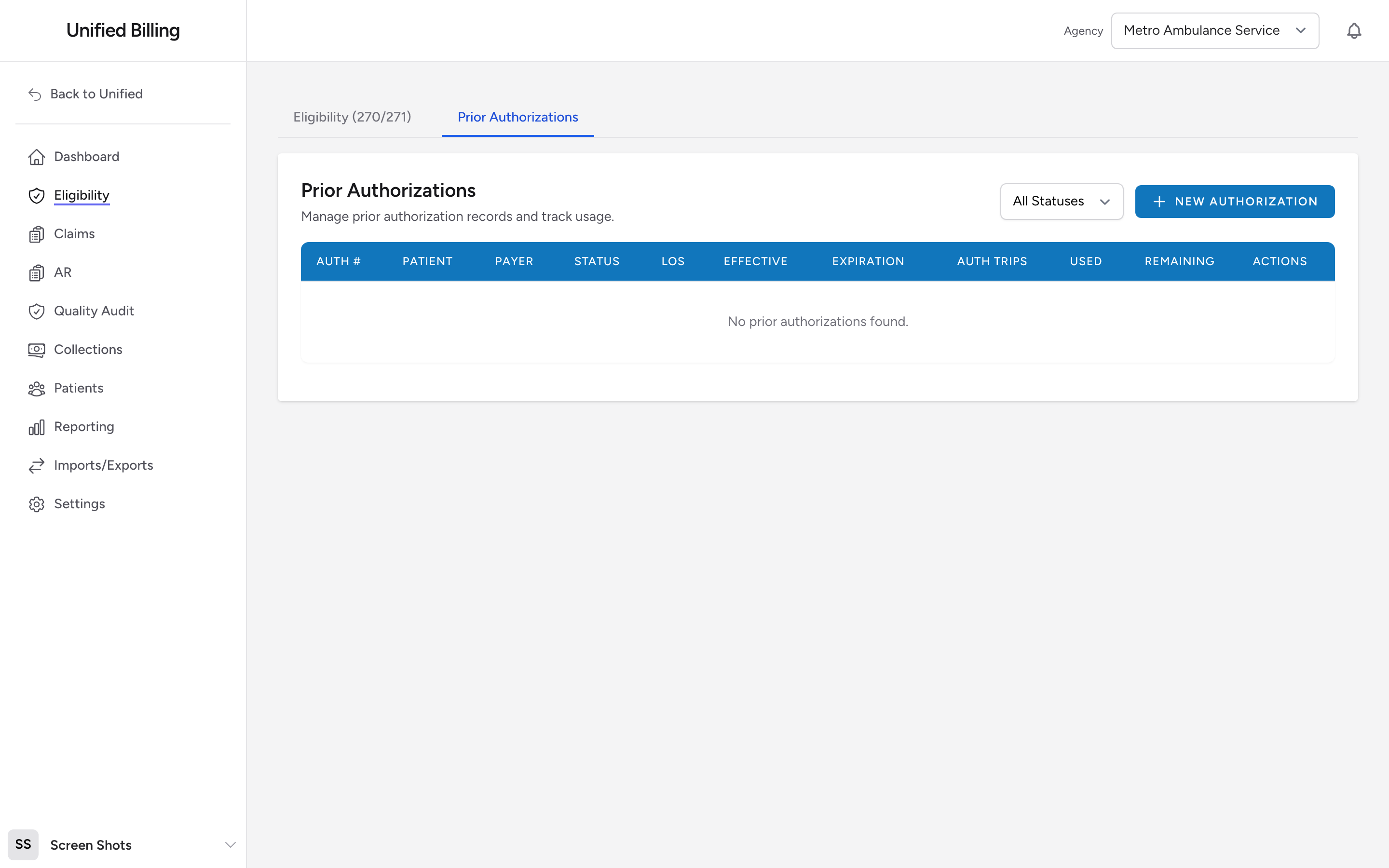
- Click Eligibility in the menu, then click the Prior Authorizations tab.
- Click New Authorization.
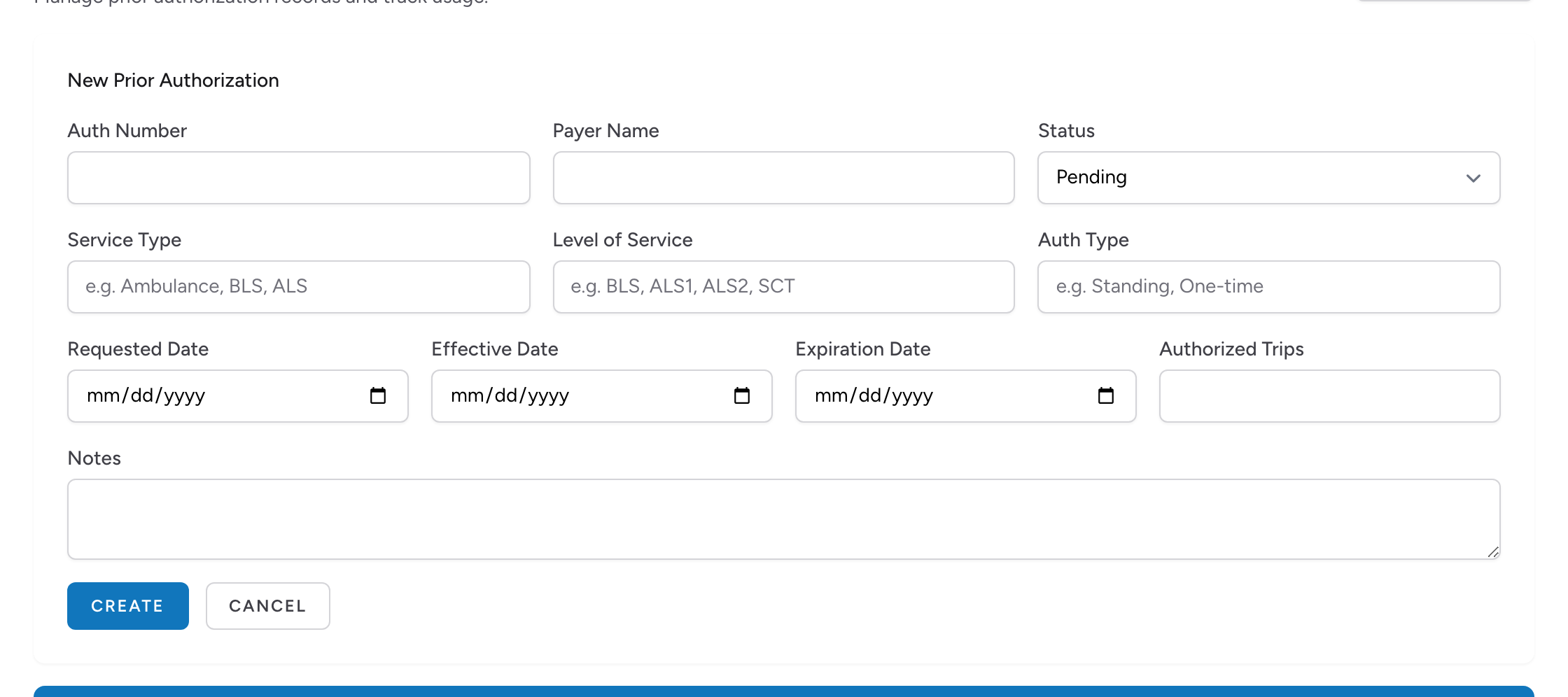
- Enter the number the insurance company gave you in the Auth Number field.
- Enter the Payer Name.
- Enter the Service Type, Level of Service, and Auth Type if you have them.
- Enter the Requested Date, the Effective Date (when the authorization starts), and the Expiration Date (when it ends).
- Enter the number of Authorized Trips. Some authorizations cover a single transport; others cover multiple trips over a period of time.
- Add any notes, such as who you spoke with at the insurance company.
- Set the Status.
- Click Create.
Authorization statuses
- Pending - you have requested the authorization but have not heard back yet.
- Approved - the insurance company approved the request. You can proceed with billing.
- Denied - the insurance company refused the request. You may need to appeal or bill differently.
- Expired - the authorization passed its expiration date. If the patient still needs transports, you need a new authorization.
- Exhausted - all authorized trips have been used. You need a new authorization for any further transports.
Editing or deleting an authorization
Each row in the list has Edit and Delete links. Click Edit to change any detail, then click Update. Click Delete to remove an authorization; Billing asks you to confirm first. Use the All Statuses dropdown above the list to filter by status.
Tracking authorized trips
The list shows Auth Trips, Used, and Remaining for each authorization. Expired and used-up authorizations sort to the top of the list, and expiration dates turn amber when the authorization is within 30 days of expiring and red once it has expired.
When an authorization covers multiple trips, keep an eye on how many you have used. For example, if an authorization covers 10 round trips over 3 months, and you have billed 8 so far, you know you have 2 remaining. If you go over the authorized number, those extra trips will likely be denied.
Example
A dialysis patient needs ambulance transport three times a week for the next month. You call the insurance company and receive authorization number AUTH-2026-5590, good for 12 trips from April 1 through April 30. You create the authorization in Billing with those details, set the status to Approved, and enter 12 as the number of authorized trips. Each time you bill a transport for this patient, you check that trips remain on the authorization.
Tips
- Request authorizations as early as possible. Getting a denial after the transport has already happened means you provided the service for free.
- Set a reminder to check for expiring authorizations each week. Renewing early prevents gaps in coverage.
- Keep the authorization number handy. You will need to include it on the claim when you bill.