
The main menu
Once you open the Billing app, you see the main menu. It gives you access to every section of the app. Here is what each item does:
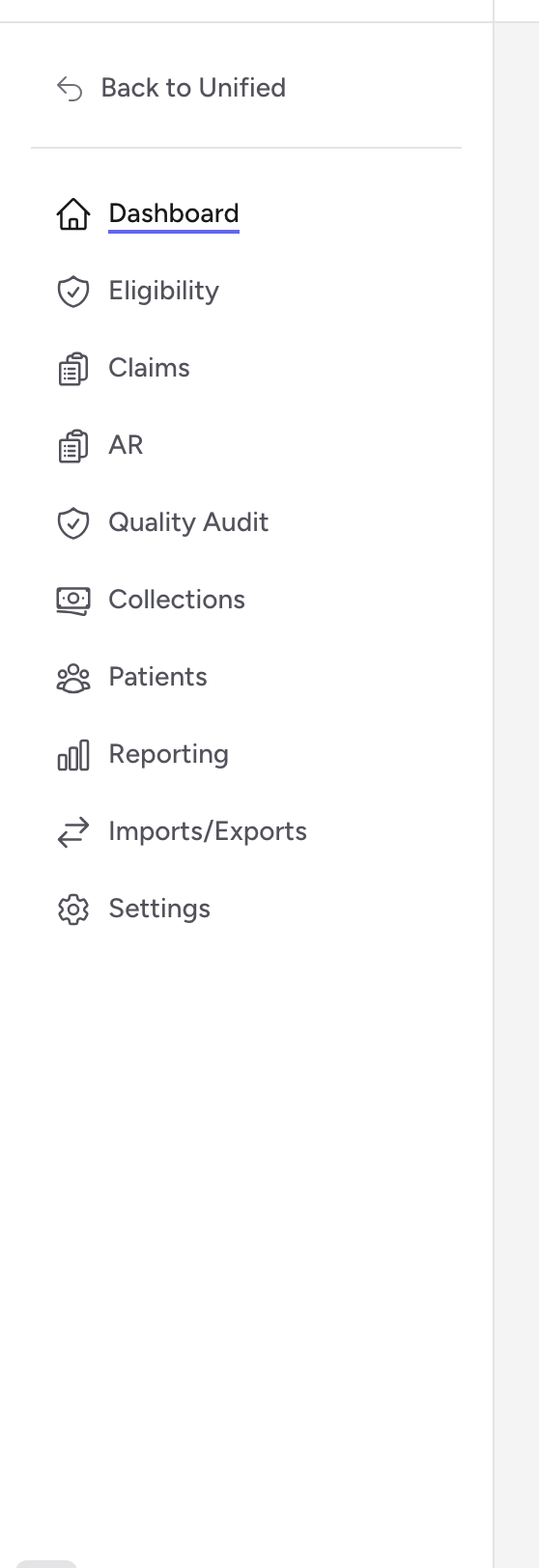
- Dashboard - your home base. Shows claim totals, outstanding balances, payment summaries, and quality audit metrics at a glance.
- Eligibility - check whether a patient has active insurance coverage before you submit a claim.
- Claims - the heart of the app. View, create, edit, and validate insurance claims.
- AR - accounts receivable. Track what insurance companies and patients still owe on each claim.
- Quality Audit - review flags that mark problems on claims, like missing information or coding issues.
- Collections - manage patient balances that are past due and need follow-up.
- Patients - look up patient records and see all claims tied to a patient.
- Reporting - opens the Unified Reporting app in a new browser tab, where you run reports on claims, payments, and billing history and export them to Excel.
- Imports/Exports - upload run files from your ePCR software, download claim files for your clearinghouse, print CMS-1500 paper claims, and upload remittance files.
- Settings - configure agencies, payers, locations, fee schedules, and QA rules.
A few items depend on your access: Imports/Exports appears once you have been given agency access, Settings appears for agency administrators, and Reporting appears when your account includes the Reporting app. If one is missing from your menu, that is why.
The agency picker
The Agency dropdown at the top of every page controls which agency you are working in. Every list and total reflects the agency you pick, so check it first if a number looks off. A Read only badge next to the picker means you can view that agency's claims but not change them.
A typical workflow
Most billing clerks follow a daily pattern like this:
- Check the Dashboard for an overview of the day.
- Review new claims. Approved CloudPCR charts flow in on their own; if your runs come from other ePCR software, upload the files under Imports/Exports.
- Open Quality Audit to fix any flagged issues on new claims.
- Move to Claims to review and finalize claims for submission.
- On the Claims page, click Transmit to send finalized claims on their way. The resulting batches appear under Imports/Exports. If your agency sends files to the clearinghouse by hand, download the batch from the EDI Exports page and upload it to your clearinghouse portal.
- Check AR for claims that need follow-up.
Tips
- You can always get back to the dashboard by clicking Dashboard in the menu.
- Most lists in the app support searching, filtering, and sorting. Look for the search bar and filter options at the top of each page.