

Fleet & Safety pulls together every report that helps you keep your trucks on the road and your drivers safe. The data comes from three apps: Fleet Management (vehicles, maintenance, accidents), Truck Checks (daily inspections), and CheckSheets (custom inspection forms).
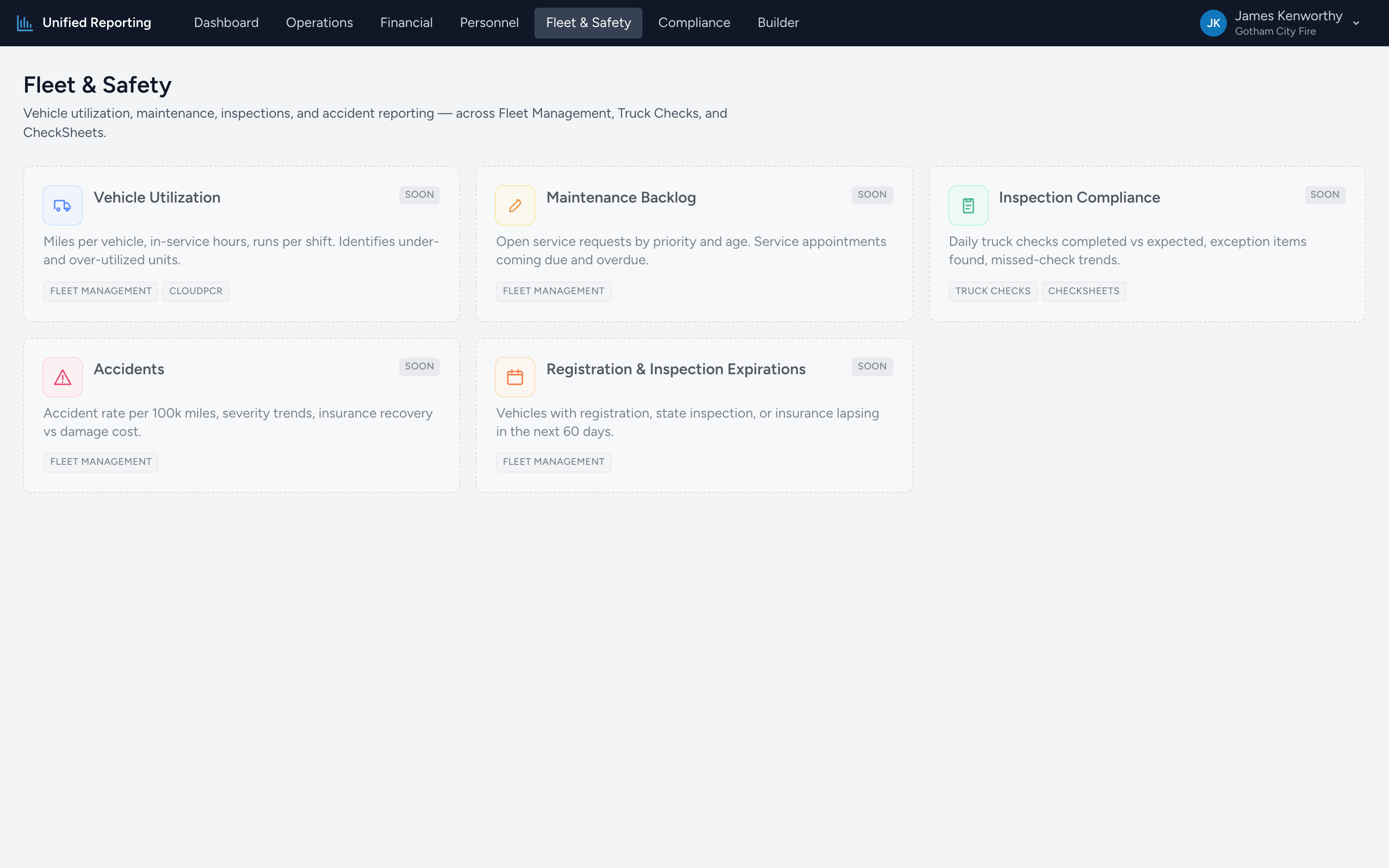
What is in Fleet & Safety
- Vehicle Utilization — mileage, status, and PCR run counts per vehicle. Surfaces under- and over-utilized units across Fleet and CloudPCR.
- Maintenance Backlog — open service requests by priority and age. Highlights critical and over-30-day items needing attention.
- Inspection Compliance — truck check runs and exception items found. Drill into each run to see flagged items and notes.
- Accidents — accident reports filed in the last N months — status, injuries, damage cost, and insurance recovery.
- Registration & Inspection Expirations — vehicles with registration, state inspection, or insurance lapsing in the next 30/60/90 days.
How the reports relate
Vehicle Utilization and Maintenance Backlog are about what your fleet is doing today. Inspection Compliance and Accidents are about what already happened — quality and safety review. Registration & Inspection Expirations is forward-looking — what is about to lapse if you do not act.
Saving a report
Each report has its own date range and column filters. To capture a specific configuration to email or share, copy the data into a saved report in the Builder. See Saving and sharing reports.