
The final step is called Wrap up and handoff. This is where you add any last notes and submit the completed check.
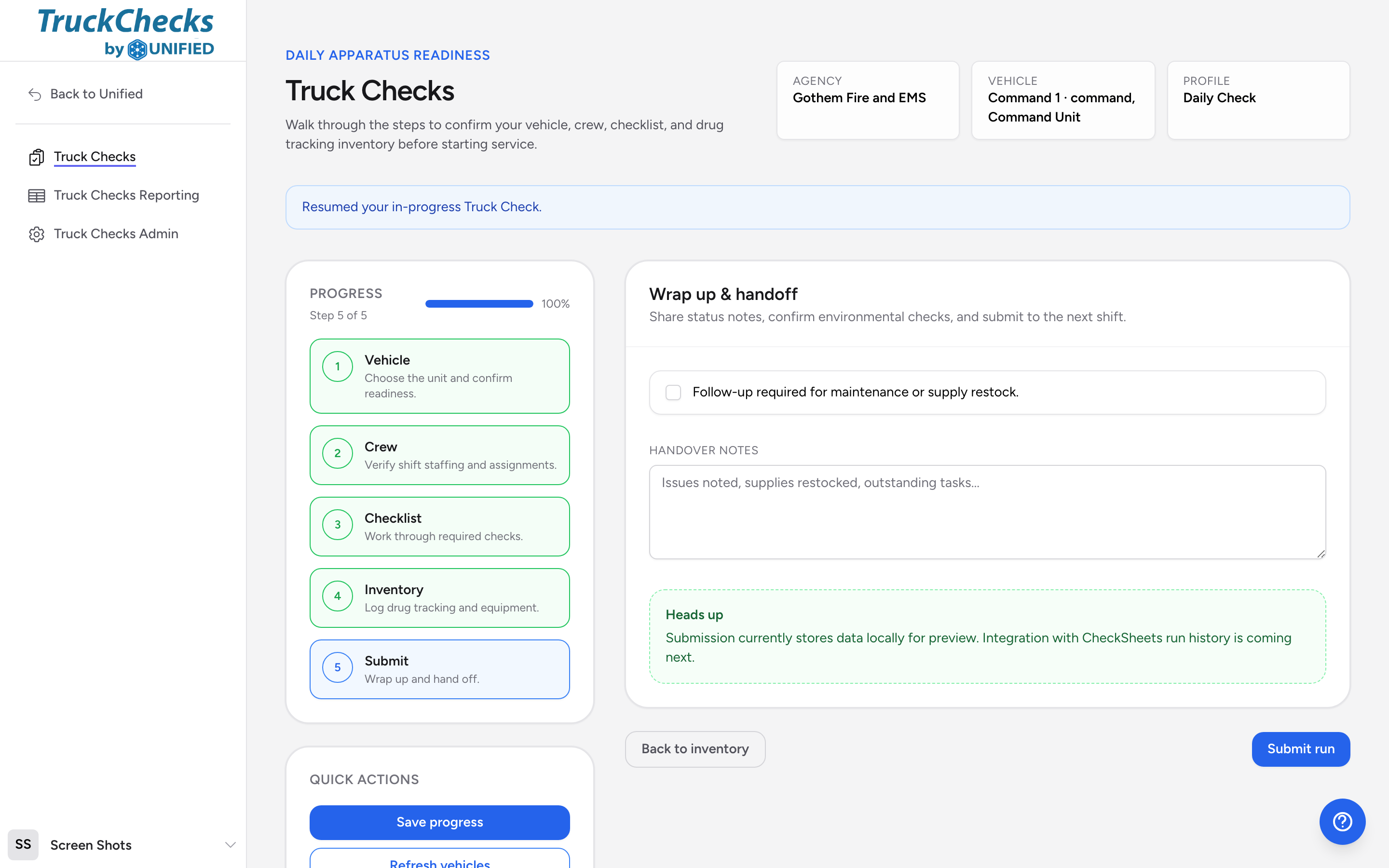
Follow-up flag
If something needs attention from maintenance or supply -- a failed item, a missing narcotic, a mechanical issue -- check the Follow-up required box. This makes sure the issue is visible to supervisors and the next shift.
Handover notes
Type anything the next crew should know in the Handover notes field. Examples:
- "Rear warning lights intermittent -- maintenance ticket submitted."
- "Restocked 2 IV start kits from station supply."
- "Fuel tank at 3/4, no fill needed."
Submitting
- Review your follow-up flag and handover notes.
- Click Submit run.
- The app saves your check and sends the data to the connected systems: your checklist responses go to CheckSheets, your odometer reading goes to Fleet Management, and your inventory counts go to Drug Tracking.
After you submit
Once submitted, the run appears in the reporting section. Administrators can see whether each integration synced successfully. You can start a new check for a different vehicle or close the app.
If the submission does not go through
If Truck Checks cannot record your run, it tells you instead of pretending it worked. A red banner appears at the top of the runner:
We could not record this truck check. Your progress is saved, please try submitting again.
Your work is not lost. Everything you filled in is still on screen and still saved, so click Submit run again. Most of the time the second attempt goes through.
You may see green banners from the connected systems above the red one, saying mileage went to Fleet Management or the inventory run finished in Drug Tracking. Those steps really did happen. It is the truck check record itself that did not save, which is why you are asked to submit again.
If the second attempt fails as well, stop and tell a supervisor rather than starting the check over from scratch. Only a run that actually recorded shows up in Viewing past truck checks, so a supervisor needs to know the run is still sitting on your screen.
Going back
Click Back to inventory if you realize you missed something in the inventory step. You can go back to any previous step using the progress steps on the left side of the screen before you submit.