
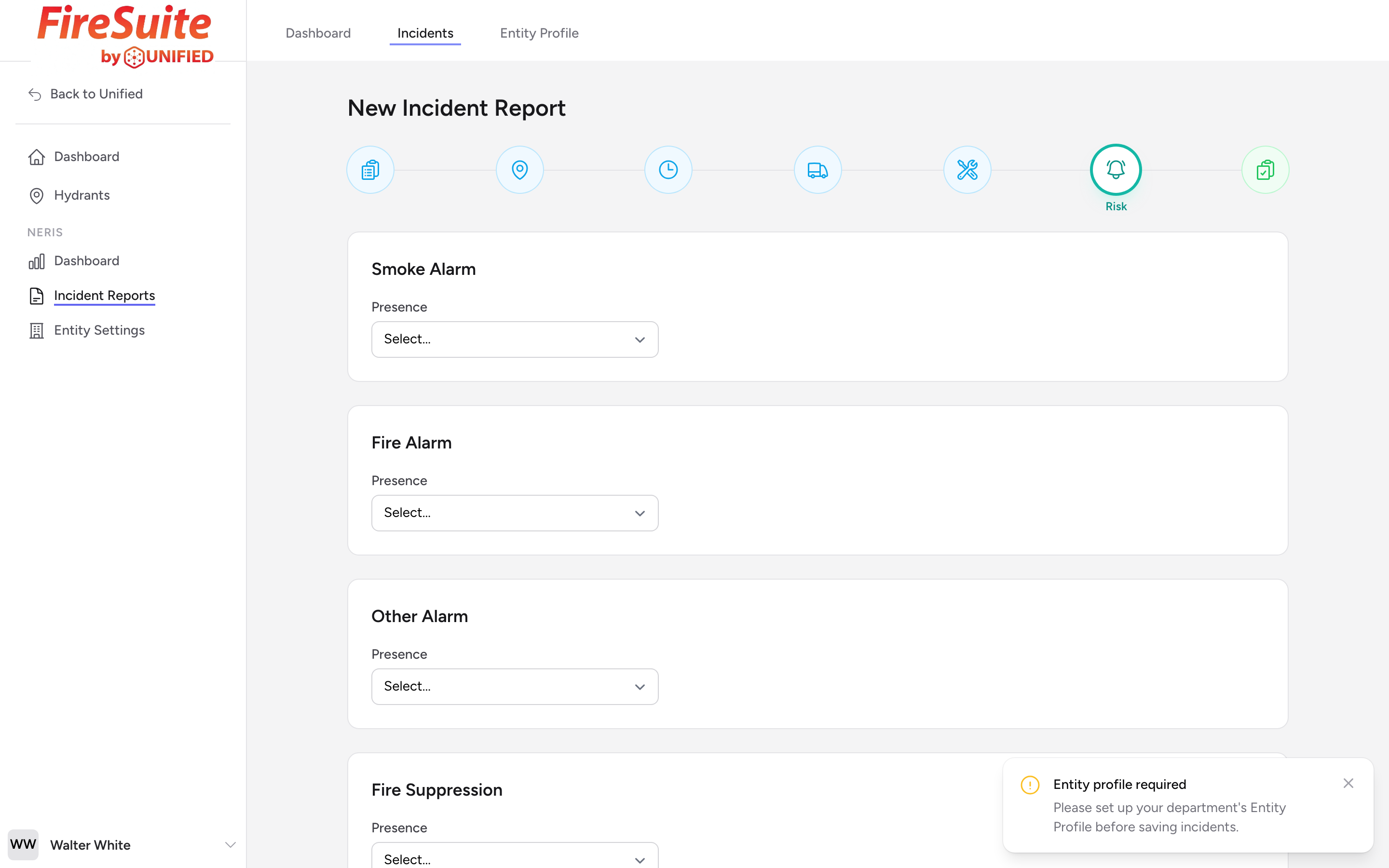
When this step appears
This step appears automatically for any fire incident. You can also turn it on in step 1 by checking Alarm / Suppression Systems Present under Optional Modules for non-fire calls where you want to record safety-system information.
If any of the incident types you picked starts with FIRE, a yellow banner appears at the top of the step noting that Smoke Alarm, Fire Alarm, Other Alarm, and Fire Suppression presence are all required before you can submit.
Why this matters
Recording whether alarms and suppression systems were present and how they operated helps your department and the fire service as a whole understand how well these systems perform in real incidents. Over time, this data shapes code requirements and public safety recommendations.
Smoke Alarm
Pick a value for Presence (Present, Not Present, or Not Applicable). If you set it to Present, two more dropdowns appear:
- Type -- Pick from the list (for example, Long Life Battery Powered, Replaceable Battery Powered, Hardwired, Interconnected, Combination (Smoke / CO), or Unknown).
- Operation -- How the alarm behaved during the incident.
Fire Alarm
Same pattern as Smoke Alarm: pick Presence. If Present, pick a Type and an Operation Type.
Other Alarm
Pick Presence only. There is no additional Type or Operation field on Other Alarm.
Fire Suppression
Pick Presence. If Present, pick a Type (such as a sprinkler system) and an Operation value.
Cooking Fire Suppression
Commercial kitchens often have dedicated cooking suppression systems (hood suppression). Pick Presence, and if Present pick a Type and Operation.
Example
You respond to a kitchen fire in a single-family home. The house has smoke alarms and the living room unit activated and woke the family. There are no sprinklers. You set Smoke Alarm Presence to Present, pick its Type and Operation. For Fire Suppression, you set Presence to Not Present.