
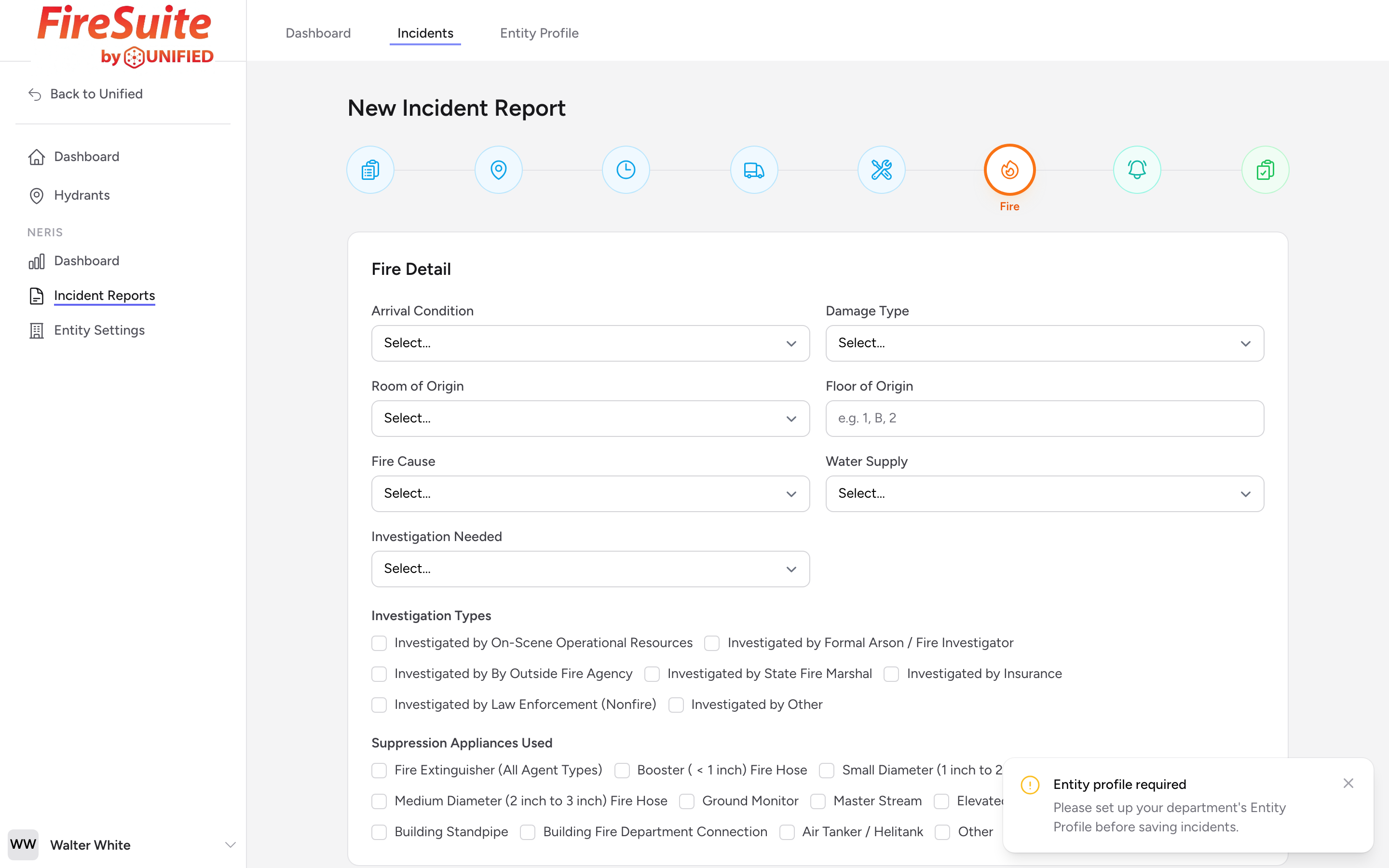
When this step appears
This step only appears if you selected a fire-related incident type in step 1. If your call did not involve a fire, you will not see this step.
Arrival Condition
Pick what the fire looked like when you arrived. This helps paint a picture of the situation your crews faced.
Damage Type
Pick the type of damage to the building from the dropdown.
Room of Origin and Floor of Origin
Pick the room where the fire started from the Room of Origin list, and type the floor in Floor of Origin (for example, "1", "B", or "2").
Fire Cause
Pick the cause of the fire from the list (for example, Cooking, Electrical, Open Flame, Smoking Materials, Act of Nature, Incendiary, or Unable to be Determined).
Water Supply
Pick the primary water supply you used for the fire (for example, Hydrant, Tank Water, Water Tender / Shuttle, or Draft from Static Source).
Investigation
If the fire needs further investigation, set Investigation Needed and check the types of investigation under Investigation Types. This might apply to fires with unknown causes, suspected arson, or fatalities.
Suppression Appliances Used
Check any suppression appliances that were used on this fire from the list.
Example
You arrive at a two-story house with smoke showing from the second floor. Neighbors say it started in an upstairs bedroom. After knockdown, your officer determines the cause was an unattended candle. You set Arrival Condition to smoke showing, Room of Origin to bedroom, Floor of Origin to 2, Fire Cause to Open Flame, and Water Supply to Hydrant. No investigation is needed.
Tip: If the fire cause is still under investigation when you fill out the report, pick Unable to be Determined for Fire Cause for now and update the report later.