
What this step covers
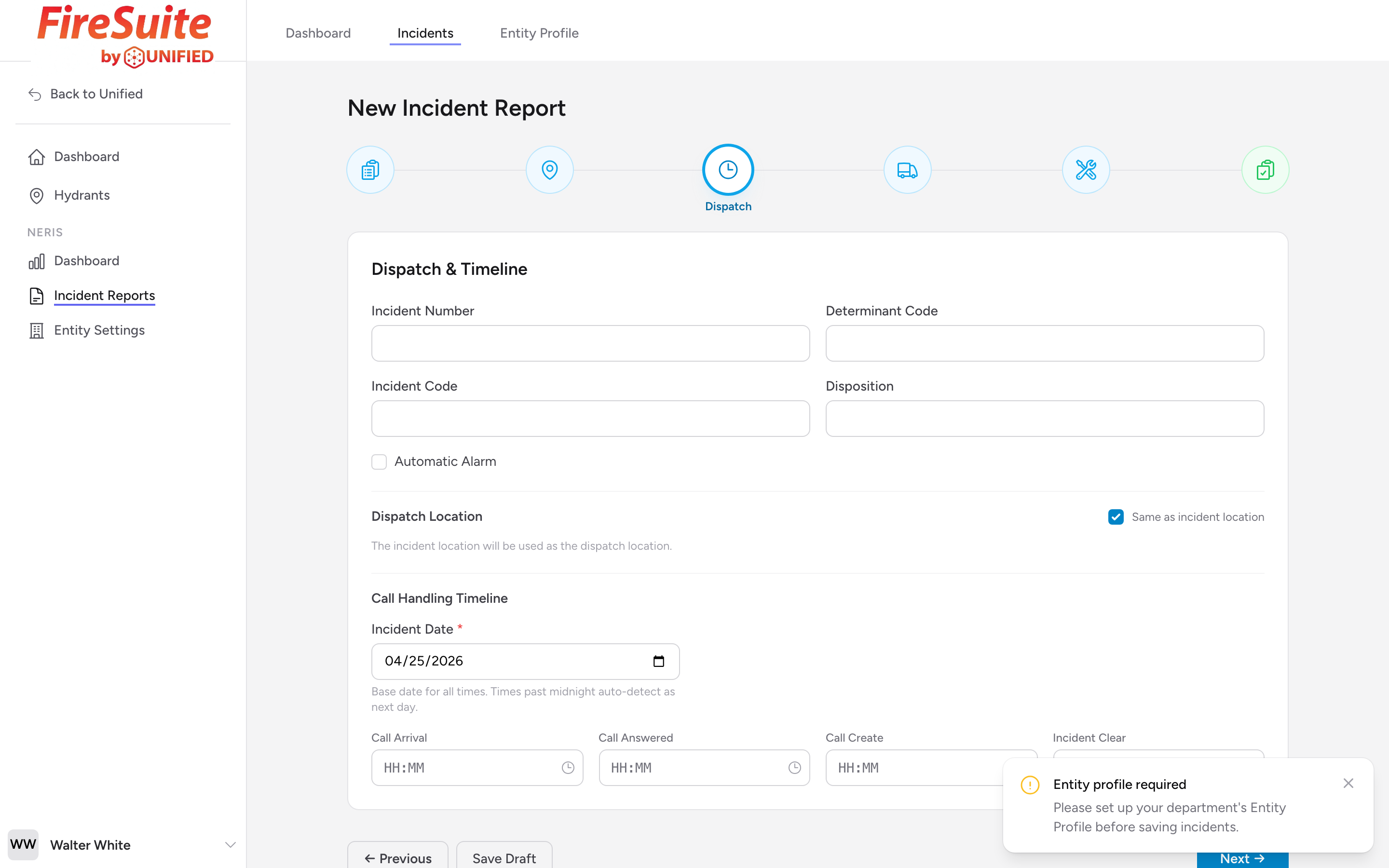
The Dispatch & Timeline step captures your internal incident number, how the call was handled, and the key timestamps that mark the timeline of the incident.
Incident Number
Enter your department's internal incident number. This is the number your dispatch center assigned to the call. It helps you cross-reference this report with your CAD system or dispatch logs.
Determinant Code and Incident Code
If your dispatch center uses determinant codes (such as medical priority dispatch codes) or a dispatch incident code, enter them in the matching fields. These are optional.
Disposition
Enter the final disposition of the incident. This describes how the call ended.
Automatic Alarm
If the call came in through an automatic alarm system rather than a phone call, check the Automatic Alarm box.
Dispatch Location
By default the dispatch location is the same as the incident location. If the caller was not at the incident scene, uncheck Same as incident location and enter the separate dispatch address.
Call Handling Timeline
Set the Incident Date first -- this is the base date for every time on the form. Then enter the following times in 24-hour format (for example, 14:30 for 2:30 PM):
- Call Arrival -- When the call first came in to the dispatch center.
- Call Answered -- When the dispatcher answered the call.
- Call Create -- When the dispatcher created the incident in the CAD system.
- Incident Clear -- When the incident was closed out.
If any of your times roll past midnight (for example, a call that came in at 23:45 and cleared at 01:15), the form auto-detects the rollover to the next day.
Example
Your department gets a call at 22:47 for a residential fire alarm. The dispatcher answers at 22:47, creates the incident at 22:48, and the last unit clears the scene at 23:35. You enter 22:47, 22:47, 22:48, and 23:35 respectively.
Tip: If you do not have exact times for every field, enter what you have. Some times may come from your CAD system, while others you may need to estimate from your records.