
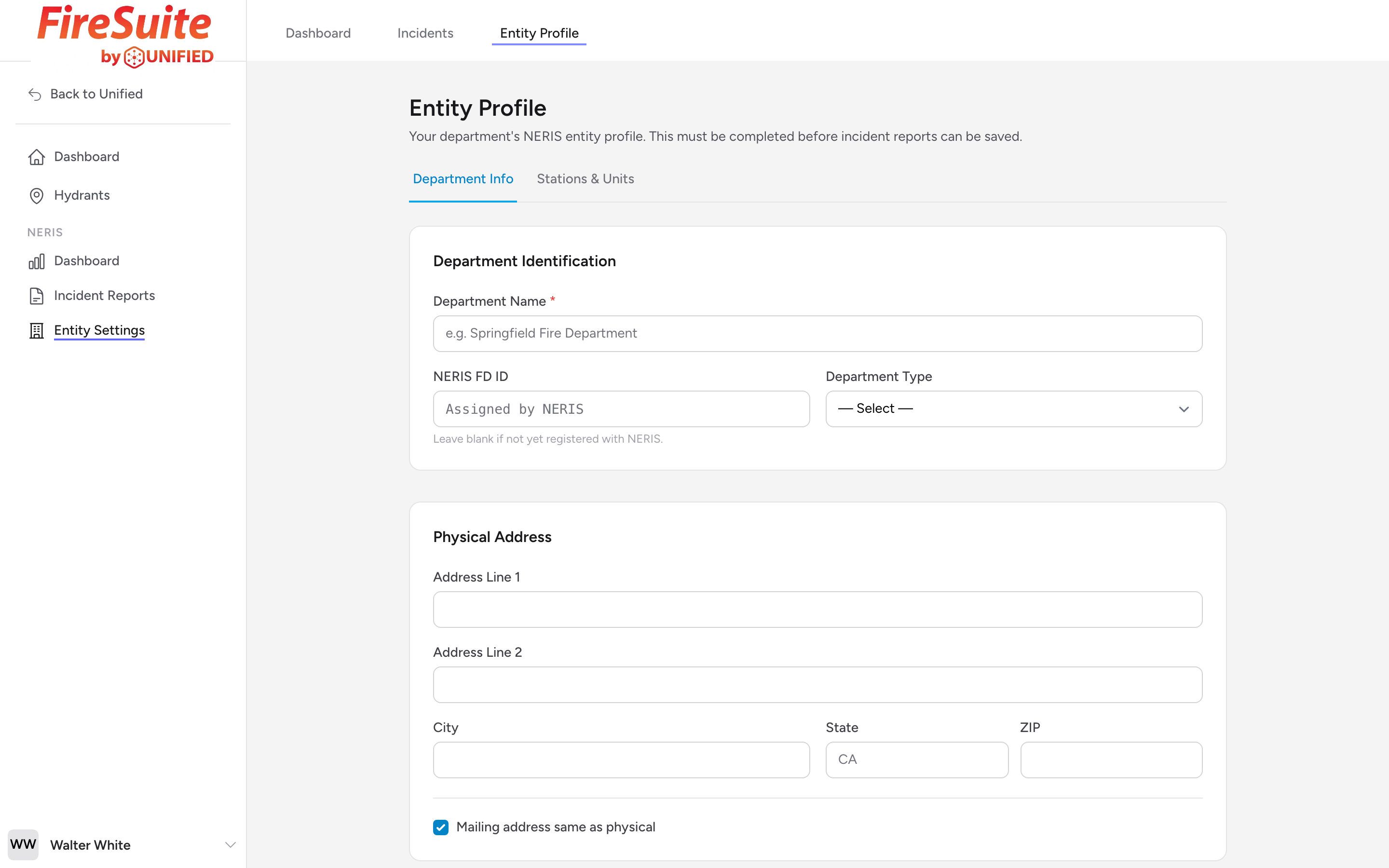
What entity settings are
Entity Settings is where you enter your fire department's profile information. The national reporting system needs this data to know who is submitting incident reports. You should fill this out before submitting your first report.
Getting there
Open Entity Settings from the navigation. The page opens to the Department Info tab by default.
Department identification
Enter your department's official name in the Department Name field. Pick a Department Type from the list. If your department has already been assigned a NERIS FD ID, enter it in the NERIS FD ID field; otherwise leave it blank.
Physical and mailing address
Enter your department's physical address (Address Line 1, Address Line 2, City, State, ZIP). This is the address of your headquarters or administrative office. If your mailing address is the same, leave Mailing address same as physical checked. If it is different, uncheck the box and a second block of fields appears for the mailing address.
Staffing and operations
Enter the number of active personnel in each category:
- Career FF (Full-Time)
- Career FF (Part-Time)
- Volunteer FF
- Paid Per Call FF
- Civilian Staff
You can also enter Number of Stations. These numbers should reflect your current active roster, not your authorized strength.
Shift configuration
If your department uses a shift schedule, set the Shift Type (24 on / 48 off, 24 on / 72 off, 12-hour, 10-hour, 8-hour, Kelly Schedule, or Other), the Number of Shifts, and the Shift Start Time.
Services provided
Check the services your department provides. They are grouped into Fire Services, EMS Services, and Fire Investigation Services. Only select the services your department actually offers.
Example
A combination fire department with 24 career firefighters, 15 volunteers, and 3 civilian staff would enter those numbers in the staffing section. They might check fire suppression, rescue, basic life support, and fire investigation under their service offerings.
Dispatch and assessment
Enter your Dispatch Center ID and PSAP type so the national system knows which public safety answering point handles your calls. If your department has an ISO Fire Rating, enter it here too.
Saving
Click the Save Entity Profile button at the bottom of the page. A confirmation message will appear when the save is successful.
Tip: Filling in every field on this page is what unlocks submission to the national system. Skip a required field and the validation panel will flag it the moment you try to submit your first report.