
What this step covers
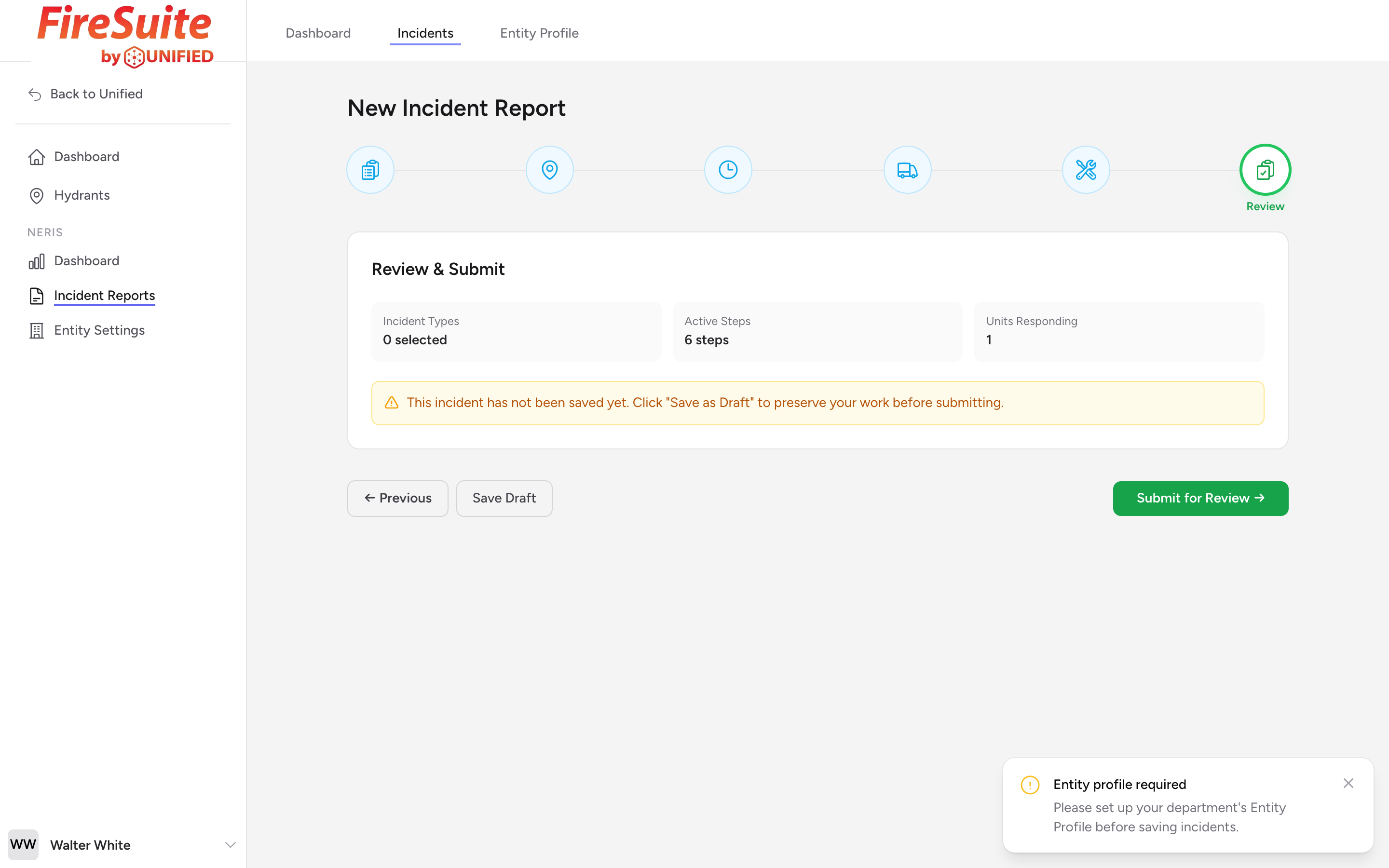
The Review & Submit step is always the last step, no matter how many conditional steps appeared in your form. This is where you look over everything you entered before submitting the report.
Summary cards
The page shows small summary cards with the count of incident types you picked, the number of active steps in your form, the number of units responding, the list of selected incident types (with a star on the primary), and the incident location (if you entered one).
You cannot edit on this page directly. To make changes, click the icon for the step you want to edit in the stepper at the top and make your edits there.
Unsaved-draft banner
If the incident has not been saved yet, a yellow banner appears on the Review step asking you to click Save Draft (the secondary button at the bottom left) before submitting.
Running validation
Validation runs through a separate side panel -- it is not inline on this step. Open the validation panel to check that your report meets NERIS requirements before you submit.
Submitting your report
When you are satisfied with the report, click Submit for Review (the green button that replaces Next on the last step). The report moves from Draft to Pending Review status, and the page redirects to the incident detail view.
What happens after you submit
- The report enters the Pending Review queue.
- A reviewer examines it and either approves or rejects it.
- If rejected, the report comes back to you with notes on what needs to change.
- If approved, it moves to Approved status and can be sent to the national system.
Tip: Run the validation panel before you submit. It will catch most issues before your reviewer ever sees the report, which saves everyone time.