
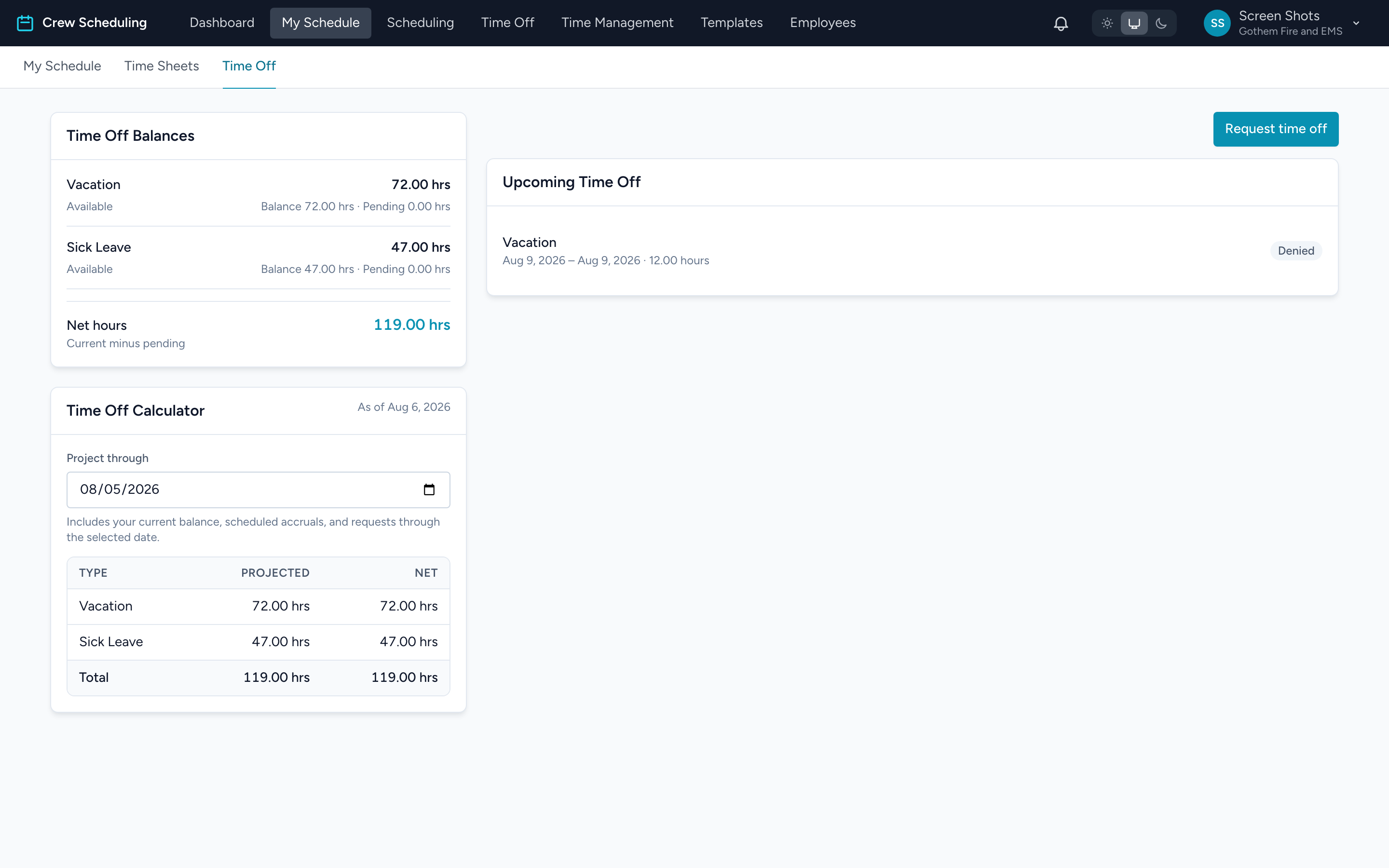
Your balances live under My Schedule. From the navigation, click My Schedule, then the Time Off tab.
Time Off Balances
Each time-off type shows one line. The big number is Available — what you can actually spend right now. Underneath it: Balance (what you have accrued) and Pending (hours already claimed by requests waiting for approval). Available is the balance minus pending, so submitting a request lowers Available immediately even before anyone approves it.
Net hours at the bottom totals it across every type.
The Time Off Calculator
The calculator answers "how many hours will I have by then?" — useful before requesting a vacation months out.
- In the Time Off Calculator card, set the Project through date.
- The table updates: Projected is your balance on that date counting the accruals you will earn between now and then; Net subtracts requests already in the system.
Callout rows underneath show any Pending requests and Approved time off that fall inside the window, so you can see exactly what is eating the difference.
Example
It is March and you want 40 hours of PTO in July. Your Available today is 22 — but set Project through to July 1 and Projected shows 46, because you will keep accruing until then. Safe to submit the request now.