
A swap trades one of your shifts for one of someone else's. You post a shift you cannot work, a crewmate offers one of theirs in exchange, and you pick the offer you want.
Everything to do with swaps lives in one place. From the navigation, click My Schedule, then the Shift Swaps tab.
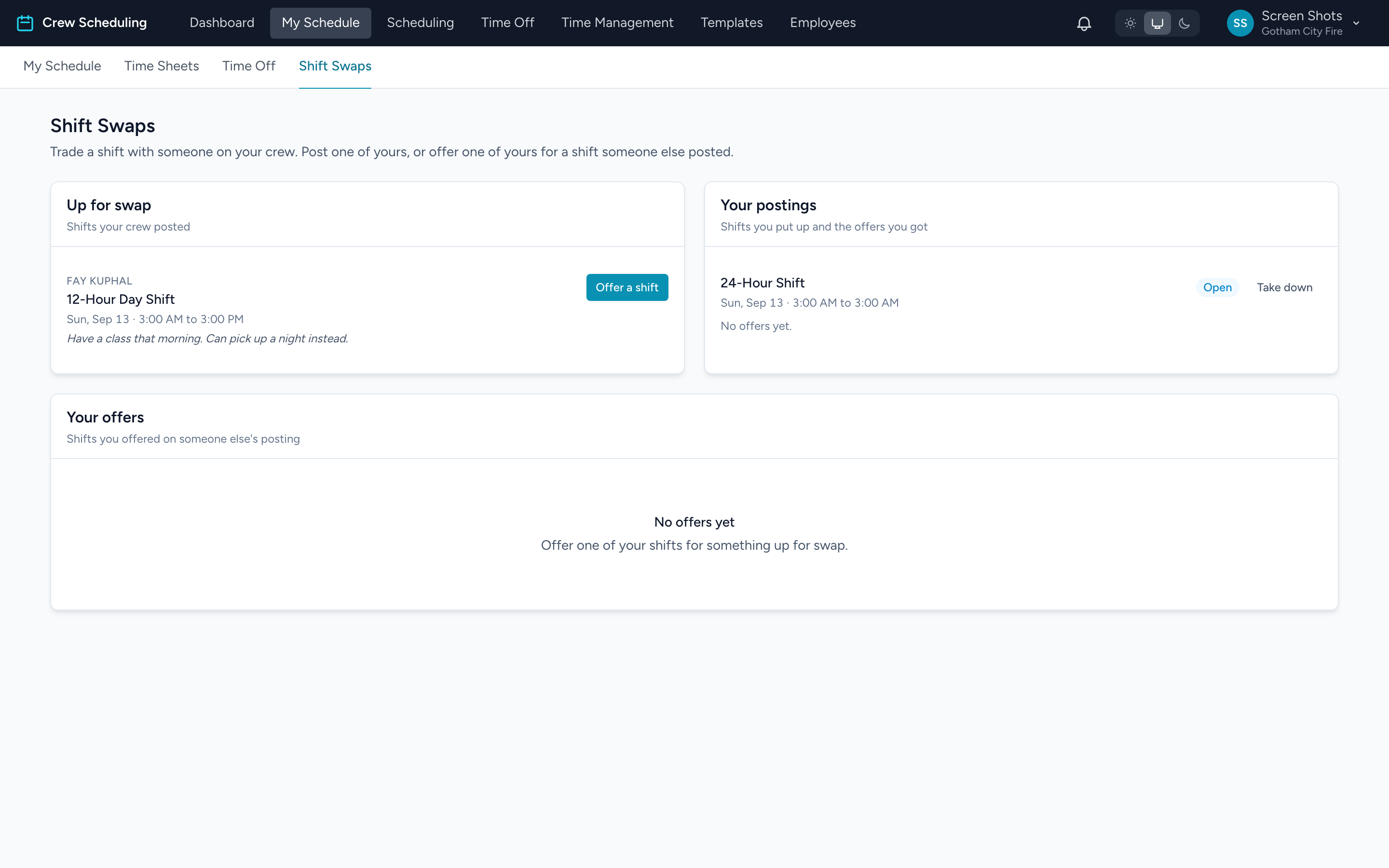
The page has three panels:
- Up for swap — shifts your crew posted, waiting for someone to offer on them.
- Your postings — shifts you put up, and the offers you have been sent.
- Your offers — shifts you offered on someone else's posting.
Posting a shift you cannot work
- From the navigation, click My Schedule.
- Click the day of the shift you want to give up.
- Click Post for swap.
The shift stays yours and stays on your calendar. It is marked Posted for swap until someone offers and you accept. Posting it does not take you off the schedule.
Offering one of your shifts
- On the Shift Swaps tab, find the shift you want under Up for swap.
- Click Offer a shift.
- Pick which of your own shifts you are offering in exchange, then send it.
Your offer shows under Your offers as Offer sent. You can click Withdraw to pull it back any time before it is accepted.
Choosing an offer
Offers you receive appear under Your postings, beneath the shift you posted. Each one shows the shift that person is offering you in return.
Click Accept on the one you want, or Decline to turn it down. Accepting one offer does not oblige you to decline the rest by hand.
If your agency approves swaps
Some agencies have an administrator sign off on every trade. If yours does, accepting an offer does not change the schedule straight away. The swap shows as Waiting on admin approval, and the shift on your calendar is marked Swap waiting on approval, until an administrator approves it.
Once approved, the two shifts trade places and both calendars update. Until then, both of you are still responsible for your original shifts.
Taking a posting down
Changed your mind? Under Your postings, click Take it down. Anyone who offered on it is told it is no longer up for swap.
Why you might not be able to offer
If a shift will not let you offer on it, the page says which of these is in the way:
- You already work a shift at that time — or the other person does. A swap cannot double-book either of you.
- Approved time off — one of you is already off then.
- The role does not match — if your agency requires it, both people have to hold the role each shift calls for.
- The shift has already started, or already has time recorded against it.
Tip: swaps are between you and your crew, so the shift has to still be ahead of you. Once a shift starts, or anyone punches in against it, it can no longer be traded.