
The Signature Verbiage page is where your agency writes the statement a person must read and agree to before signing a chart — one statement per signature reason. When a crew member collects a signature and picks a reason like HIPAA acknowledgement or Release for Billing, the matching statement appears in front of the signer before the signature pad opens, and it prints above the signature on the PCR PDF.
Before you start: Settings is admin-only. Signature statements are legal language — have your agency's leadership or legal counsel approve the wording before you enter it.
Open the page
- From the menu, click Settings.
- On the Settings page, click the Signature Verbiage card.
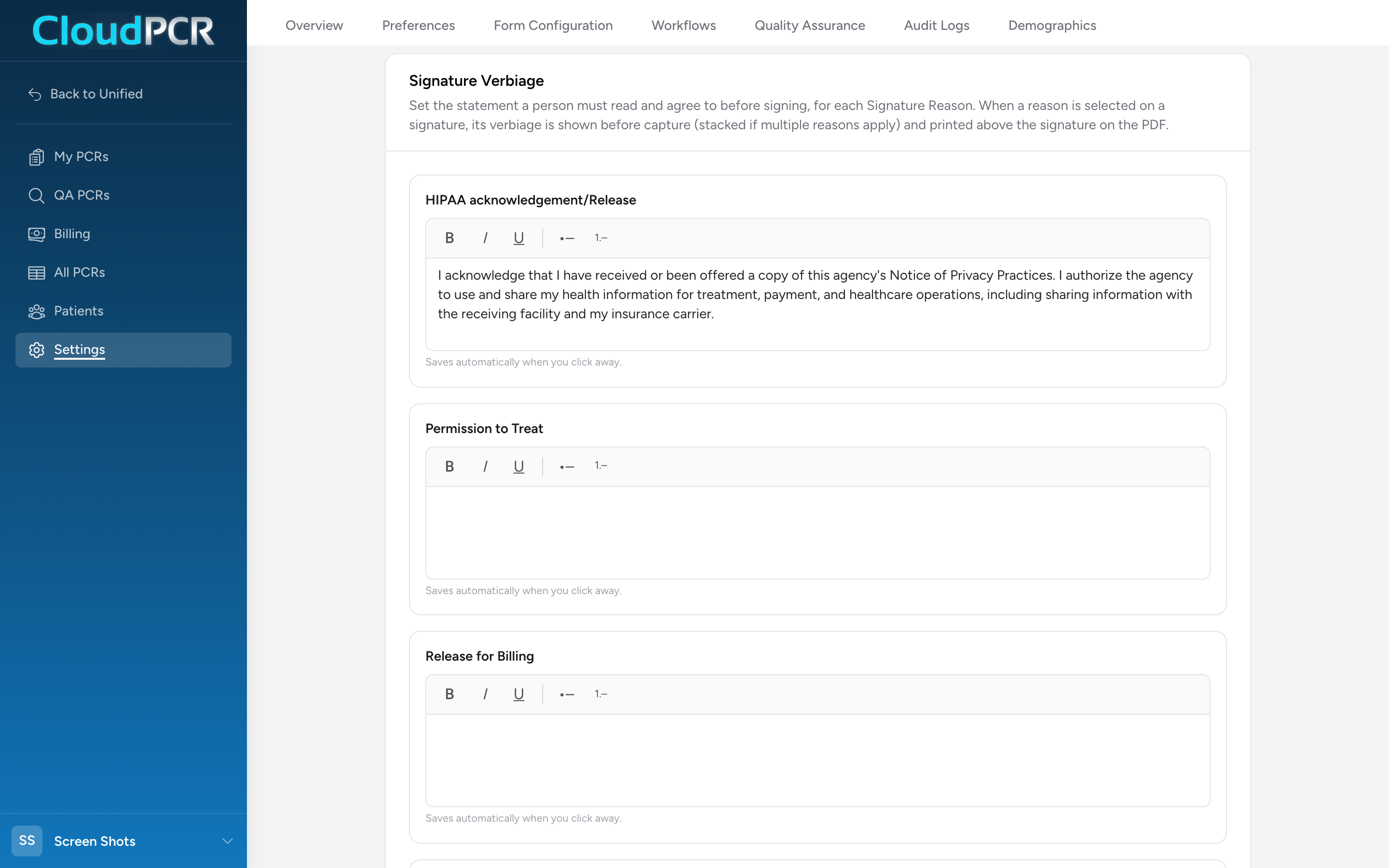
How the page is organized
There is one text box per signature reason. The reasons are the standard NEMSIS list — HIPAA acknowledgement/Release, Permission to Treat, Release for Billing, Transfer of Patient Care, Refusal of Care, Controlled Substance Administration and Waste, Airway Verification, Patient Belongings (Receipt), Permission to Transport, Refusal of Transport, and Other. You cannot add or rename reasons — you write the statement your agency wants shown for each one.
Every box starts empty. A reason with no text simply shows no statement — the signer goes straight to the signature pad. You only need to fill in the reasons your agency actually uses.
Writing a statement
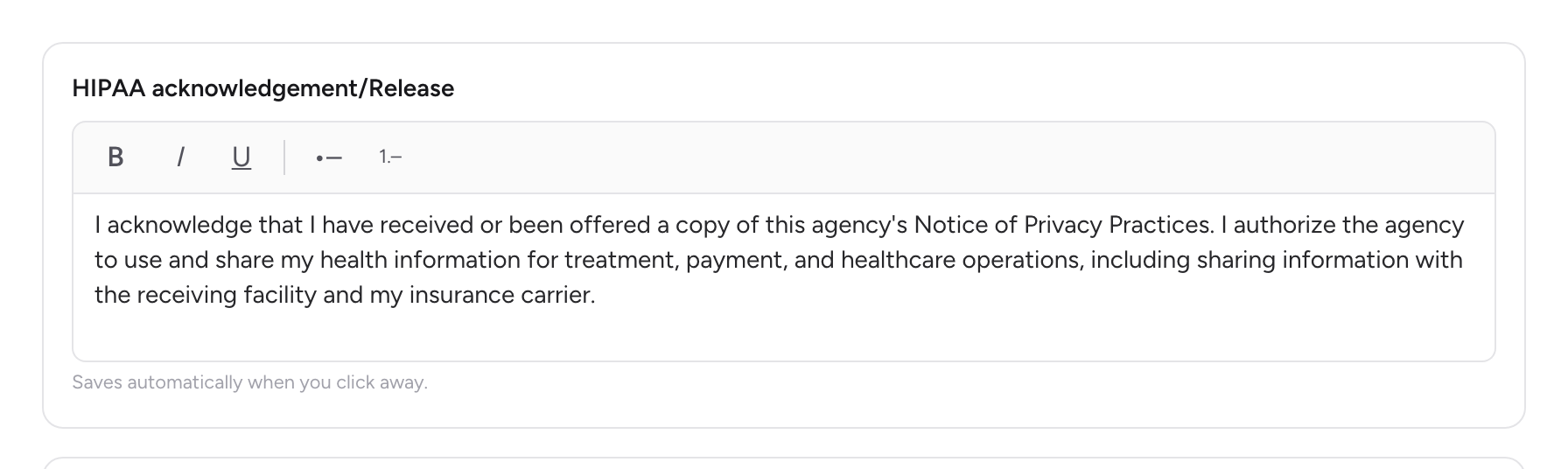
- Click into the text box under the reason you want.
- Type the statement. The toolbar above the box gives you Bold, Italic, Underline, a Bulleted list, and a Numbered list. That is the full formatting set — no headings, links, or images.
- Click anywhere outside the box. The statement saves on its own and a green Saved note appears — there is no Save button. The note under each box reminds you: "Saves automatically when you click away."
The statement is fixed text. It cannot pull in the patient's name, the date, or anything else from the chart, so write it the way a paper form would read.
A sample statement
CloudPCR does not ship any default statements, so here is an example of the kind of wording an agency might enter under HIPAA acknowledgement/Release. Treat it as a starting point for your own legal review, not approved language:
I acknowledge that I have received or been offered a copy of this agency's Notice of Privacy Practices. I authorize the agency to use and share my health information for treatment, payment, and healthcare operations, including sharing information with the receiving facility and my insurance carrier.
What the signer sees on the chart
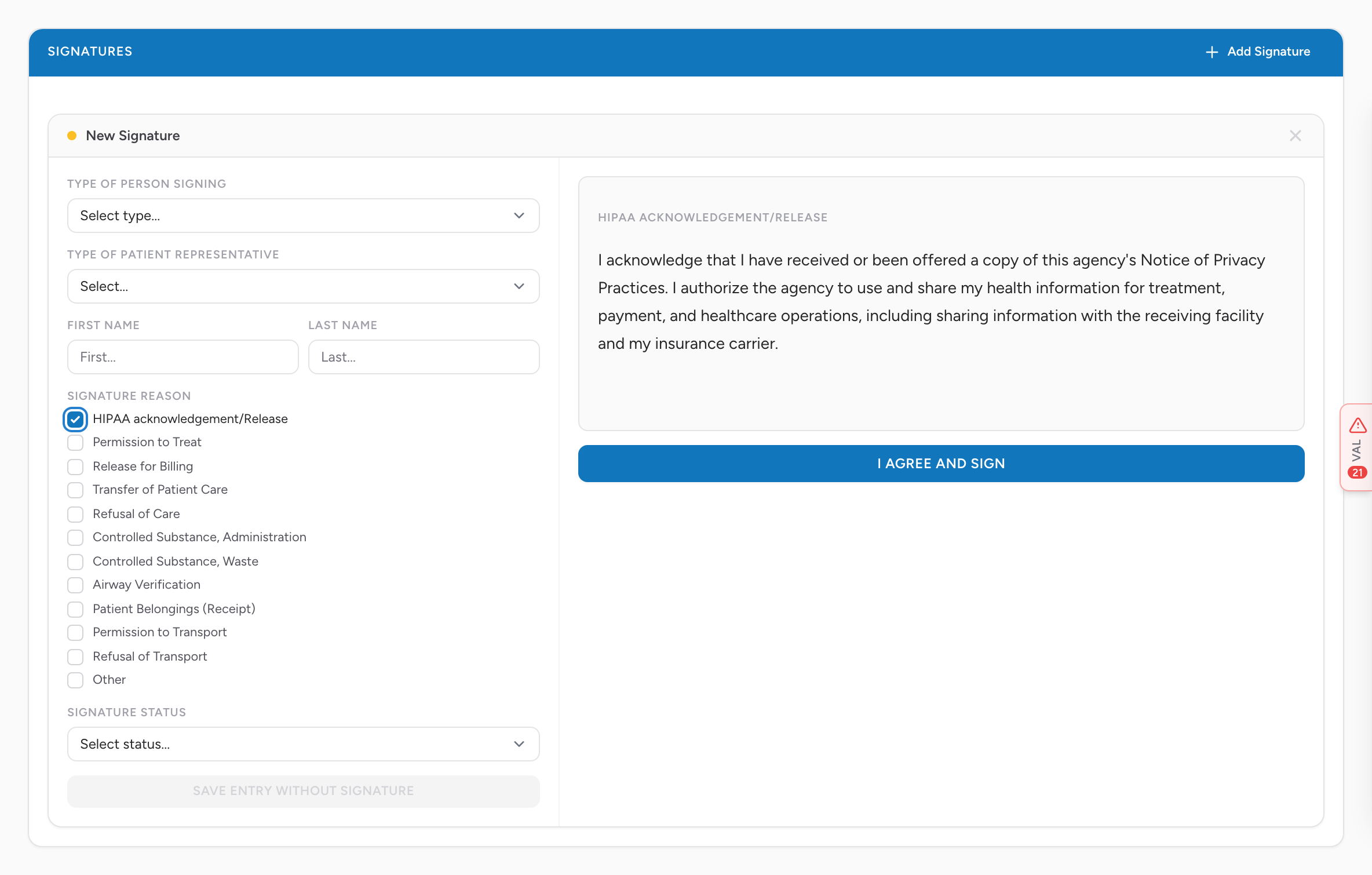
On the PCR's Signatures tab, the crew clicks Add Signature and fills in the signer details on the left of the card — including checking one or more boxes under Signature Reason. The moment a checked reason has a statement, the right side of the card shows the statement instead of the signature pad, with an I Agree and Sign button under it.
- The signer reads the statement and clicks I Agree and Sign. Only then does the signature pad appear.
- If more than one checked reason has a statement, the statements stack in one scrollable box, each under its reason's name.
- If the crew changes the checked reasons after the signer agreed, the statement comes back and the signer has to agree again.
See Capturing signatures for the rest of the signature workflow.
On the printed PCR
The PDF prints each signature's statements directly above the signature image, each under its reason's name — so the printed chart shows what the person agreed to next to their signature.
Important: The PDF always prints your current statement wording. If you rewrite a statement next year, a reprint of an old chart shows the new wording, not what was on screen the day it was signed. Keep dated copies of your wording changes if your agency needs that history.
Tips
- Fill in Refusal of Care and Refusal of Transport first if you write nothing else — refusals are where a documented agreement matters most.
- Keep statements short enough to read on a tablet held out to a patient. A statement that scrolls for three screens does not get read.
- Clearing a box back to empty turns the statement off for that reason — signers go straight to the pad again.