
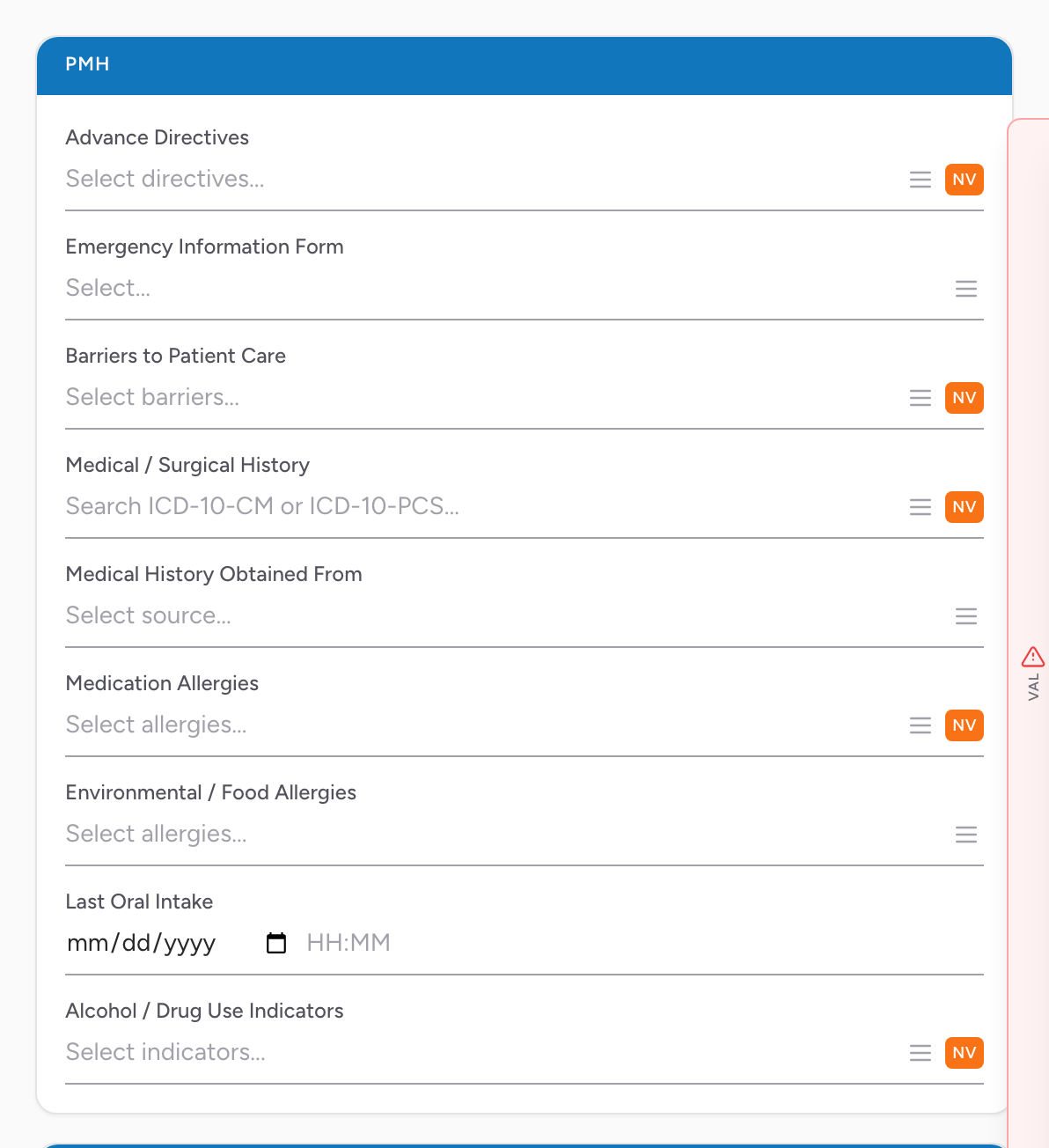
The PMH (Past Medical History) section on the Patient tab captures everything about the patient that predates this call — history, allergies, directives, pregnancy, and substance use.
Advance directives
- Advance Directives — multi-select. Mark every directive the patient has from the list.
- Emergency Information Form — whether an EIF (pediatric or special-needs emergency form) is available.
If you have a DNR or POLST in your hands, take a photo of it and attach it to the Documents section.
Barriers to care
- Barriers to Patient Care — multi-select. Pick from the list any barriers that affected the call.
Medical history
- Medical / Surgical History — multi-select with ICD-10 lookup. Type a condition (diabetes, hypertension, CHF, etc.) and pick from the matches. Add as many as apply. If the patient reports no history, click the None chip in the field to record None Reported in one tap.
- Medical History Obtained From — multi-select. Pick from the list who gave you the history.
Allergies
- Medication Allergies — multi-select with RxNorm lookup. Type the medication name. Click the NKDA chip in the field to record no known drug allergies in one tap.
- Environmental / Food Allergies — multi-select with SNOMED lookup. Peanuts, shellfish, latex, bee stings, etc.
Pregnancy, intake, and substances
- Pregnancy — only shown when Sex is Female. Current pregnancy status.
- Last Oral Intake — date and time. Useful for potential surgery cases and stroke / cardiac workups.
- Alcohol / Drug Use Indicators — multi-select. Observed or reported substance use. Click the None chip in the field when there are no indicators.
An example
You respond to a 78-year-old with shortness of breath. The patient tells you he has CHF, COPD, and hypertension. He has a penicillin allergy that gives him a rash. His daughter is on scene with a POLST that says comfort measures only. In PMH: Medical / Surgical History CHF, COPD, Hypertension. Medication Allergies Penicillin. For Advance Directives, mark the one that matches his POLST. Take a photo of the POLST and attach it to the Documents section.
NEMSIS required: Medical history and allergy fields are NEMSIS-required when the patient was assessed. If the patient cannot tell you and no family is available, use the NV button to record Not Recorded or Not Applicable rather than leaving the fields blank.