
The Insurance section is where you enter the patient's insurance information.
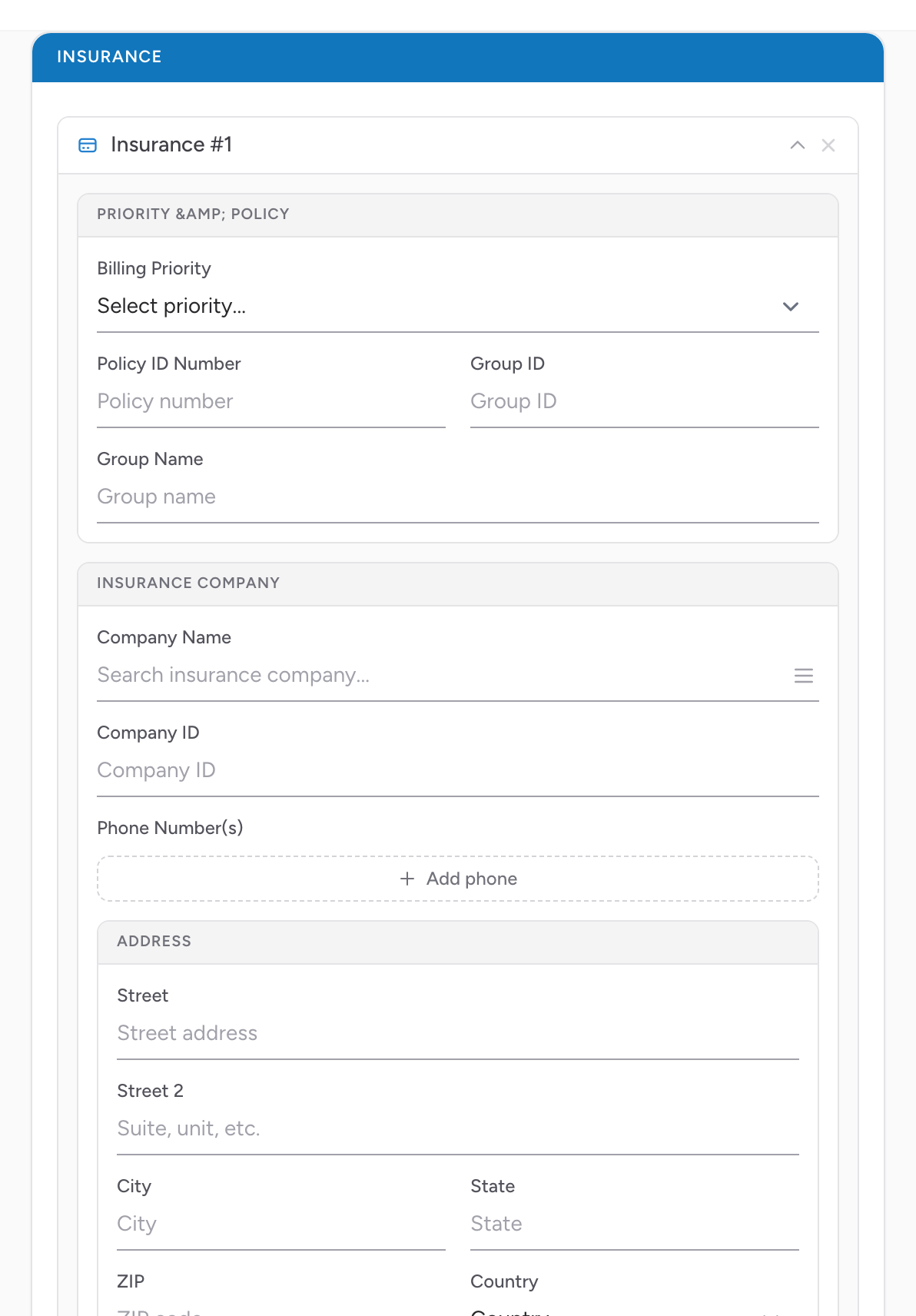
How to add insurance
- Click + Add Insurance.
- Type the first few letters of the insurance company name. CloudPCR searches a national list of payers and shows matches.
- Pick the right one.
- Enter the policy number (the policy ID or member number from the card).
- Enter the Group ID and Group Name — both of them are on the card.
- Enter the cardholder's name and date of birth (if different from the patient).
- Set the Billing Priority dropdown to Primary or Secondary.
Why the searchable list matters
Picking the insurance from the searchable list — instead of typing it free-form — means your billing team gets a clean payer record with the right address and claim number. Free-text "Blue Cross" can mean any of 50 different Blue Cross plans, each with a different claim address. Picking from the list eliminates the guesswork. See Searching for an insurance company for tips.
Multiple insurances
If the patient has primary and secondary insurance, add both. Set the Billing Priority dropdown on each entry — Primary on the one that bills first, Secondary on the one that bills second.
An example
You transport a Medicare patient who also has a supplemental Aetna policy. In the Insurance section you click + Add Insurance, type "Medi", and pick "Medicare" from the list. You enter the Medicare ID and set Billing Priority to Primary. Then you click + Add Insurance again, type "Aet", pick "Aetna Medicare Supplement," enter the policy number, and set Billing Priority to Secondary. Your billing team can now file both claims without calling you for clarification.