
Close Call Rules are a catalog of ready-made chart checks carried over from the previous CloudPCR — signature checks, narrative quality, insurance completeness, crew requirements, and billing-level checks. Every rule starts off. You turn on only the ones your agency wants, and enabled rules run as validations when a chart is submitted.
Before you start: You need an admin role. From the menu, click Settings, then Quality Assurance, then the Close Call Rules tab.
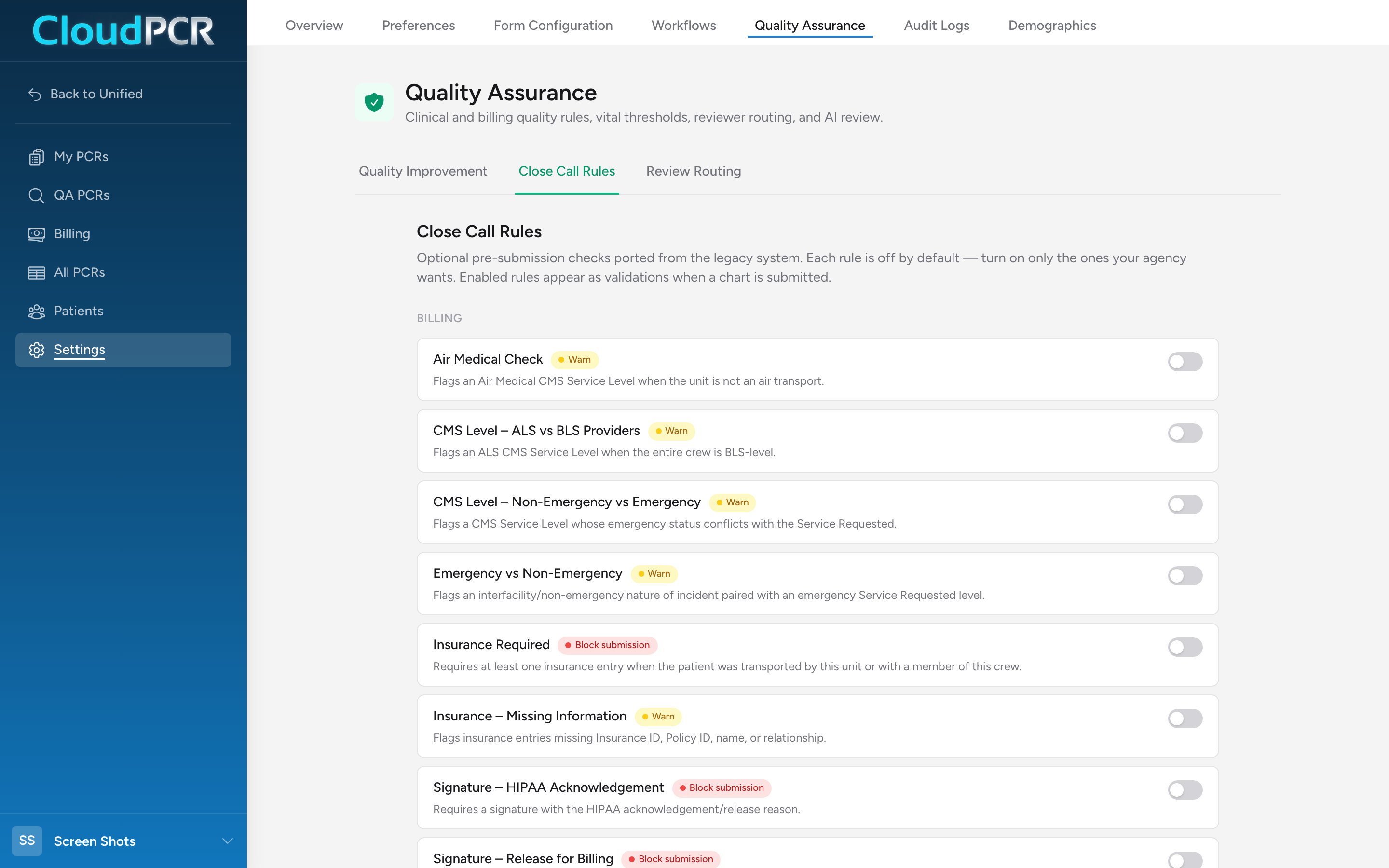
Turning rules on and off
Rules are grouped under Clinical and Billing headings. Each row shows the rule's name, a severity badge (Block submission or Warn), and a one-line description of what it checks. Click a rule's toggle to turn it on or off — the change takes effect on the next chart submitted. There is nothing else to configure and no Save button.
What kind of rules are in the catalog
A sampling, using the names you will see on screen:
- Vitals Required, GCS Required, Patient Complaint Required — core documentation on evaluated patients.
- Narrative Quality — when a patient is contacted and evaluated, requires a narrative of at least 100 characters.
- A family of signature checks, including Signature – Release for Billing, Signature – HIPAA Acknowledgement, Refusal of Care – Patient Signature, and Signature – Two Crew Members.
- Billing-side checks like Insurance Required, Emergency vs Non-Emergency, and CMS Level – ALS vs BLS Providers.
- Clinical cross-checks like Pain Scale on Pain Complaints and Altered LOC / GCS Check.
Read the description under each rule before enabling it — it says exactly what the check looks at.
Close call rules or a custom rule?
Check this catalog first. If the check you want is here, a toggle is faster and better tested than describing the same thing to the AI rule builder. Build a custom rule when your requirement is not in the catalog or needs your agency's specific conditions.
Tips
- If your agency used these checks in the previous CloudPCR, turn on the same set on day one — crews are already used to them.
- Rules marked Block submission stop a chart until fixed. Enable those during a quiet week, not the day of a system switch.
- Turning a rule off does not remove past validation results — it just stops future checks.