
Clinical Quality Alerts are the vital sign ranges CloudPCR uses to flag abnormal values — a systolic pressure of 78, a heart rate of 160. Flagged vitals stand out during charting, and the QA PCRs queue shows a flag count per chart so reviewers can spot the sick patients fast.
Before you start: You need an admin role. The section lives in Settings → Quality Assurance, on the Quality Improvement tab — click Clinical Quality Alerts to expand it.
What you can set
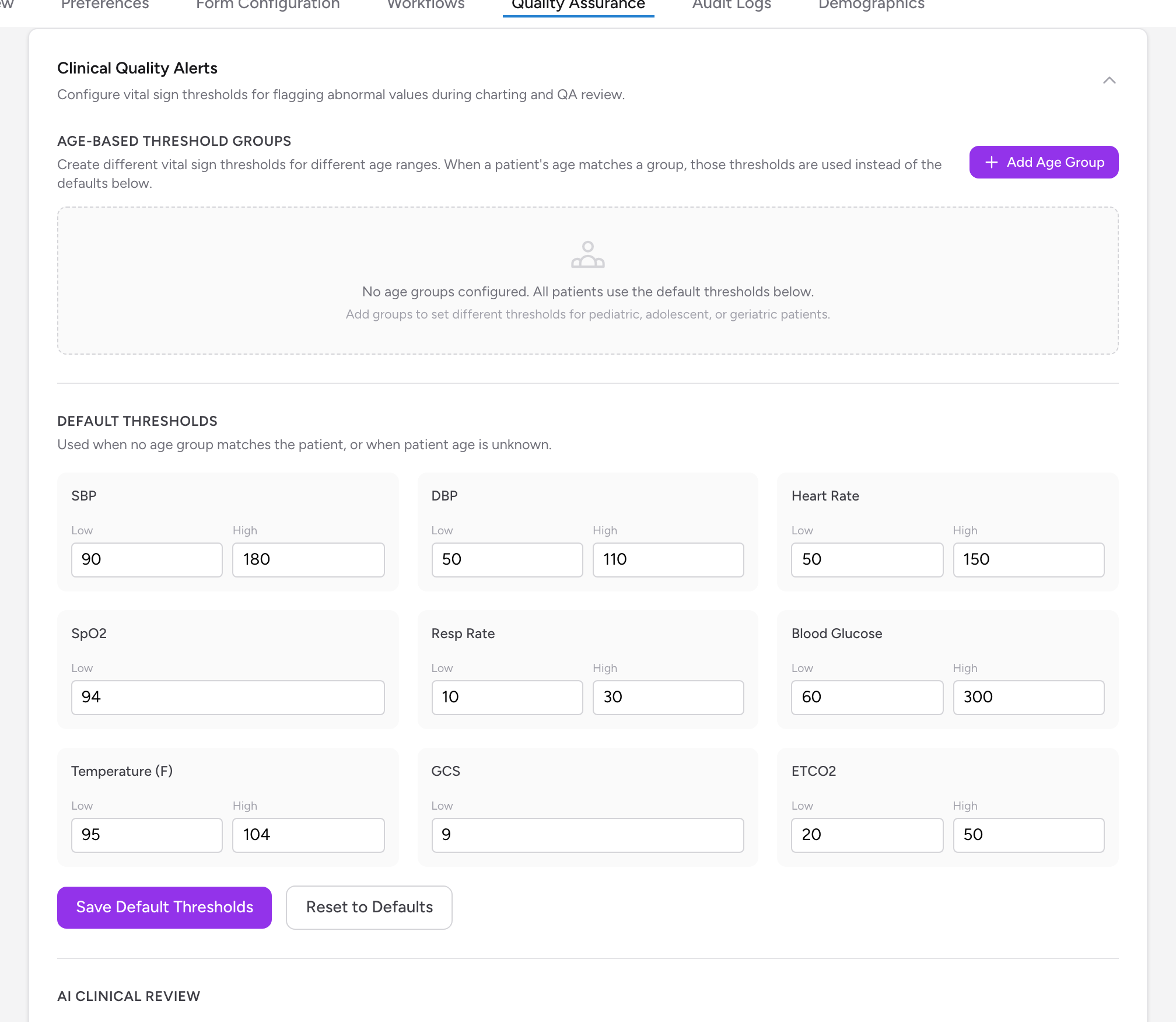
There are nine vital signs, each with a low and (for most) a high limit: SBP, DBP, Heart Rate, SpO2 (low only), Resp Rate, Blood Glucose, Temperature (F), GCS (low only), and ETCO2. A value outside the range gets flagged.
CloudPCR ships with adult defaults (for example SBP 90 to 180, heart rate 50 to 150, SpO2 low of 94), so flagging works before you touch anything. On top of the amber flags, values far outside the range — like a systolic under 80 — always flag red, and those limits are fixed.
Default thresholds
- Under Default Thresholds, change the numbers you want.
- Click Save Default Thresholds. Reset to Defaults puts the shipped numbers back.
The defaults apply when no age group matches the patient, or when the patient's age is unknown.
Age-based threshold groups
A 100-per-minute heart rate is normal in a toddler and worth a look in a 70-year-old. Age groups let you set different ranges per age band:
- Click Add Age Group.
- Enter a Group Name (for example
Pediatric), an Age From (years), and an Age To (years). Leave the upper age blank for open-ended groups like 65 and up. - Fill in the Thresholds for this age group grid. Reset Values to Defaults copies the default numbers in as a starting point.
- Click Save Group.
When a patient's age falls inside a group's range, that group's thresholds are used instead of the defaults. Ranges cannot overlap — CloudPCR stops you if they do.
An example setup
A typical three-group setup: Pediatric (0 to 12) with higher heart rate and respiratory limits, Adolescent (13 to 17) between pediatric and adult numbers, and the defaults covering adults. Bring the numbers to your medical director — these thresholds are a clinical decision, and the defaults are a starting point, not a protocol.
Things to know
- Changing thresholds recalculates the flag counts on charts already in the QA queue — counts shift within a few minutes of saving.
- Flags are alerts, not blocks. A flagged vital never stops a chart from being submitted — it points reviewers at charts worth opening.