

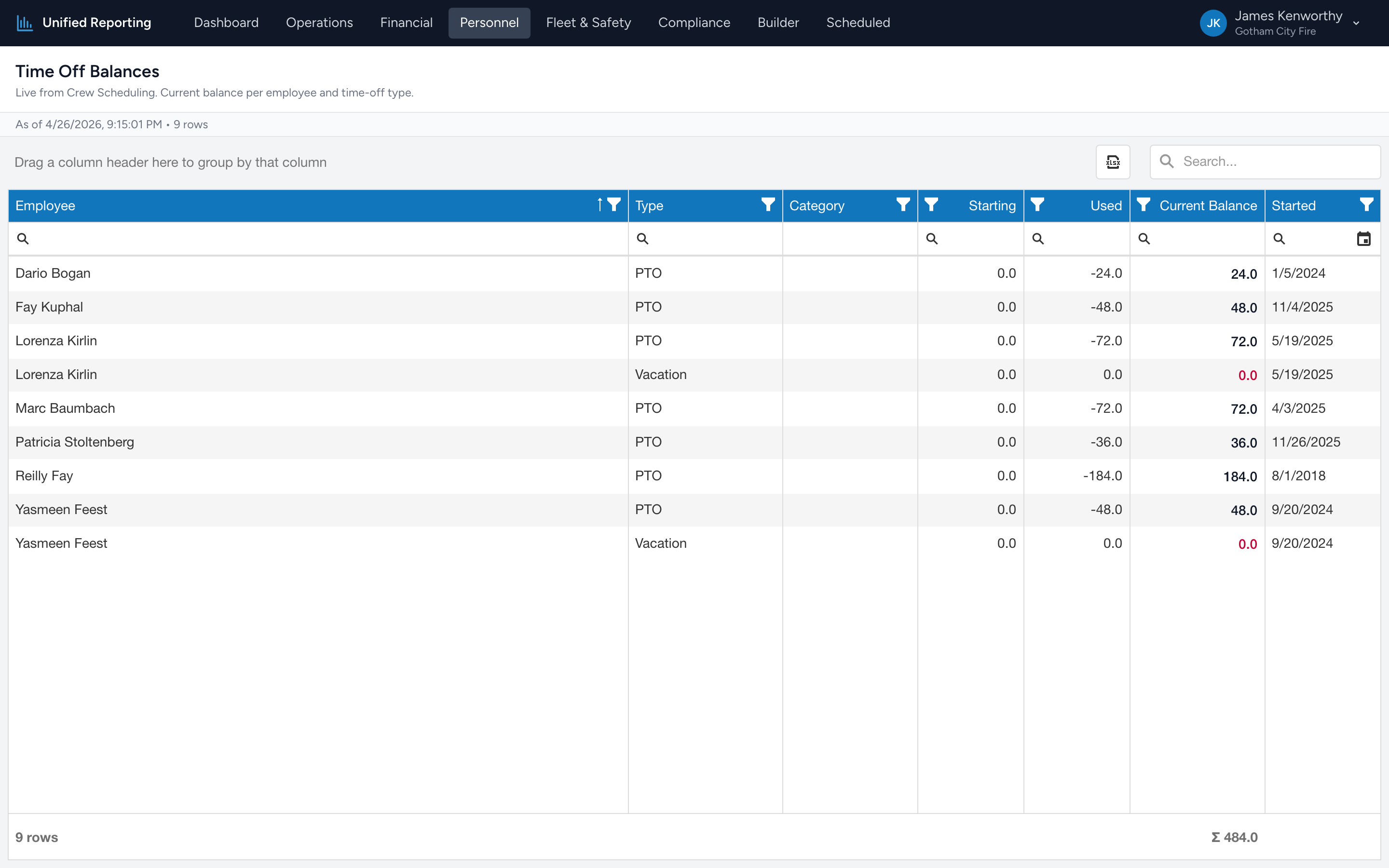
The Time Off Balances report tells you how much PTO, sick time, and other leave each employee has banked, and how much they have already used.
How to use it
- Open Personnel → Time Off Balances.
- The grid lists every employee × time-off type combination — one row per balance.
- Sort by Current Balance to find employees with the highest banked time, or filter by Type to focus on one kind of leave.
What is in the grid
- Employee — the person.
- Type and Category — the time-off type (PTO, Sick, Vacation, etc.) and its grouping.
- Starting — the balance the employee began the current accrual period with.
- Used — how much they have used since then.
- Current Balance — what is left available today.
Tips
- Where the data comes from. The report is live from Crew Scheduling — the same balances you see in the Crew Scheduling app.
- Group by type. Drag the Type header into the group panel to see balances rolled up per leave type.
- Spot accrual without use. Employees with a high Current Balance and a low Used number may be carrying too much liability — a conversation worth having.