

How to sign out
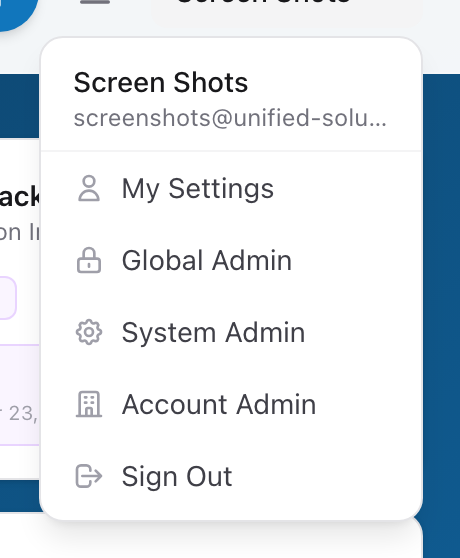
- Click your name in the menu.
- Click Sign Out.
- You are taken back to the sign-in page.
Why it signs you out everywhere
When you sign out of one Unified Solutions app, you are signed out of all of them. This happens because every app — CloudPCR, Fire, Dispatch, and the rest — shares the same sign-in session. When that session ends, they all end.
This is a security feature. If you walk away from a shared workstation and someone else needs to use it, one sign-out closes everything. You do not have to worry about leaving yourself signed in to an app you forgot about.
When to sign out
- At the end of your shift.
- When you hand a shared tablet or computer to someone else.
- If you are signing in to a different agency and want a clean start.
When not to worry about it
If you are on your own personal device and nobody else uses it, staying signed in is fine. Your session will eventually expire on its own after a period of inactivity, and you will be asked to sign in again.
Tip: If you share a tablet with another crew member between shifts, make signing out part of your end-of-shift routine. It takes two seconds and prevents the next person from accidentally working under your name.