
My Settings holds the details of your own Unified Solutions account. Whatever you change here applies in every app you use.
Getting there
- Click your initials in the menu.
- Click My Settings.
What's on the page
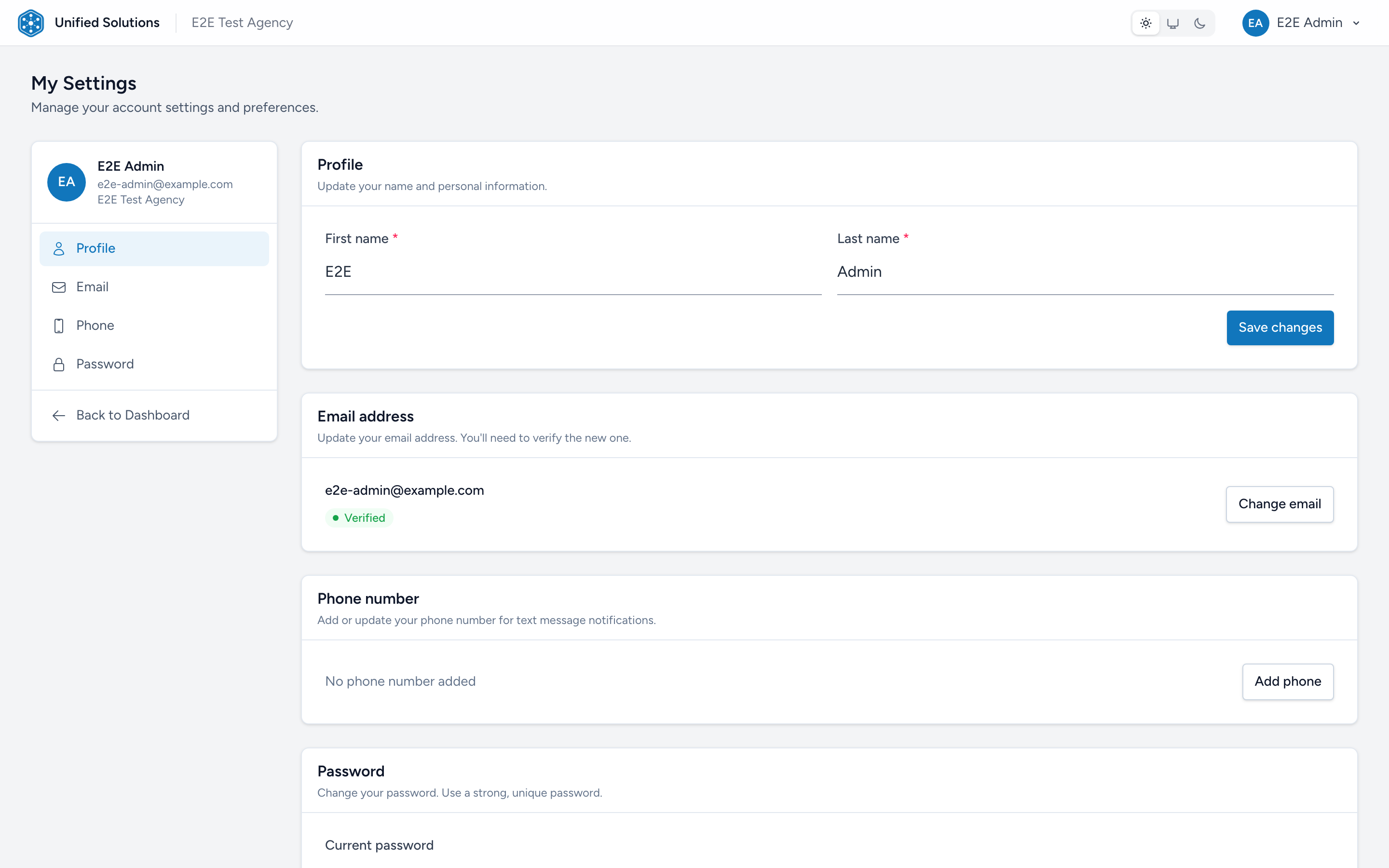
The menu at the side shows your name, email and the agency you signed in to. Click a section name to jump to it:
- Profile: your first and last name.
- Email: the address you sign in with, and whether it's verified.
- Phone: the mobile number that receives text messages from your agency.
- Password: change your password while you know the current one.
Click Back to Dashboard when you're done.
What isn't here
Your role in each app, and which apps you can open, are set by your agency administrator in Settings. Your agency's time zone, locations, vehicles and other shared lists are kept there too.