
What the formulary is
The formulary is your agency's list of approved drugs, grouped by generic name. Each drug in the list has one or more specific products attached to it (different strengths, package sizes, or brands).
The formulary is an admin tool in Drug Tracking. Regular crew members do not see it in their navigation.
How to get to it
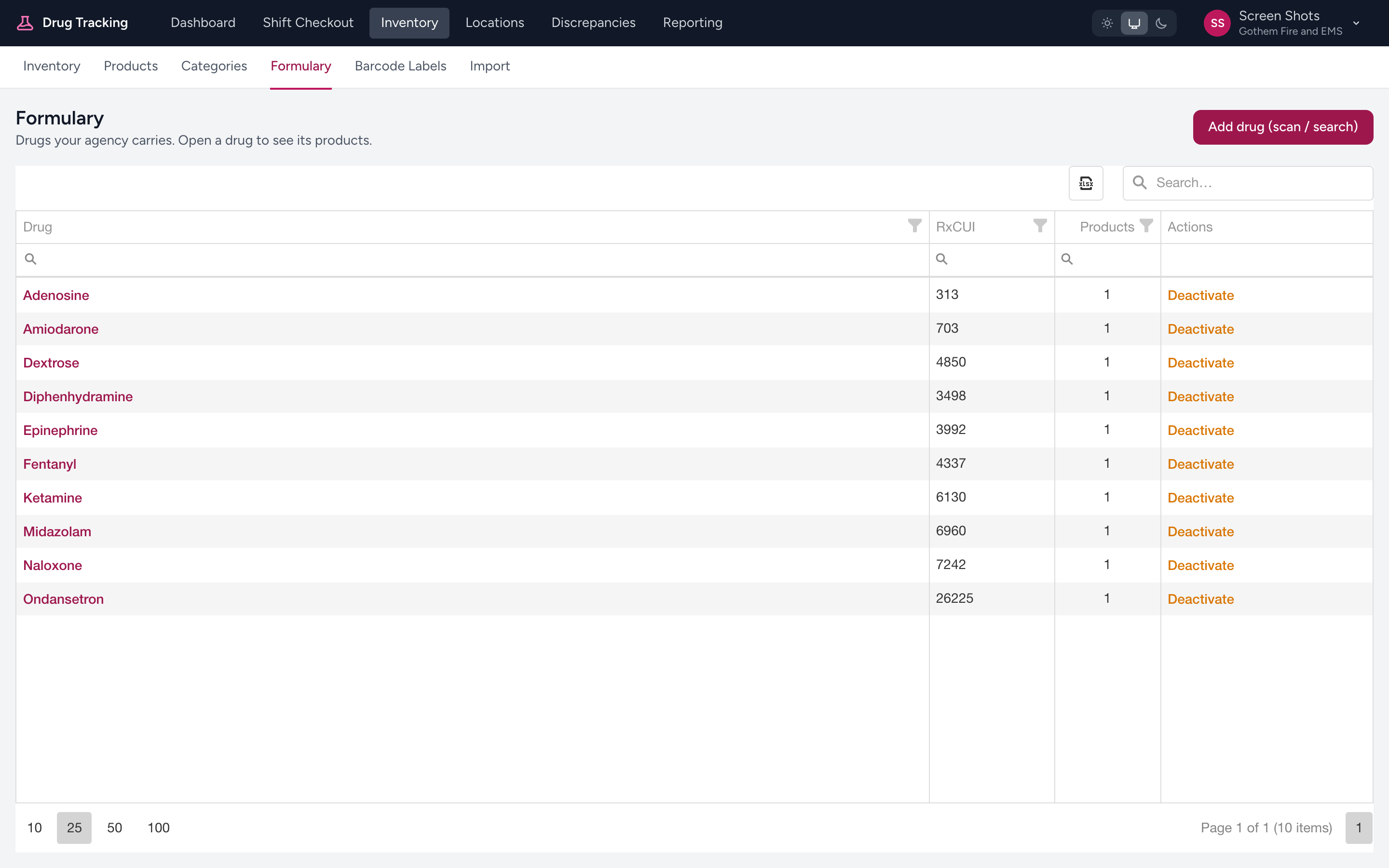
From the menu, click Inventory. A second row of links appears with Inventory, Products, Categories, and Formulary. Click Formulary to open the list. To add a drug, click Add drug (scan / search).
What the list shows
Each row in the formulary table shows:
- Drug — the generic drug name.
- RxCUI — the RxNorm concept unique identifier for the drug, copyable to the clipboard.
- Products — how many product variants are attached to this drug.
- Aliases — alternate names or codes for the drug (hidden by default, toggleable).
Searching
Use the search field above the table to filter by drug name. The list narrows as you type.
Row actions
Each row has an Open action that drills into the drug detail page (see Drug details), plus Deactivate or Activate to toggle whether the drug is in use, and Delete (only available when the drug is inactive) to remove it along with its products and aliases.
Tip
Prefer Deactivate over Delete when you simply want to stop stocking a drug. Deactivation preserves the record and any historic checkout data that references it.