
When you need to replace a drug
Sometimes an item is physically present but needs to be swapped. Maybe it is expired, damaged, or a partial dose was used on a call. In those cases you replace the item during your checkout.
The replacement workflow
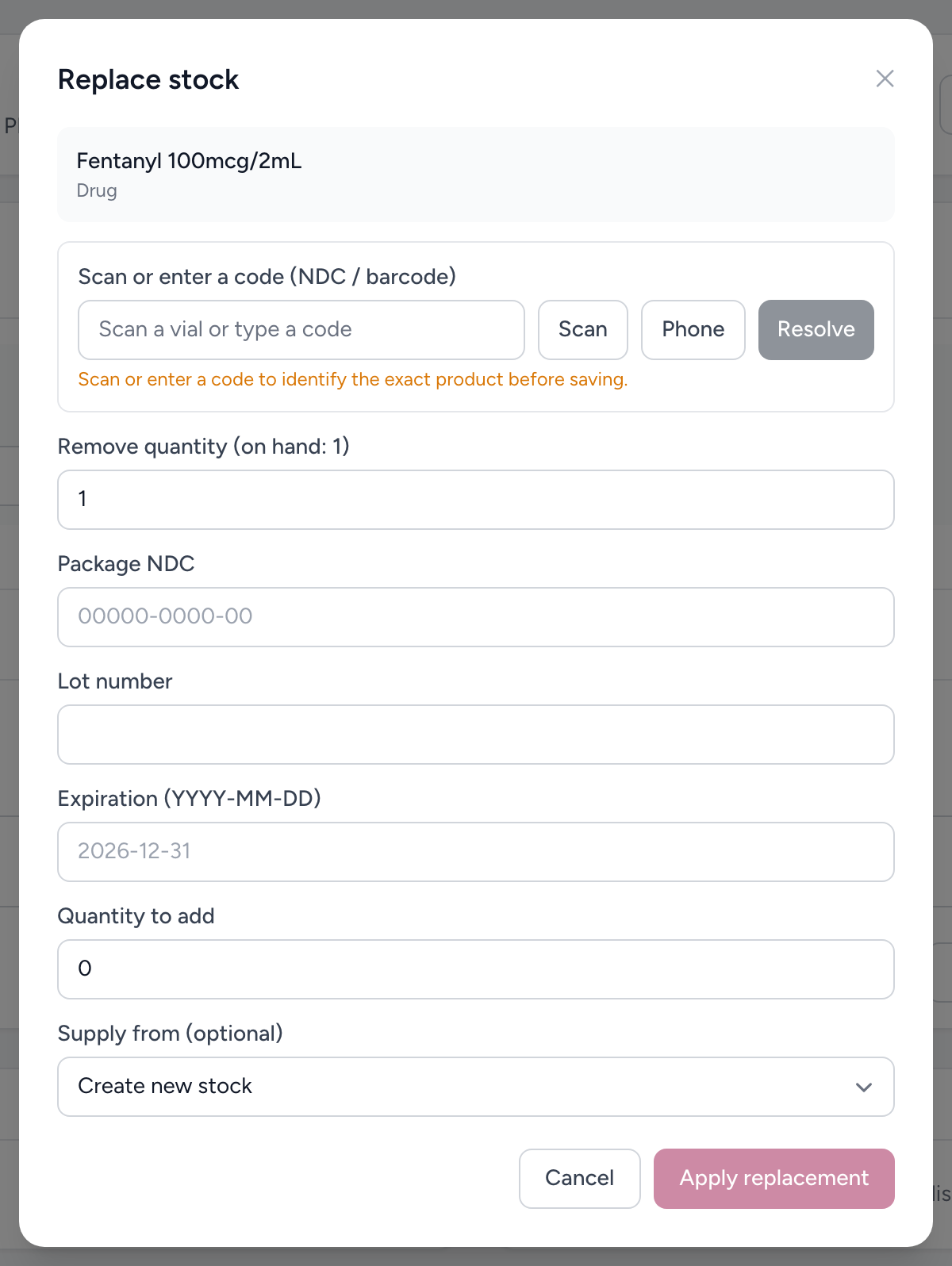
- On the item during your checkout, click Replace. The replace form opens.
- The top of the modal shows the removed unit: drug name, lot number, expiry date, NDC, and current on-hand quantity.
- Below it, select the replacement unit by searching for the product or scanning a barcode. The modal captures the new lot number and expiry date.
- If the replacement has a barcode, scan it. The scan reads the lot number and expiry date from the barcode and fills the fields for you.
- Click Apply replacement to record the swap.
What gets recorded
The system logs both sides of the swap: what was taken out and what was put in. Each side includes the drug name, lot number, expiry date, and barcode (if scanned). This creates a complete chain of custody for controlled substances.
If your agency uses QR pairing
When QR code pairing is turned on, a replacement is scan-driven: scan the company QR label on the old vial to remove it, then scan a fresh QR label for the new vial. The old label is retired and the new one is tied to the new vial.
Example
During your checkout on Medic 7, you find a vial of Morphine 10 mg that expires in two days. You open the item and click replace. The Replace item modal shows the old vial (lot M2024-881, expires April 15). You scan the new vial's barcode and the lot (M2025-204) and expiry (March 2027) fill in automatically. You click Apply replacement. Done.
Tip
Always scan the barcode when possible. It is faster and eliminates typos in lot numbers, which saves you headaches if the record is ever audited.