
How to view drug details
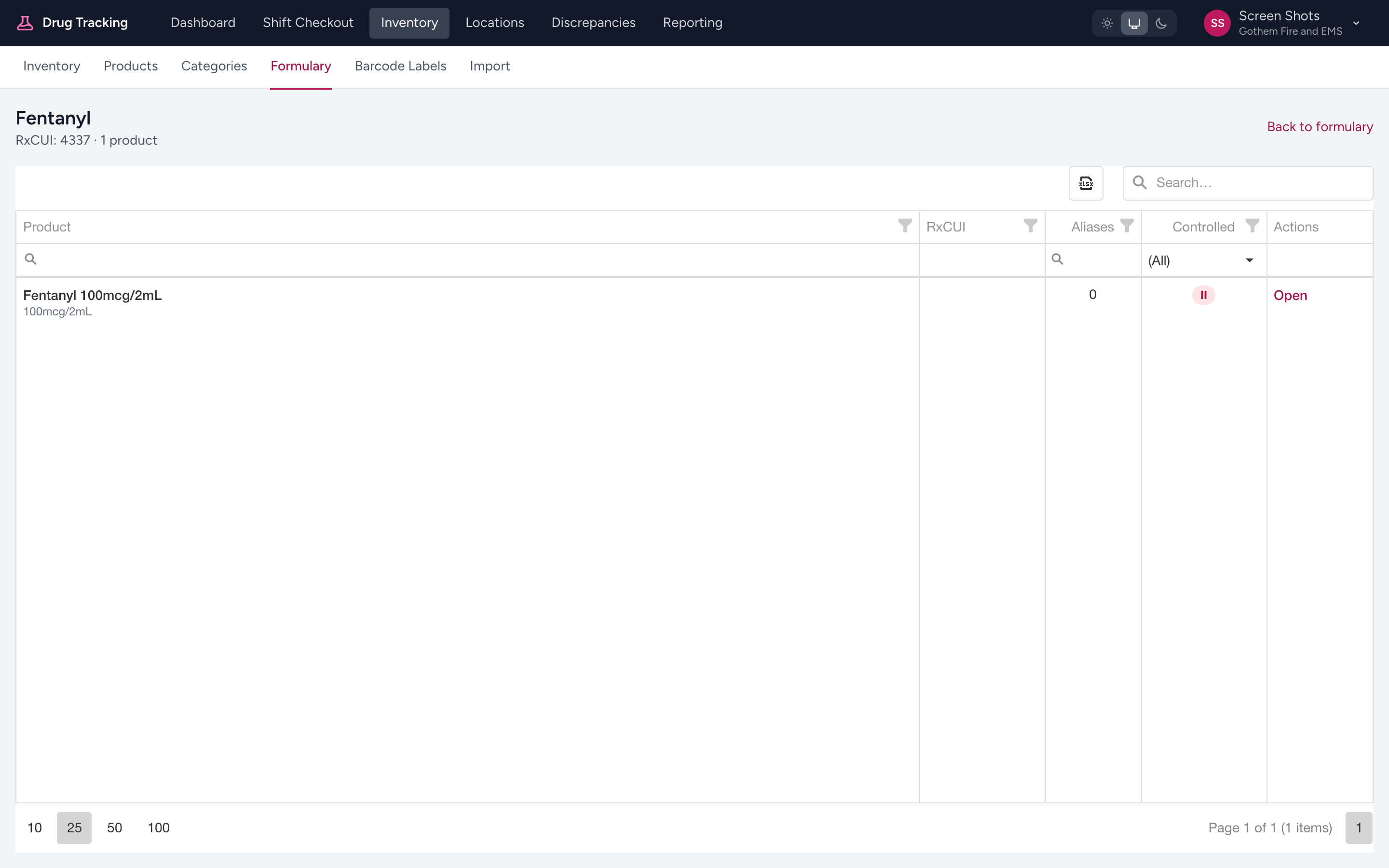
In the formulary, click the Open action on a row. The drug detail page opens with the generic drug name and its RxCUI at the top, and a table of the specific products your agency has attached to that drug.
What the products table shows
- Product — the product name (for example, 2 ML midazolam 1 MG/ML Injection), with the product strength underneath.
- RxCUI — the RxNorm identifier for the product, copyable to the clipboard.
- Aliases — how many alternate names or package codes are approved for this product.
- Controlled — a badge that either shows the product's DEA schedule (II, III, IV, or V) or No if the product is not a controlled substance.
Opening a product
Each row has an Open action that takes you to that product's inventory page, where you can see how much is on hand and by location. To change a product's details (its controlled-substance flag, strength, category, and so on), an admin uses the Products page in the Inventory section.
Example
You click Open on Midazolam in the formulary. The detail page shows two products attached to the drug: 2 ML midazolam 1 MG/ML Injection (marked Controlled: IV) and 5 ML midazolam 5 MG/ML Injection (also IV). The RxCUIs are listed next to each, and you can copy either to confirm a match with another system.
Tip
Back is the easiest way to return to the formulary list — either the browser back button or the back link at the top of the page.