

If a QA reviewer flags one of your PCRs, you respond right on the QA Flags page for that PCR. Each flag carries a reviewer message and tells you what kind of response the reviewer requires — either an internal note or a formal addendum on the official ePCR.
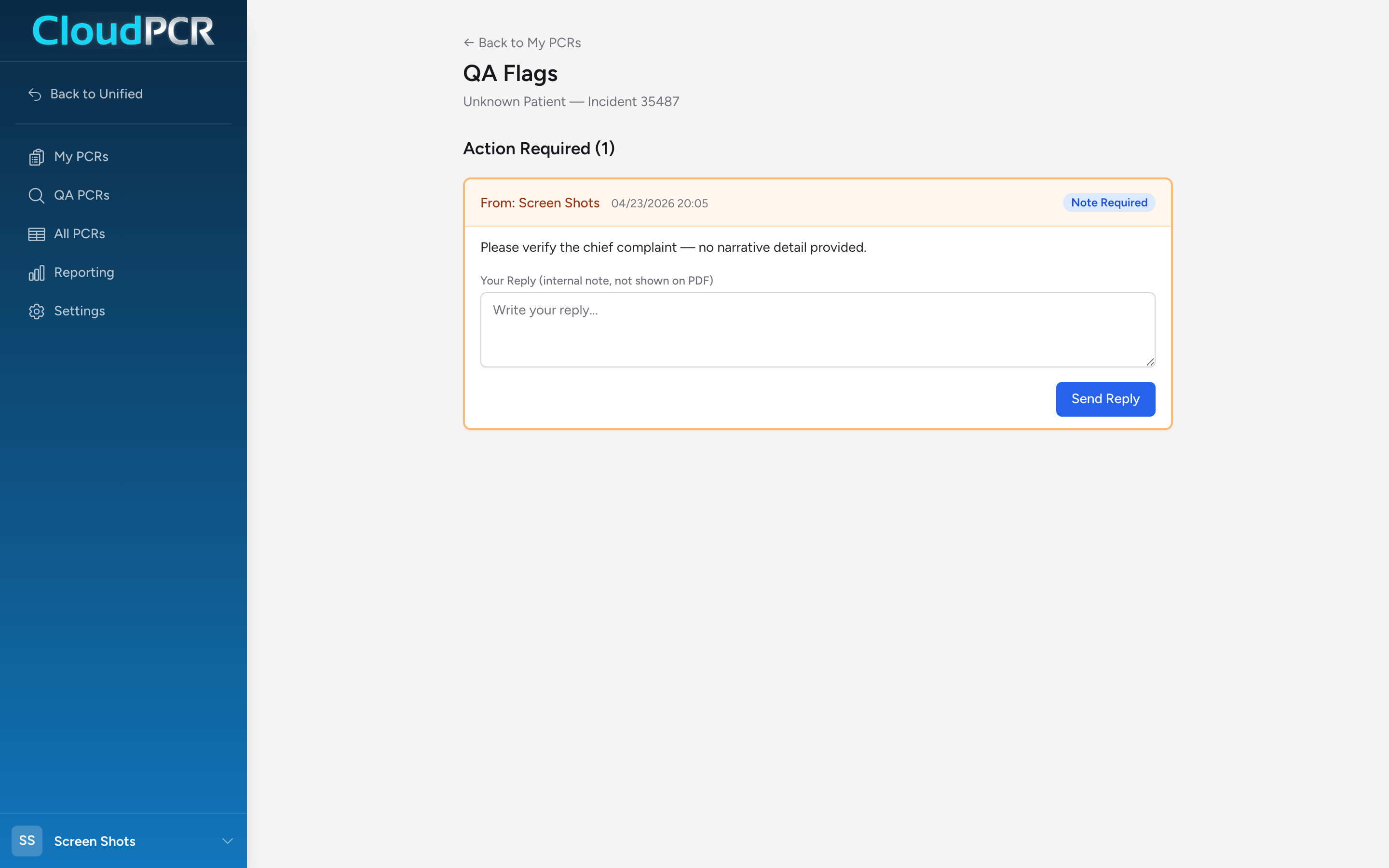
Open your flags
- Open the QA Flags page for the PCR. You can reach it from the notification badge on the PCR row in the QA queue, or by navigating to the URL for that PCR's flags.
- The page opens with an Action Required section listing each open flag — the reviewer's name, the date, the reviewer's message, and a badge showing whether a Note Required or Addendum Required response is expected.
Respond to a flag
The response controls are right on the flag card:
- If the flag is Note Required, the label reads Your Reply (internal note, not shown on PDF). Type your reply and click Send Reply. The reply is stored on the flag but is not added to the official ePCR.
- If the flag is Addendum Required, the label reads Your Addendum (this will appear on the official ePCR/PDF). Type your addendum and click Submit Addendum. An addendum record is created against the PCR and shows on the exported PDF and ePCR.
You do not re-open the PCR for editing in order to respond. Addenda are appended rather than modifying the original chart; notes are stored on the flag itself.
After you respond
The flag moves into the Previous Flags section (collapsed by default — click to expand) with a Responded status. The reviewer sees your response in their Flag History and either resolves the flag or, if more work is needed, sends another one.
An example
You get a flag on a refusal PCR. The reviewer marks it Addendum Required with the message "Please document a more thorough capacity assessment." You open the QA Flags page for that PCR, read the flag, and type your addendum into the Your Addendum box explaining what the patient was oriented to, their capacity to make decisions, and that you explained the risks of refusal. You click Submit Addendum. The addendum is appended to the official PCR and shows on the PDF; the reviewer sees it in Flag History and resolves the flag.