
The Payment section is the high-level "how is this call going to be paid?" question. You pick a payment method, and the rest of the Billing tab gets filled out to match.
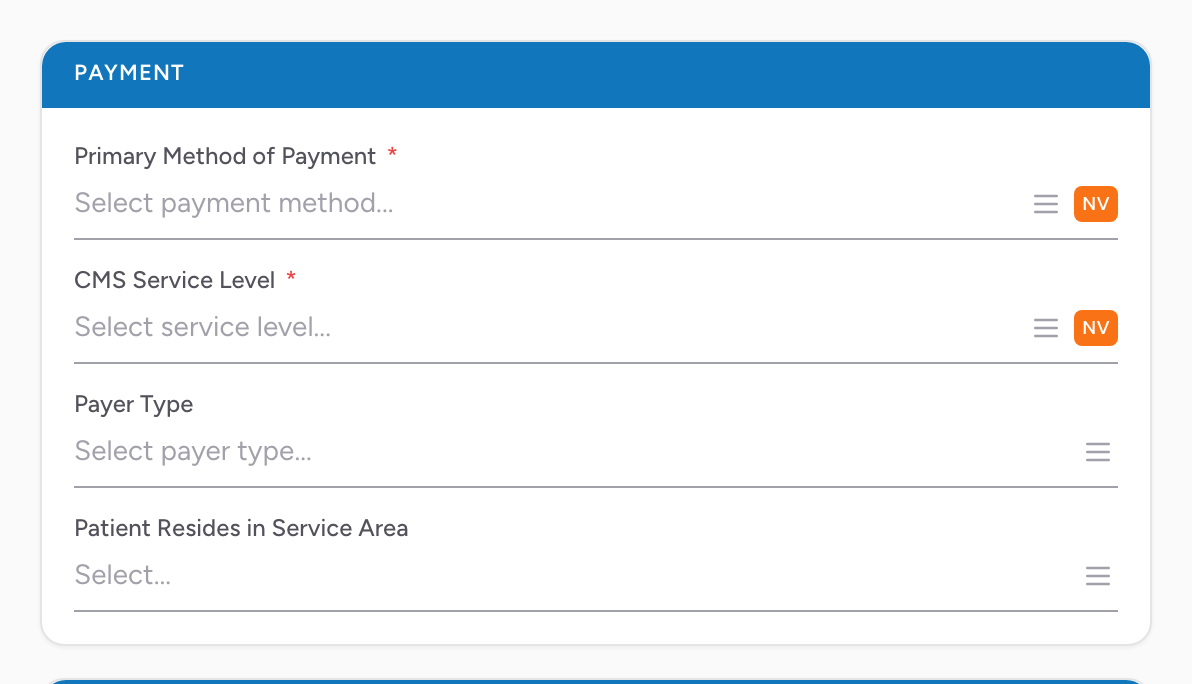
The fields
- Primary Method of Payment — the top-level payer for the transport. Pick from the list.
- CMS Service Level — the CMS service level for the transport. Pick from the list.
- Payer Type — a more specific payer category when the primary method alone is not enough.
- Patient Resides in Service Area — Yes or No.
An example
You transport a construction worker who fell from a ladder at a job site. In the Payment section you set Primary Method of Payment to Workers Compensation. You then fill in the Patient Employer section below with the construction company's details, and your billing team has what they need.